38
Note:PhotostakenfromTimeLapsewillbecombinedintoamovieandwillNOTexistindividually.
Using Time Lapse [Land Scene mode]
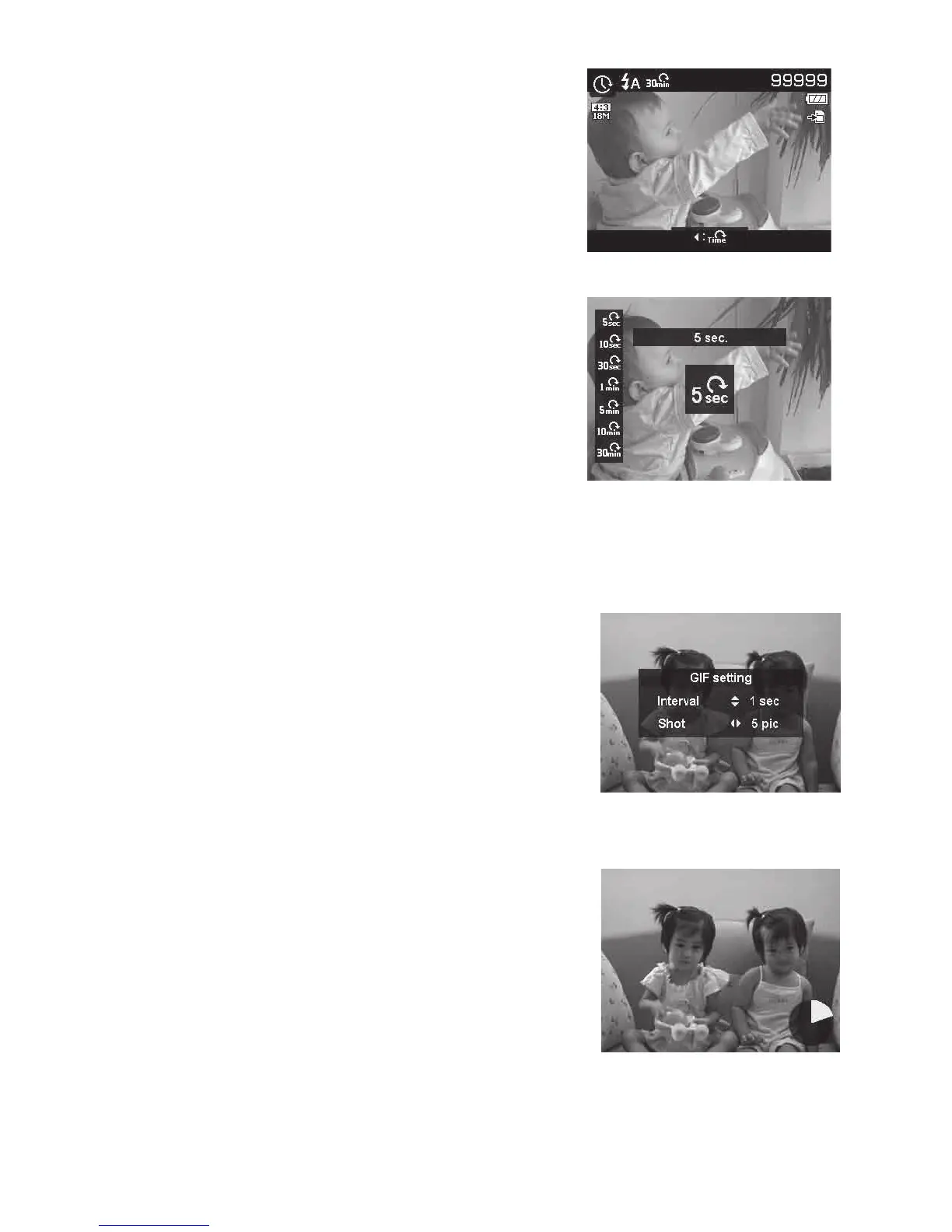
Usethisfeaturetotakephotosautomaticallyatthespecied
intervals.Thephotosizewillbe16:9(2M).InTimeLapse
mode,PushLeftbuttontolaunchtheTimeLapsemenu,and
thenPush Up/Downbuttontoselecttheoptions.
Availableoptionsare5sec.(Default),10sec.,30sec.,1
min.,5min.,10min.and30min.PushOKbuttontoapply
thesettingandclosethemenu.
YoucanfullPushtheShutterbuttontostartrecording,and
fullPushtheShutterbuttonagaintostoprecording.The
TimeLapsephotoswillbemergedintoaTimeLapsemovie
at10fps.
Using GIF Capture [Land Scene mode]
Usethisfeaturetotakeaspecicnumberofimages
inaspecicshootinginterval.Thecapturedimages
willbecombinedintoaGIFleandnolongerexist
individually.
Push OK buttoninPreviewcouldlaunchtheGIF
Setting.UseUp/Downbuttoncanadjusttheshooting
interval.Availableoptionsare1sec,2secand3sec.
UseLeft/Right button canadjustthenumberof
shot.Availableoptionsare5picand10pic.
Apiechartwillbedisplayedonlowerrightofthe
screenduringGIFcapturetoshowprogress.Ifall
shotshavebeentaken,theseJPGswillbecombined
intoaGIFandwillbeplayedinloopimmediately,
thenaconrmboxshowsup.SelectSavetosavethe
leorselectCanceltoerasethegeneratedGIF.
Note:ThecapturedimageswillbecombinedintoaGIFleandnolongerexistindividually
Pie chart shows progress.



 To Next Page