79
Geotagging
TheappGeotaggingfunctionisusefulforknowingthepreciselocationofwhereaphotowastaken.
Thisfeatureisonlyapplicableonlandpicturesandwillnotworkunderwater.
TheLink123PlusappcanrecordGPSlatitude/longitudecoordinatesfromyoursmartdeviceand
uploadthedatatoyourcamera.Onceuploaded,thecamerawillautomaticallyembedthedatainto
thecorrespondingimagesbymatchingthedata/timestampoftherecordedGPScoordinate(calleda
“GeoTag”)withthedate/timestampoftheimagesavedonthecamera.
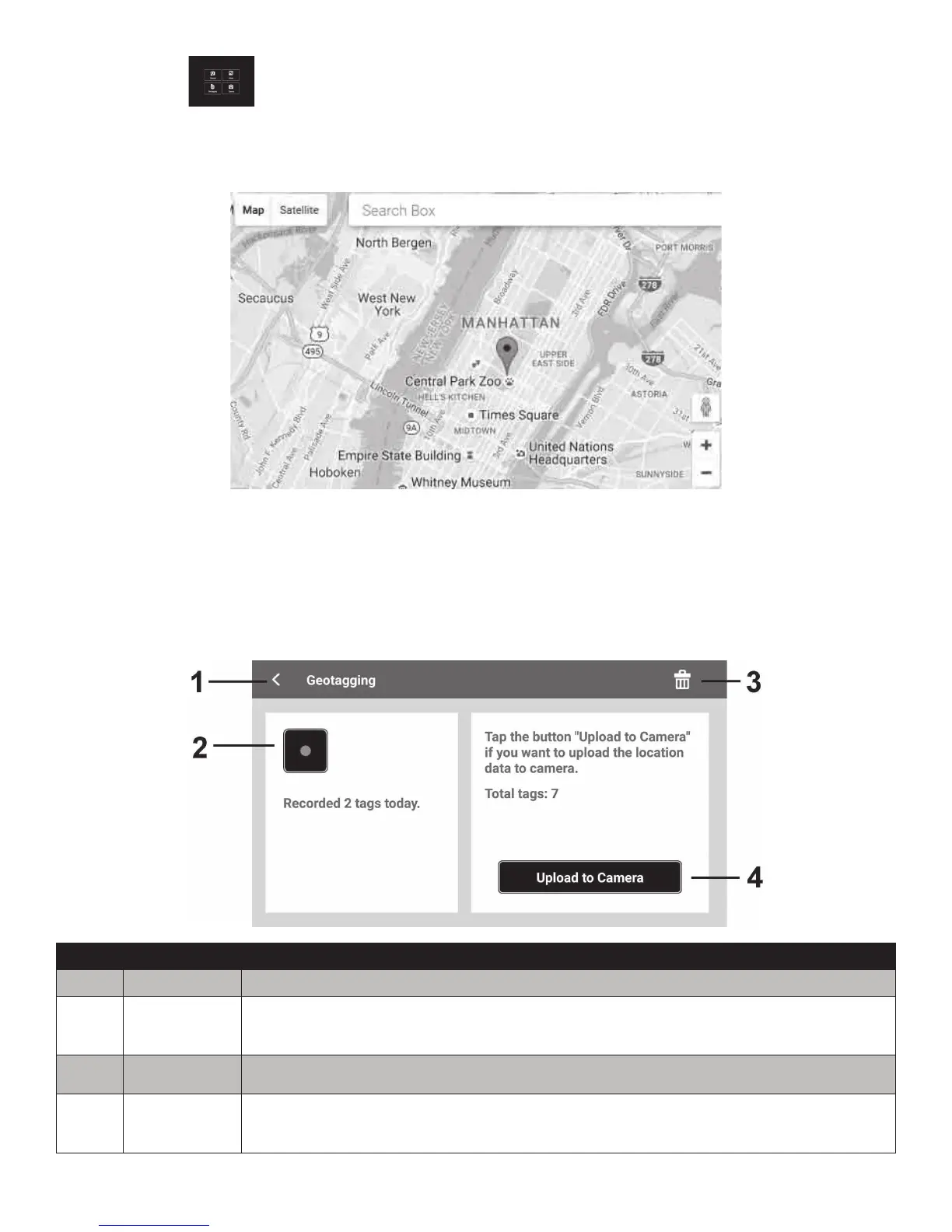
No. Item Description
1 Returnkey TapthiskeytoreturntotheAppMenu.
2
RECORD&
STOPkey
TapthiskeytostartorstoprecordingtheGPSdata.
3 Deletekey TapthiskeytocleartherecordedGPSdata.
4 Uploadkey
TapthiskeytouploadtheGPSdatatoCamera.Theiconwillbedisabled
duringGPSrecordingornoGPSdataisrecorded.



 To Next Page