47
Using the Main Menu
Thecamera’smainmenuallowsforeasyaccessandadjustmentofphoto,videoandsystemsettings.
Whenthemenuisdisplayed,usethe4-waynavigationcontrolandtheOKbuttontomovethrough
menuselectionsandapplyyourdesiredsettings.Toclosethemenuanytime,Pushthemenubut-
tonagain.Whenthecameraissealedinsidetheunderwaterhousing,usetheUp(Focus)andDown
(Flash)keystoscrollthroughthemenu.
Themainmenumaybeaccessedinanymode,exceptforthePlaybackmode.PushingtheMenu
buttoninPlaybackmodewillenterthePlaybackMenu.Refertopage62fordetailsaboutthePlay-
backmenu.
ToaccesstheMainmenu:
1. TurnonthecamerabyPushingPower button.
2. PushtolaunchtheMainMenu.
3. Usetheorkeystomovethroughthemenu
4. Toselectanitem,PushorOKbutton.
5. Changethesubmenusettingsusingthe4-way
navigationcontrol.
6. PushtheOKbuttontosaveandapplysettings.
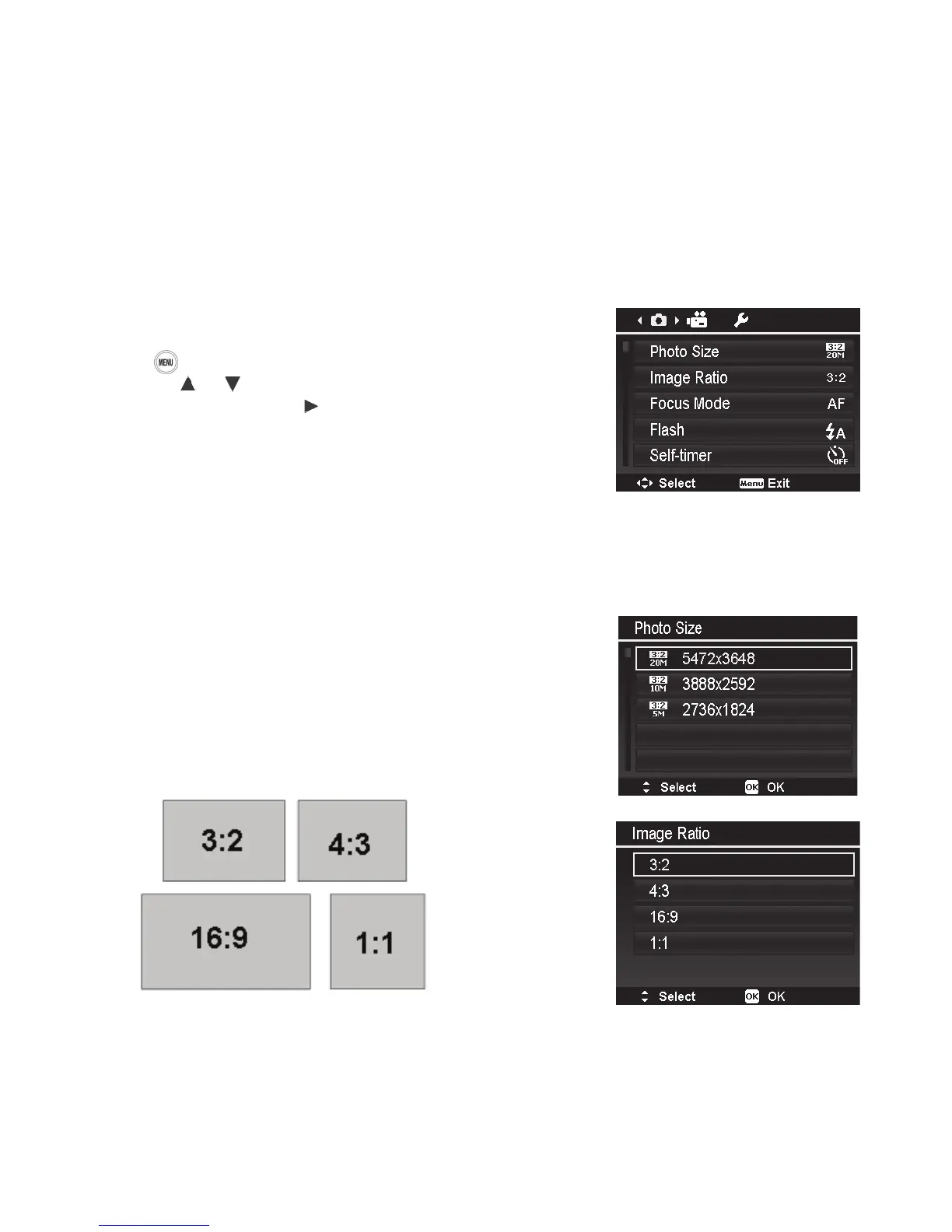
Photo Size/Image Ratio
ThePhotoSizesettingdeterminesimageresolution
(megapixels).Thedefaultsettingis20M(20megapixels),
whichhasapixeldimensionof5472x3648pixels.Ahigher
resolutionresultsinlargerimageandlesize.
TheImageRatioor“AspectRatio”iswidthoftheimage
relativetoitsheight.Availableoptionsare3:2(Default),
4:3,16:9and1:1.
Differentimageratioscorrespondtodifferentresolution
groups.ThetablebelowshowstheImageRatioandPhoto
Sizevaluesavailableforstillimages.



 To Next Page