83
Album Mode
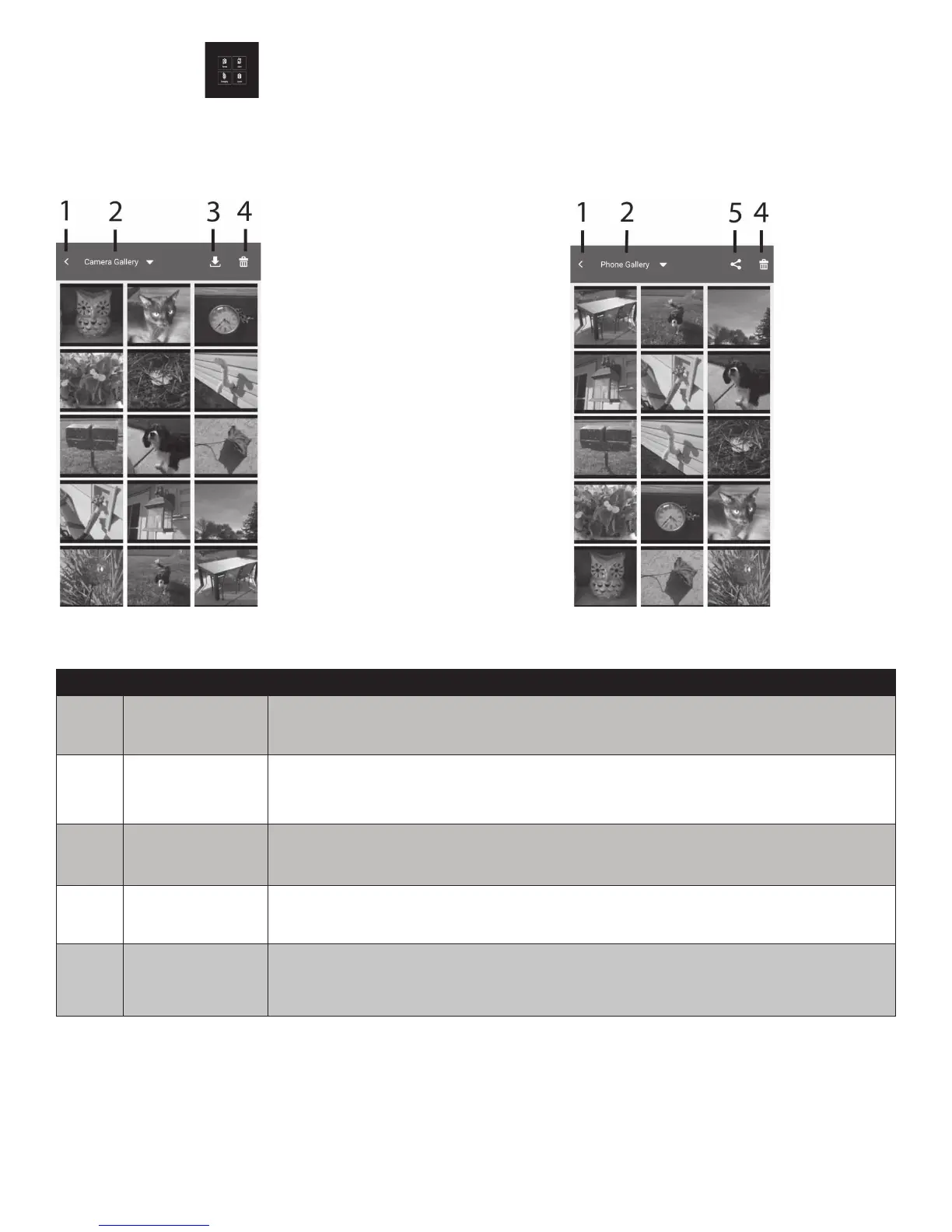
InAlbummode,youcanviewpictures/videosavedonthecameraanddownloadthemtoyoursmart
device.Downloadedleswillautomaticallybesavedtoyoursmartdevice’scamerarollandmaybe
sharedviaemail,textoruploadedtosocialmediaappsinstalledonyoursmartdevice.
Camera Gallery screen Phone Gallery screen
No. Item Description
1 Returnkey TapthiskeytoreturntoRemotemode.
2 Filelocation
TapthiskeyandselectbetweenCameraGallery(lessavedoncamera)
orPhoneGallery(lessavedonsmartdevice).
3 Downloadkey
Tapthiskeytoselectanddownloadpictures/videosfromthecamerato
yoursmartdevice.
4 Deletekey
Tapthiskeytodeletepictures/videosfromthecamera(cameragalleryor
smartdevice(phonegallery).
5 ShareKey
Tapthiskeytoshareselectedlesviaemailandtextoruploadtosocial
mediaappsinstalledonyoursmartdevice.
Notes: Youcanonlyviewthumbnailsinappplayback(phoneorcameragalleries).Nofullsize,
exceptvideos.Youcanplayvideosinphonegallerybutnotcameragallery.Tapethevideoclip
inPhoneGallerytoplayit.GIFlescannotbewirelesslydownloaded.Panoramalesmaybe
downloadedtoappPhoneGallerybutmaynotbesavedtoyoursmartdevicecameraroll.Youmust
rstdisconnectthecamerafromsmartdevicebeforelescanbeshared.Picturesandvideosclips
cannotbesharedatthesametime-Selectandsharethemseparately.KeepinmindthateachSocial
Mediaapphasdifferentlesize/numberlimitations.



 To Next Page