55
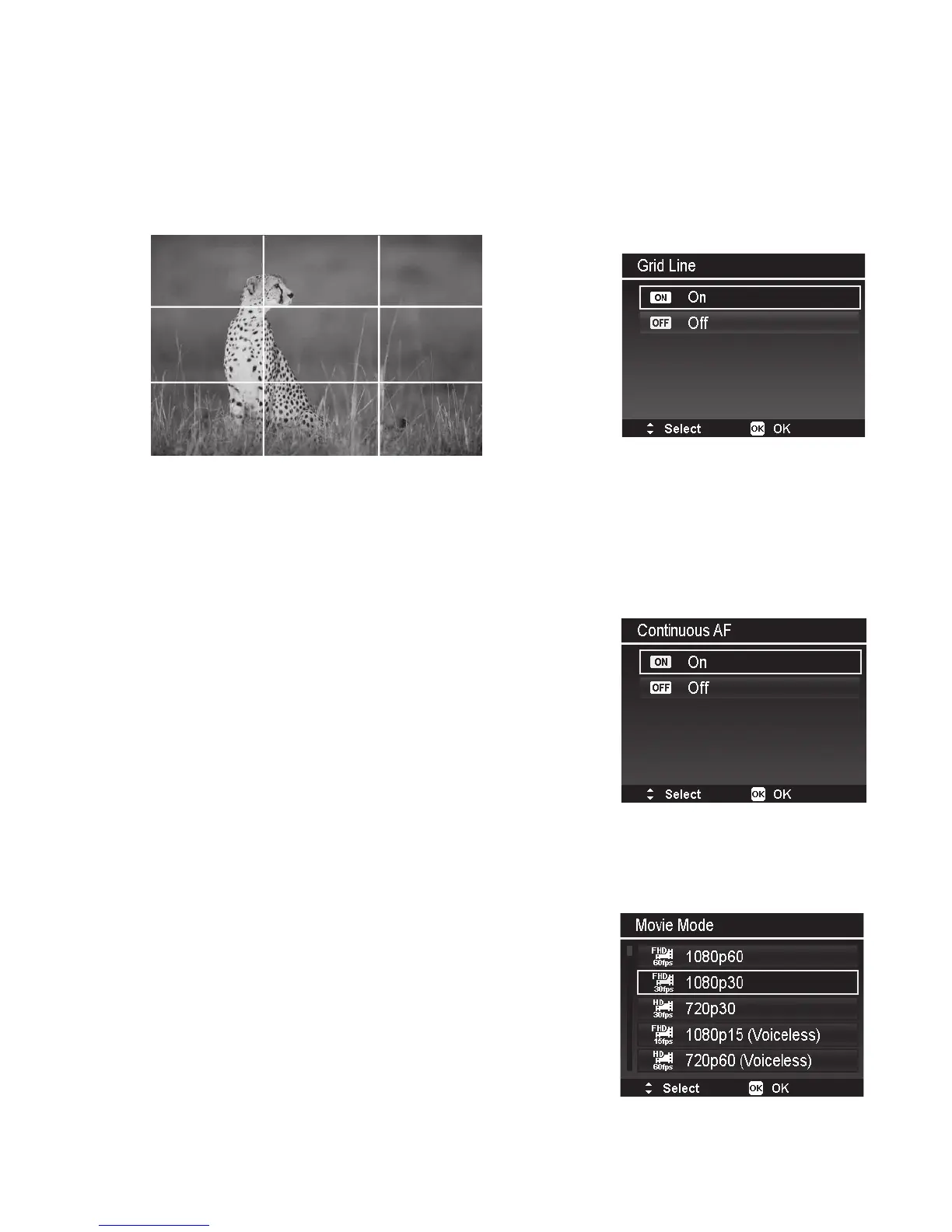
Grid Line
TheGridLinefunctionwillshowaframinggridonpreviewscreen,whichisusefulforcomposing
impressivepictures.Availablesettingsare:On,Off.
ThecongurationofGridLinewillbechangedwithdifferentaspectratio.
Usethe3x3gridlinestocreateimpressivepicturesfollowingthe“RuleofThirds”,wheresubjects
arealignedattheintersectionpoints.
Continuous AF Photo
WhenContinuousAFPhotoison,thecamerawill
periodicallyadjustfocusingduringpreviewwithoutpushing
theshutterbutton.Morebatterypowerisusedwhen
continuousfocusisenabled.
Movie Mode (Video Resolution)
TheMovieModesettingisusedtoadjustvideoresolution
andframerate.Themaximumrecordingsizepervideoclip
isabout4GBor30minutes.
Therstvaluereferstothevideosizeandthesecondvalue
referstoframerate,expressedinframespersecond(fps).
Forexample,1080p30meansthevideosizeis1080p(orfull
HDvideo)at30fps.1080p30isthedefaultsetting.
Using60fpsframerateisidealforrecordingfastmoving
objects,butwilluseupmorememoryspace.Higherframe
ratevideosmayalsobeplayedbackinslowmotionat
30fps.



 To Next Page