18
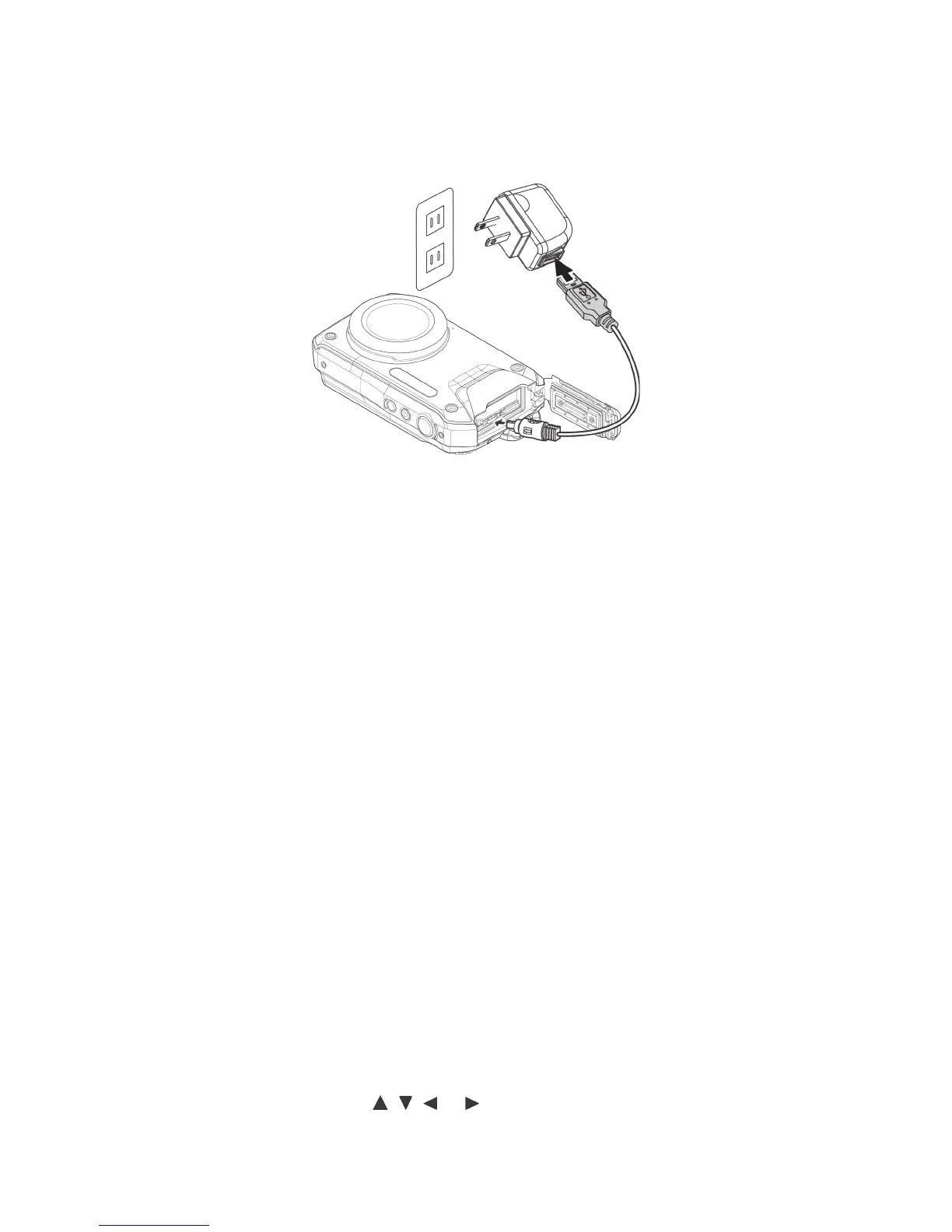
Charging the Battery
Tochargethebattery,connectcameratoUSBcableandotherendofUSBcabletothewallcharger,
asshown.
• TheLEDindicatoronthebackofthecamerawillbeginashingslowlywhencameraischarging
andturnsoffwhenchargingiscomplete.
• IftheLEDindicatordoesnotashwhenattemptingtochargethebattery,makesurethebatteryis
properlyinstalledandthatthecontactsarecleaned.
• IftheLEDindicatorlightsashesrapidly,thebatterymaybedamagedorusefullifemayhave
expired.Replacethebatteryinthiscase.
Power Camera On and Off
Therearetwowaystopoweronthecamera:
• PushandholdthePower buttonuntilcamerapowerson.ThecamerawillpoweroninPhoto
mode.
• PushandholdthePlayback button,thecamerawillpoweroninPlaybackmode.
• TopowerOFFthecamera,pushthePower button.
Initial Settings
Whenpoweringonthecameraforthersttime,youwillbeaskedtosetyourlocallanguageandthe
date/time:
Setting the Language
1.Usethe4-waynavigationbutton( , , or )toselectyourpreferredlanguage.
2.PushOKtoconrmyourlanguageselection.



 To Next Page