84
ConnectingtheCameratoacomputerorprinter
FollowthesestepstodownloadpicturesandvideoclipsfromthecameratoyourWindowsor
Applecomputer.
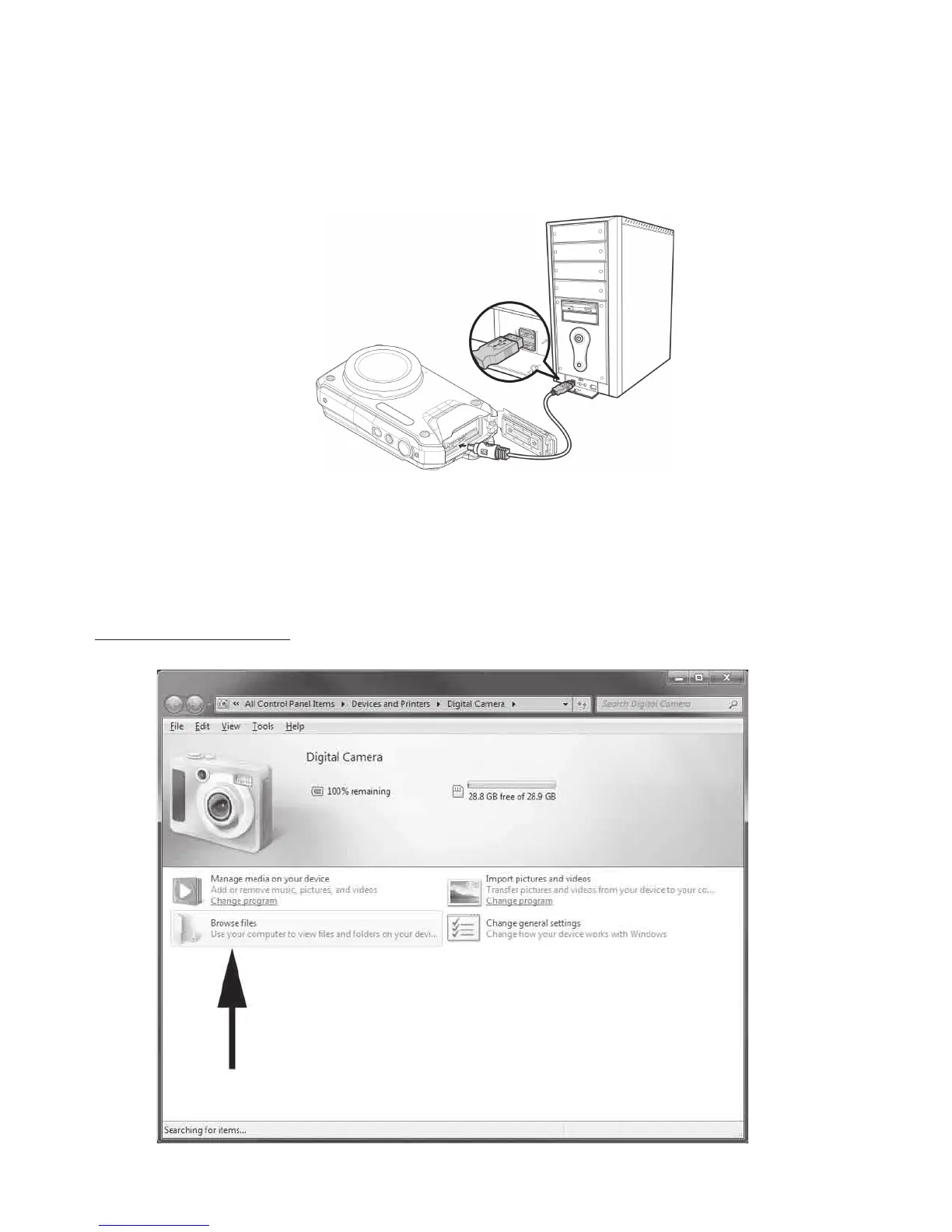
1. ConnectoneendoftheUSBcabletotheUSBportonyourcomputerandconnecttheother
endtotheUSBjackonthecamera.
2. Pushandholdpowerbuttonforonesecondtoturnonthecamera.
3. Thecamera’sLCDmonitorwillshowsa“Connecting…” messagewhilethecomputer
automaticallydetectsthecameraconnection.TheLCDmonitorwillturnoffafterthe
connectionisestablished.
4. OnWindowscomputers,adevicenoticationwindowwillappear,likethis:



 To Next Page