64
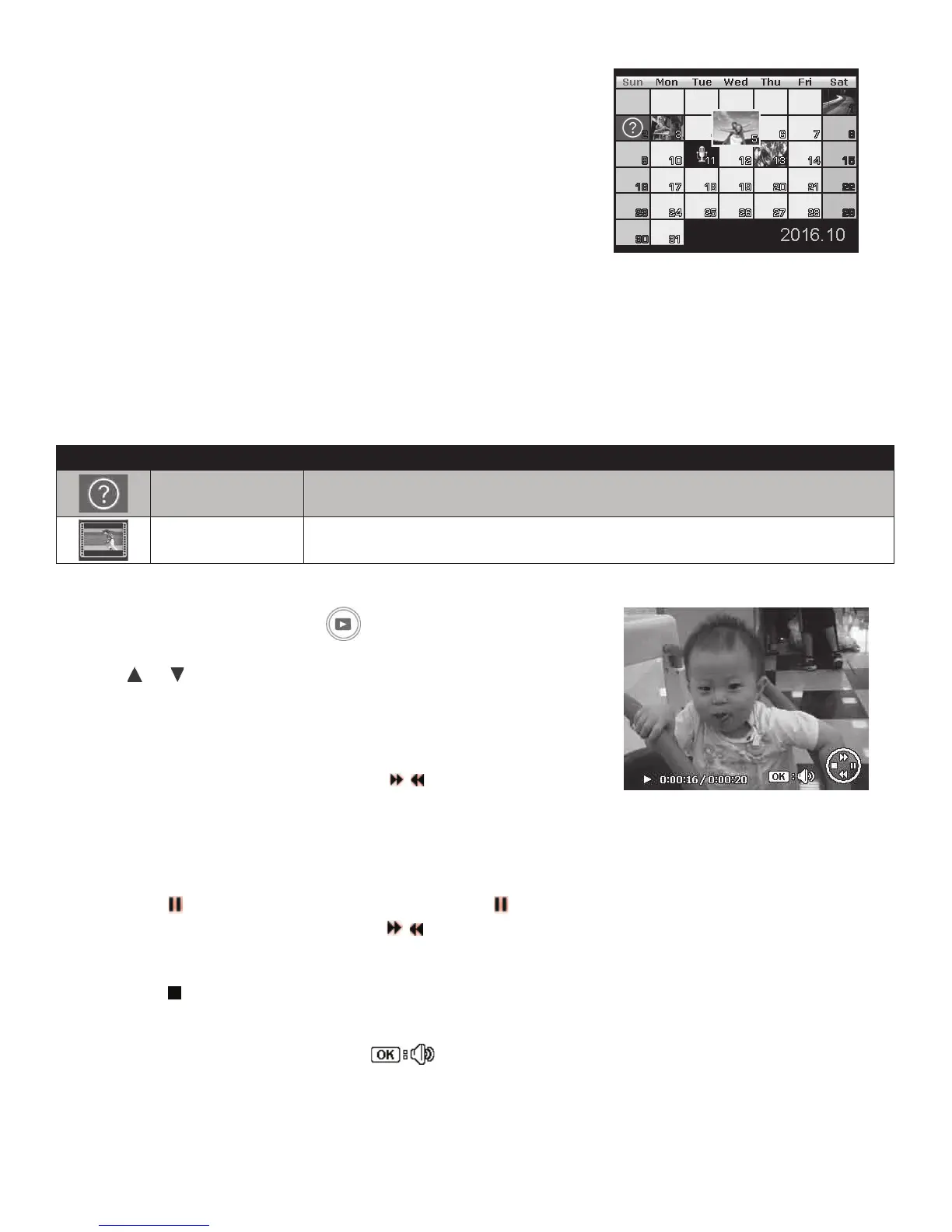
Using Calendar view:
TheCalendarviewingmodeisusefulforndingimages/
videosrecordedonaspecicdate.
Usethe4-waynavigationcontroltoscrollthroughthe
calendarandpushtheOkbuttontoselectthedesireddate.
Therstphotoorvideorecordedoneachdateappearson
thescreen.
Thumbnail icons:
Whenyouviewthethumbnails,someimagesmaycontainicons.Theseiconsindicatethetypeofle
orrecording.
Icon Type Description
FileError Indicatesanerrorle.
Video Indicatesleisavideoclip
Playing Videos
1. PushthePlayback button onthecamera.
2. Use or keystoscrollthroughthesavedimages.A
videocliphasavideoicondisplayedonscreen.
3. PushtheOKbuttontoplaythevideo.
4. Duringplayback,Pushandholdthe
/ keystofast
forwardorrewindthevideo.Thecamerasupports
forwardandrewindspeedofupto4x.
5. Duringplayback,PushOKbuttontoadjustvolume.
6. Pushthe keytopauseplayback.Pushthekey again
toresume.Whenpaused,pushthe
/ keystoforward
orrewindthevideoframebyframe.
7. Pushthe keytostoptheplayback.TheLCDmonitor
displaysthevideoframeimageinSinglenavigation
mode.
Note:Theplayinfo,excepttheicon ,willbedisplayed
whenthevideoispaused,duringREW/FForframebyframemodes.
VolumecannotbeadjustedwhenpausedorduringREW/FFmodes.



 To Next Page