69
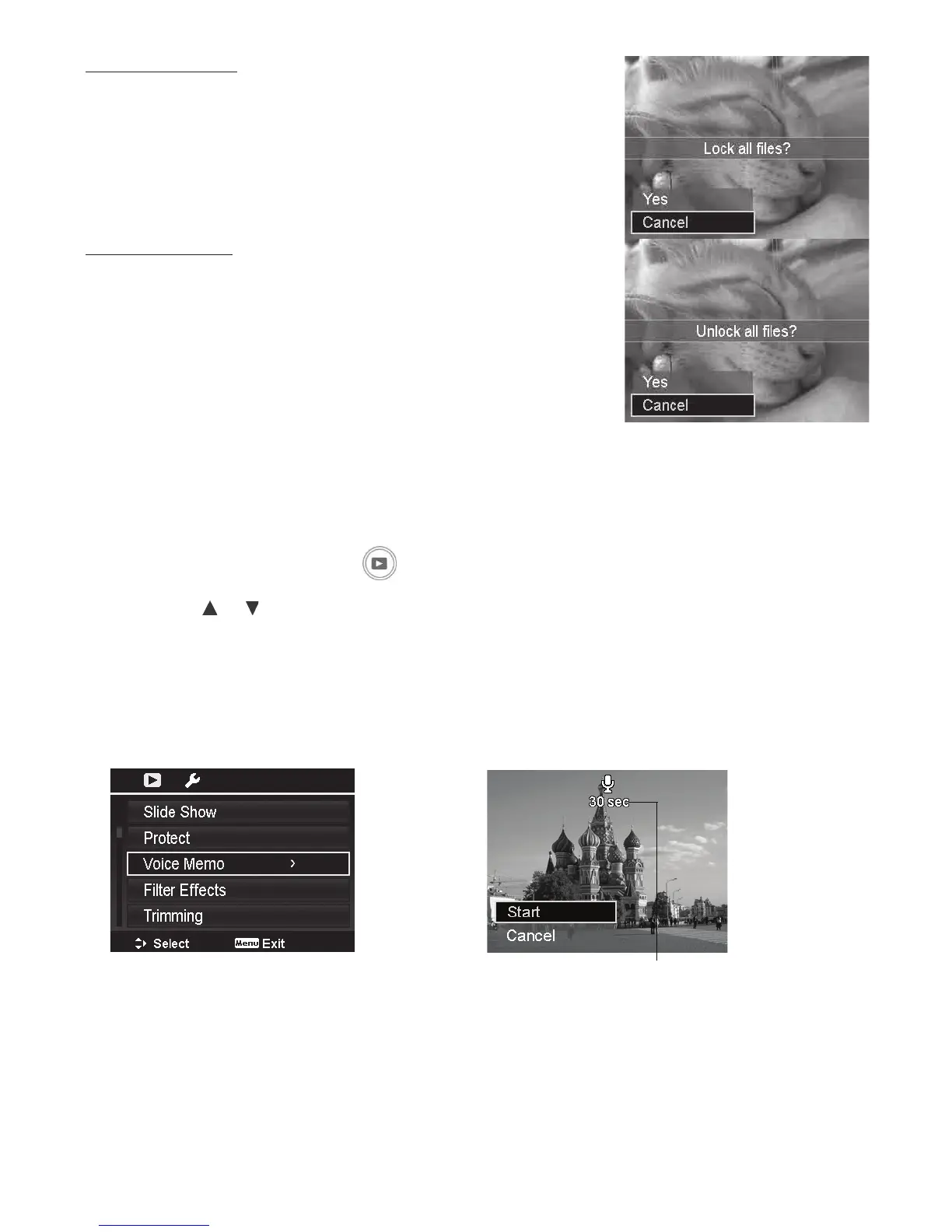
Toprotectallles:
1. SelectLock all intheProtectsubmenu.Aconrmation
messageappears.
2. SelectYes.
3. PushtheOK buttontolockallles.
Tounlockallles:
1. SelectUnlock all intheProtectsubmenu.A
conrmationmessageappears.
2. SelectYes.
3. PushtheOK buttontounlockallprotectedles.
Voice Memo
Youcanrecorduptoa30secondaudioclipforeachcapturedstillimages.Theaudiorecordingwill
beassociatedwiththeimagesharingthesamelenamebutsavedseparatelyasa.wavle.
Torecordvoicememo:
1. PushthePlayback button
.
2. Pushthe
or keystoscrollandselectanimagetoattachvoicememo.
3. PushtheMenubuttontolaunchthePlaybackmenu.
4. SelectVoice Memo.
5. SelectStart,thenPushtheOKbuttontostartrecording.
6. PushtheOKbuttonagaintostoprecording.
Recording time remaining
Note:Whenyourecordvoicememotoanimagewithanexistingvoicememo,theolder
recordinglewouldbereplacedbythenewone.



 To Next Page