30
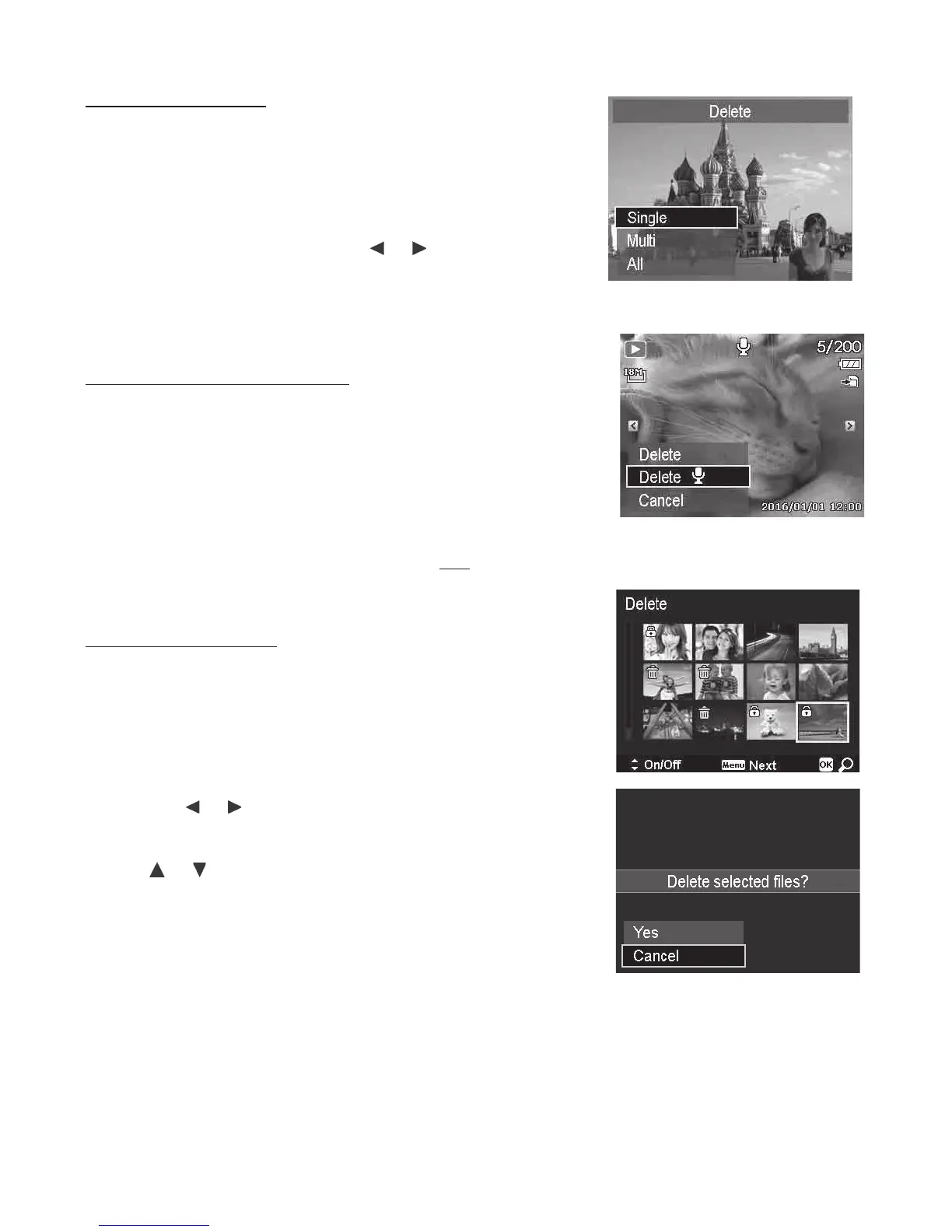
Todeleteasinglele:
1. Afteraconrmationselectionappearsonscreen.
SelectSingle.
2. PushtheOK buttonandselectDeletetodelete.
3. ThenextimageisdisplayedontheLCDmonitor.
Todeleteanotherle,usethe
or keystoscroll
throughtheimages/videosclip.Repeatsteps1to2.
4. PushtheMenubuttontoexittheDeletefunction
andgobacktothesinglenavigationmode.
Todeleteattachedvoicememo:
1. Afteraconrmationselectionappearsonscreen.
SelectSingle.
2. Adeletevoicememooptionwillbeaddedtothe
selection.
3. SelectandPushOKtodeletevoicememo.
4. OrselectDeletetodeletebothimageandits
embeddedvoicememo.
Todeletemultipleles:
1. Afteraconrmationselectionappearsonscreen.
SelectMulti.
2. Theimagesaredisplayedinthumbnailviewonthe
LCDmonitor.
3. Usethe or keystomovethroughtheles.
4. Whenthedesiredimage/videoclipishighlighted,use
the or keystomark/unmarkimage/videoclipfor
deletion.
5. Repeatstep4untilalldesiredimagesfordeletionare
marked.
6. PushtheMenu buttonandaconrmationselection
willappear.
7. SelectYes toconrm.
8. PushtheOK buttontodeletemarkedles.



 To Next Page