Factory Default
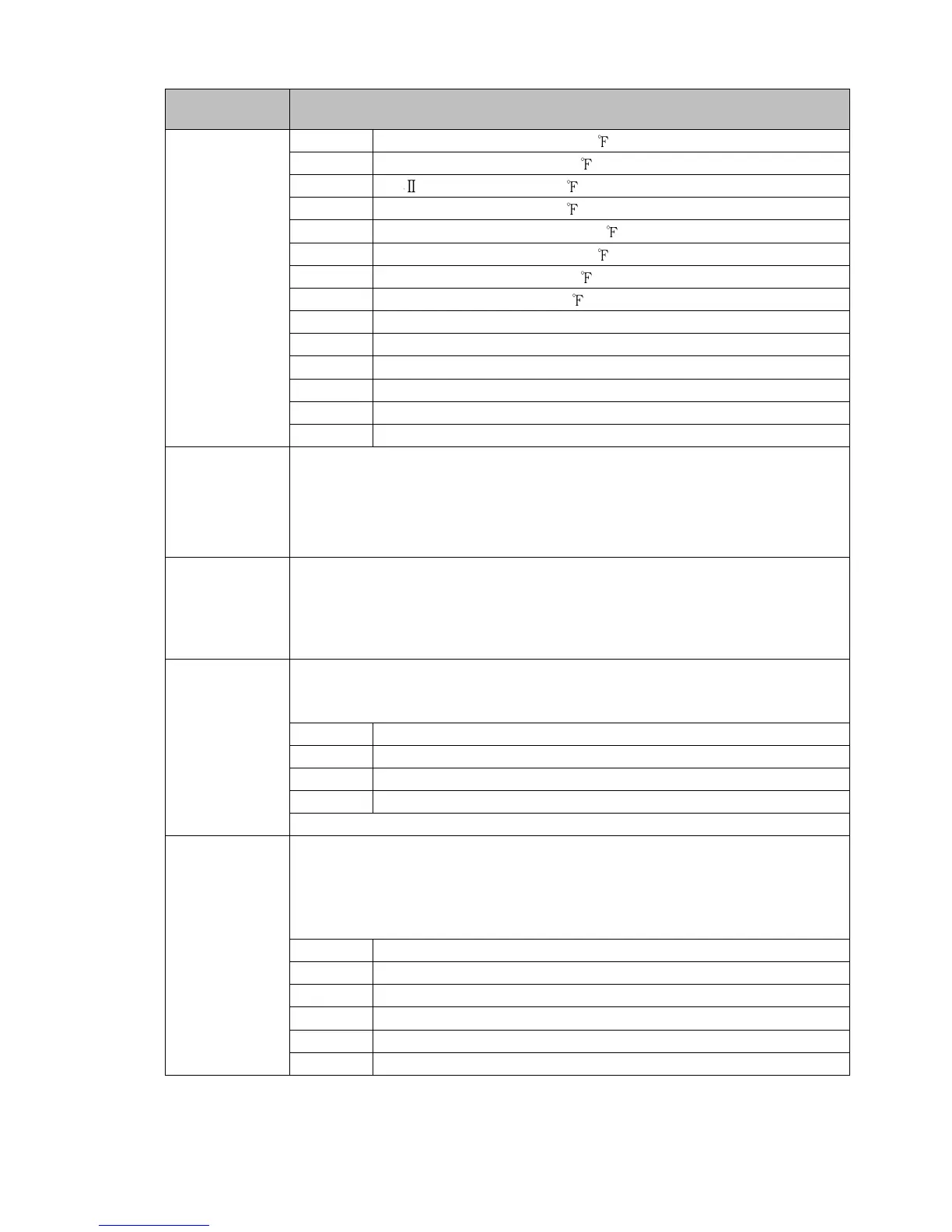
Setting Item, Function, Setting Range
t//.f T -328.0 to 752.0
n//f N -328 to 2372
pl2f PL- 32 to 2534
c//f C(W/Re5-26) 32 to 4199
pt/.f Pt100 -328.0 to 1562.0
jpt.f JPt100 -328.0 to 932.0
pt/f Pt100 -328 to 1562
jptf JPt100 -328 to 932
420a 4 - 20 mA -2000 to 10000
020a 0 - 20 mA -2000 to 10000
0/1v 0 - 1 V -2000 to 10000
0/5v 0 - 5 V -2000 to 10000
1/5v 1 - 5 V -2000 to 10000
010v 0 - 10 V -2000 to 10000
stlh
/ 1370
Scaling high limit
• Sets scaling high limit value.
• Setting range: Scaling low limit to Input range high limit
DC voltage, current inputs: -2000 to 10000 (The placement of the decimal
point follows the selection.)
stll
/ -200
Scaling low limit
• Sets scaling low limit value.
• Setting range: Input range low limit to Scaling high limit
DC voltage, current inputs: -2000 to 10000 (The placement of the decimal
point follows the selection.)
dp//
/ ///0
Decimal point place
• Selects decimal point place.
• Selection item:
///0 No decimal point
//0.0 1 digit after decimal point
/0.00 2 digits after decimal point
0.000 3 digits after decimal point
Available when DC voltage or current input is selected in [Input type].
evo1
/ /000
Event output EV1 allocation
• Selects Event output EV1 from the table below.
• When changing Event output EV1, refer to Section “9.6 Items to be Initialized
by Changing Settings” (p.104).
• Selection item:
/000 No event
/001 Alarm output, High limit alarm
/002 Alarm output, Low limit alarm
/003 Alarm output, High/Low limits alarm
/004
Alarm output, High/Low limits independent alarm
/005
Alarm output, High/Low limit range alarm



 To Next Page