- 93 -
9.1.4 Advancing Program Step (Advance Function)
Interrupts current step while program control is running, and proceeds to the beginning of the next
step.
If the Wait function is working, the Wait function will be cancelled, and will proceed to the beginning
of the next step.
To advance program step, there are 2 methods:
Using the RUN key, or using Event input
• Using the
RUN
key
Press the RUN key for approx. 1 second during program control RUN.
Current step is stopped, and the unit proceeds to the beginning of the next step.
Each time the RUN key is pressed for approx. 1 second, the unit proceeds to the next step.
• Using Event input
If
/005
(Program control Advance function) is selected in [Event input DI allocation],
Program control ADVANCE or usual control can be switched, depending on ON (Closed) or
OFF (Open) status between Event input DI terminal and SG terminal.
If
/005
(Program control Advance function) is selected in [Event input DI1 allocation],
close (ON)
9
and
12
.
Current step is stopped, and the unit proceeds to the beginning of the next step.
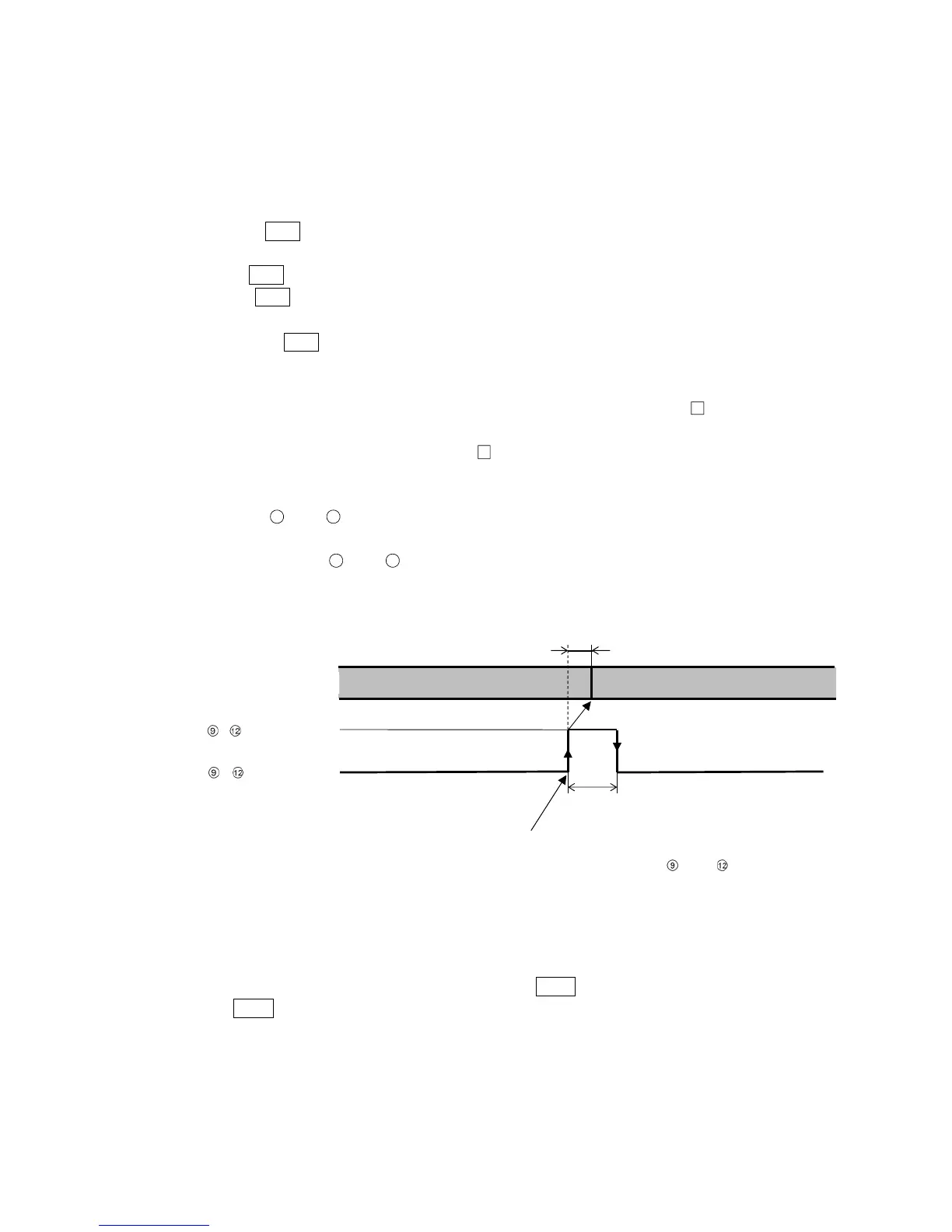
Each time terminals
9
and
12
are turned from OFF (Open) to ON (Closed), the unit
proceeds to the next step.
(Fig. 9.1.4-1)
9.1.5 Speeding up Program Step Time (Step Time Speed-up Function)
To make program step time progress faster, press the FAST key during program control RUN.
While the FAST key is pressed, the step time progress is made 60 times faster.
If the Wait function is set, this function will be disabled as the Wait function has priority.
Program control RUN (Step 1) Program control RUN (Step 2)
Within 0.1 sec
0.1 sec min.
, ON (Closed)
,
OFF (Open)
Controller action
Program control advances by detecting rising signal edge action
from OFF (Open) to ON (Closed) of terminals and
.



 To Next Page