- 94 -
9.1.6 Changing Program Step SV and Step Time
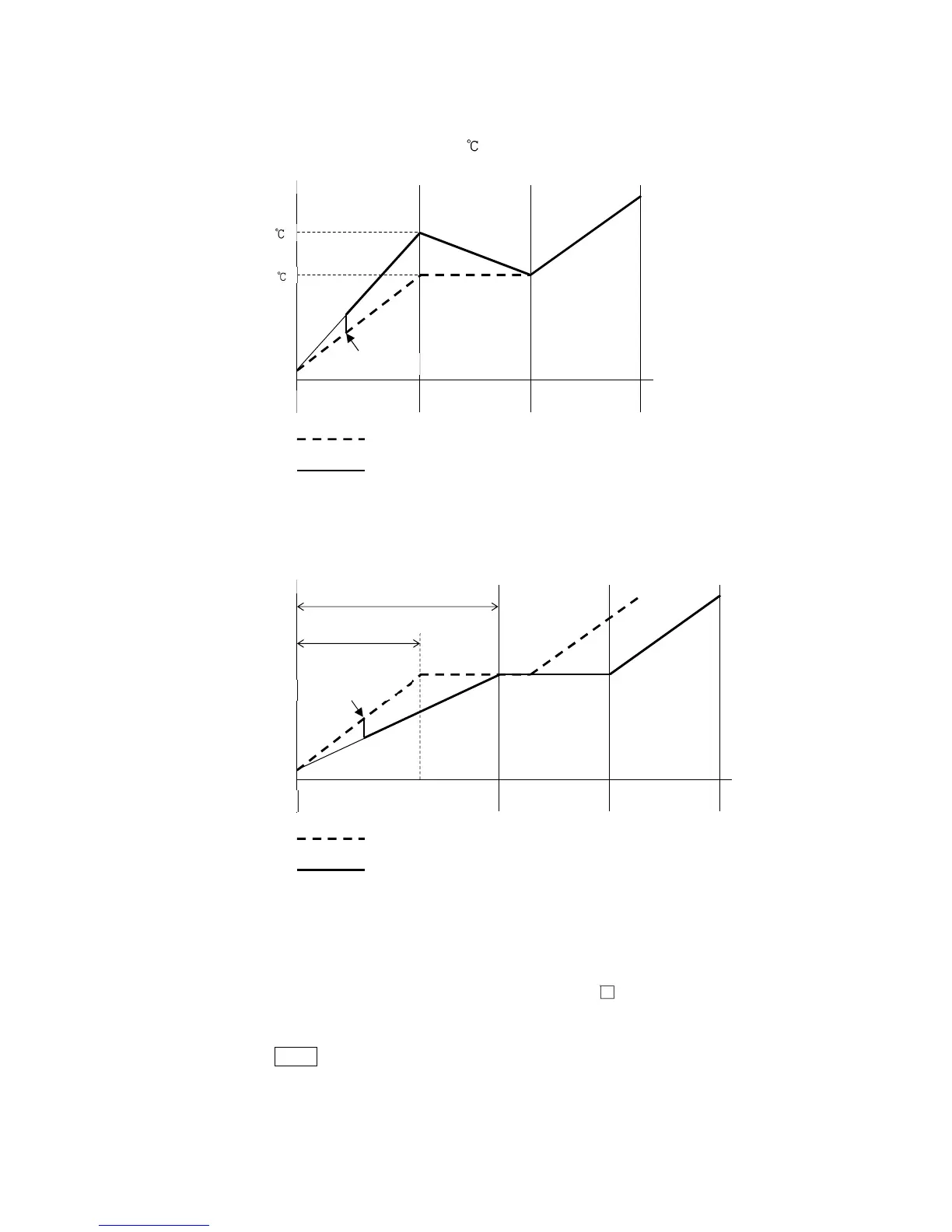
When step SV and step time are changed during program control RUN, they will change as follows.
• When changing step SV from 500 to 700
(Fig. 9.1.6-1)
• When changing step time from 0:30 to 0:50
(Fig. 9.1.6-2)
9.1.7 Ending Program (Pattern End Function)
If
/017
(Pattern end output) is selected in [Event output EV allocation], Pattern end output is
turned ON after program control is finished, and the SV Display flashes
p.end
.
By pressing the STOP key for approximately 1 second, Pattern end output is turned OFF, and the unit
returns to Program control STOP (in Standby).
If Pattern end output time is set, Pattern end output is automatically turned OFF after Pattern end
output time has expired. And the unit returns to Program control STOP (in Standby).



 To Next Page