- 97 -
9.2.2 Finishing Fixed Value Control
There are 2 ways to finish Fixed value control:
Using the STOP key, or using Event input
• Using the
STOP
key
Press the STOP key for approximately 1 second during Fixed value control.
Fixed value control will stop, and the unit will revert to Program control STOP (in Standby).
• Using Event input
If /003 (Program control RUN/STOP) is selected in [Event input DI allocation],
Program control RUN/STOP can be switched, depending on ON (Closed) or OFF (Open)
status between Event input DI terminal and SG terminal.
If /003 (Program control RUN/STOP) is selected in [Event input DI allocation],
open (OFF)
9
and
12
.
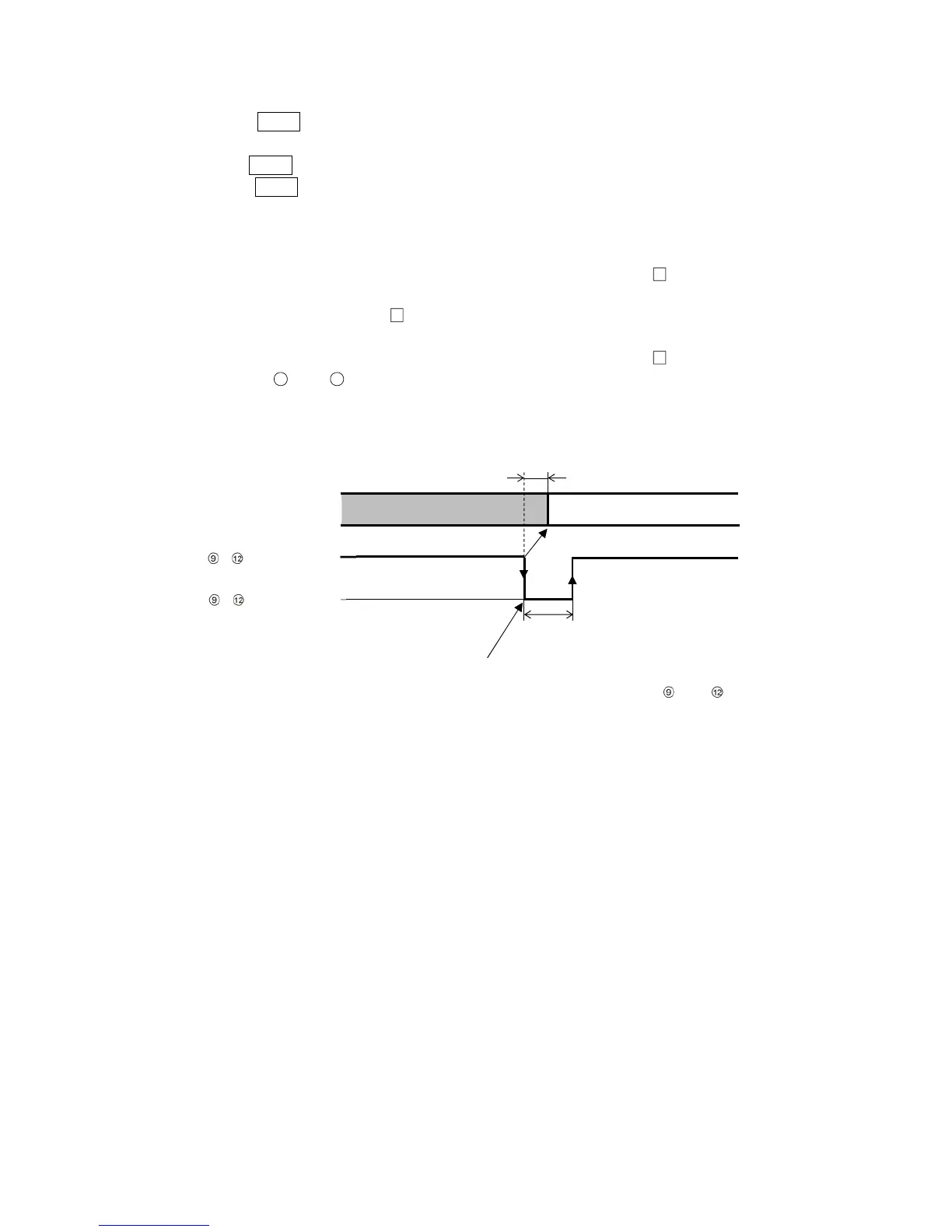
Fixed value control will stop, and the unit will revert to Program control STOP (in Standby).
(Fig. 9.2.2-1)
Fixed value control RUN
Fixed value control is finished.
Within 0.1 sec
0.1 sec min.
,
ON (Closed)
,
OFF(Open)
Controller action
Fixed value control is finished by detecting falling signal edge
action from ON (Closed) to OFF (Open) of terminals and



 To Next Page