SDS1000X-E User Manual
91
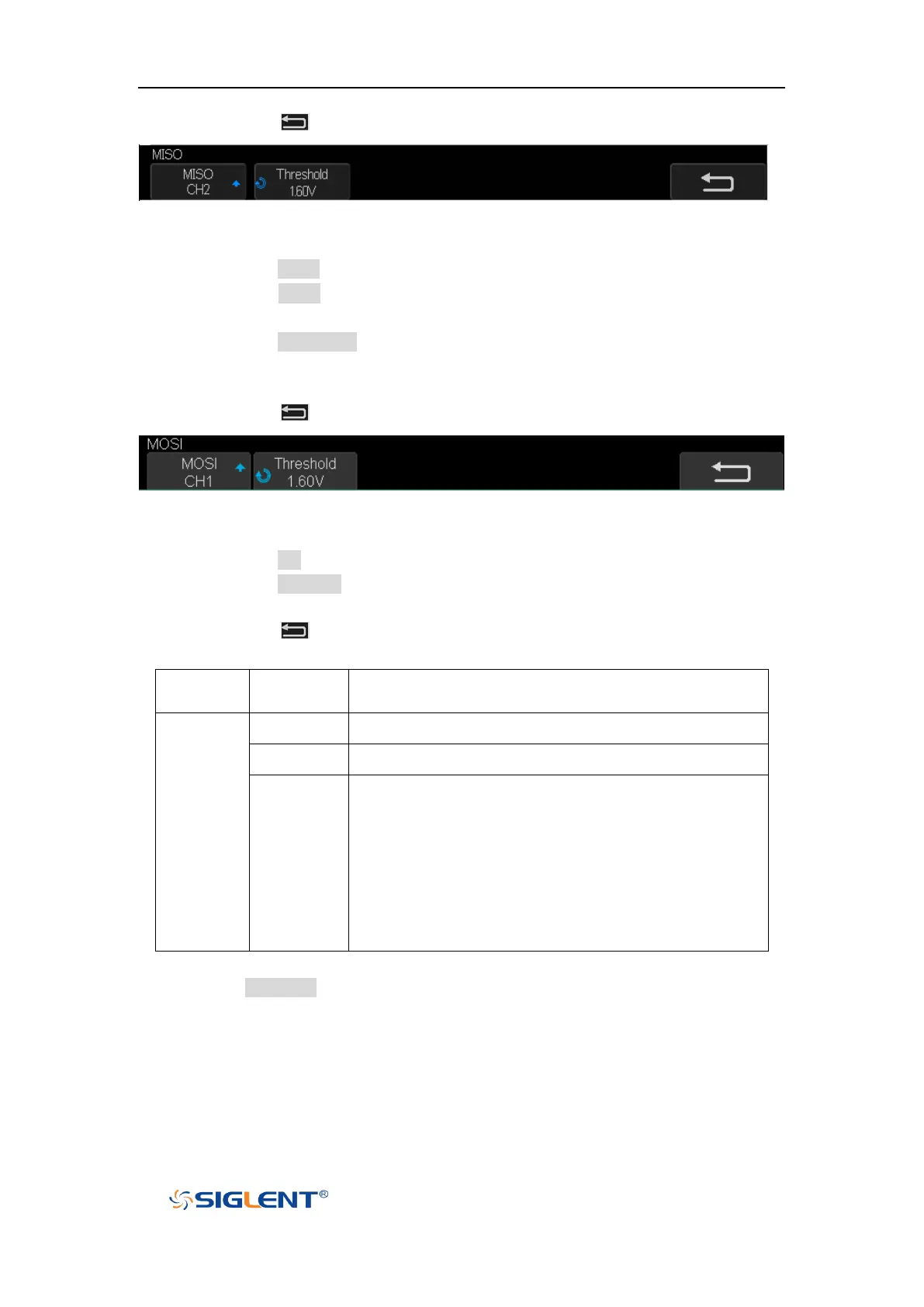
d. Press the softkey to return previous menu.
Figure 44 MISO Menu
7. Set MOSI:
a. Press the MOSI softkey to enter the MOSI menu.
b. Press the MOSI softkey to select the channel that is connected to the SPI MOSI
signal.
c. Press the Threshold softkey to set the SPI MOSI signal’s threshold voltage level
by Universal Knob. The threshold voltage level is for decoding, and it will be
regard as the trigger voltage level when set the trigger type to serial.
d. Press the softkey to return previous menu.
Figure 45 MOSI Menu
8. Set CS:
a. Press the CS softkey to enter the MOSI menu.
b. Press the Cs Type softkey to select the chip select type.
c. Modify the Cs type’s value.
d. Press the softkey to return previous menu.
low voltage level of CS signal is available
high voltage level of CS signal is available
If the time between two edges of clock signal is less
than (or equal to) the value of timeout, the signal
between the two edges is treat as a frame. The range of
clock timeout is 100ns-5ms. This setting is suitable for
case where CS signal is not connected, or the number
of oscilloscope channels is insufficient (such as
two-channel oscilloscopes).
Table 1 Menu Explanations of the Cs Type Parameters
9. Press the Bit Order softkey to select the bit order (LSB or MSB).


 To Next Page