SDS1000X-E User Manual
181
Web Server
SDS1000X-E (only 4 channels scope supports this function) provides the web server
function; you can access and control the oscilloscope using a web browser. Connect the
oscilloscope to your LAN (or WLAN), then type the oscilloscope's IP address in the web
browser. The oscilloscope's web interface is displayed. The default user name is “admin”,
and there is no password.
1. Press the Utility button on the front panel to enter the UTILITY function menu.
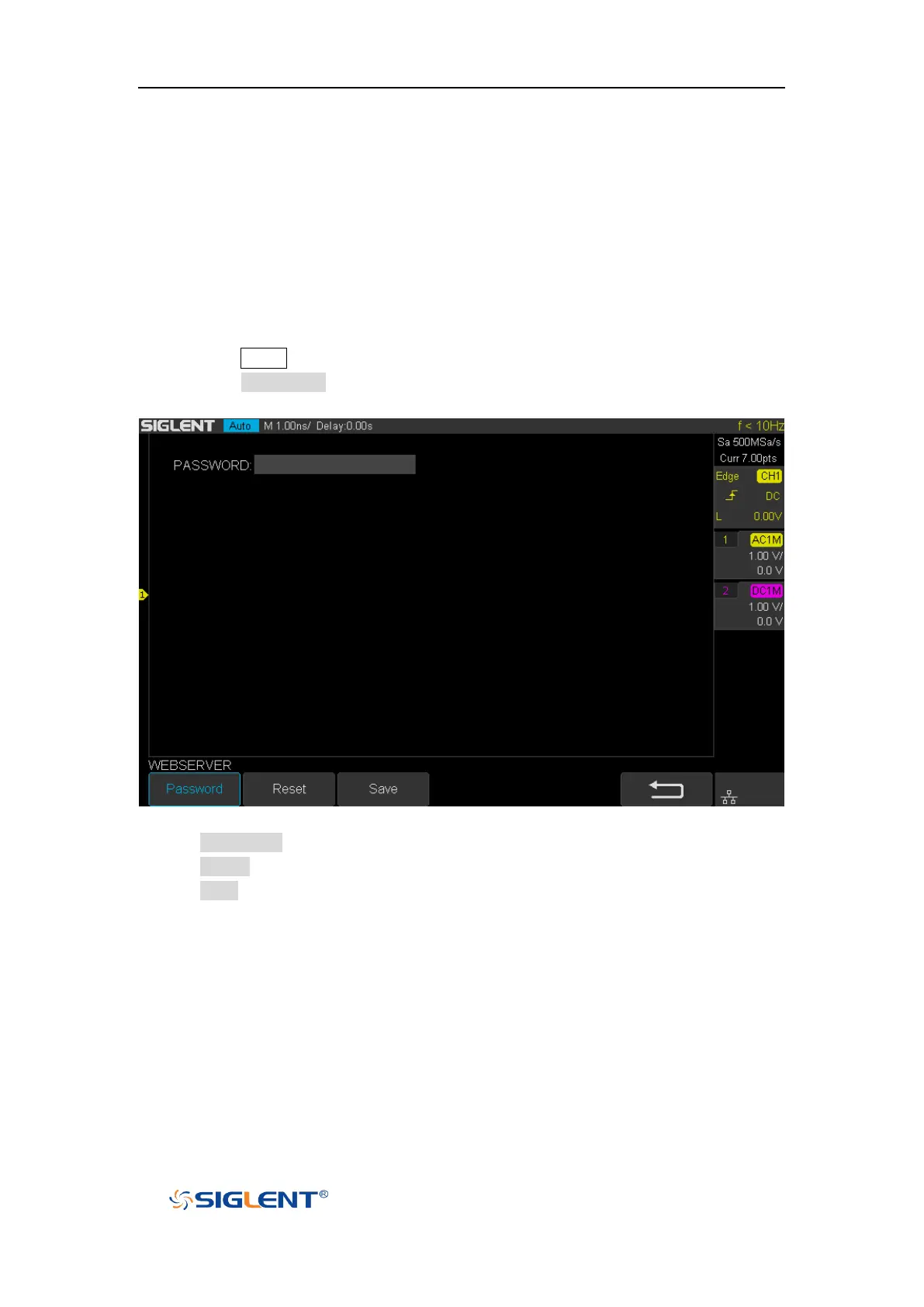
2. Press the WebServer softkey on the fourth page of utility function menu to enter the
WEBSERVER menu.
Figure 109 Web Server Interface
Password: press this softkey to set a new password,
Reset: press this softkey to erase the password.
Save: Setting a new password or erasing the password, then press this softkey to
make the new configure became effective.


 To Next Page