SDS1000X-E User Manual
6
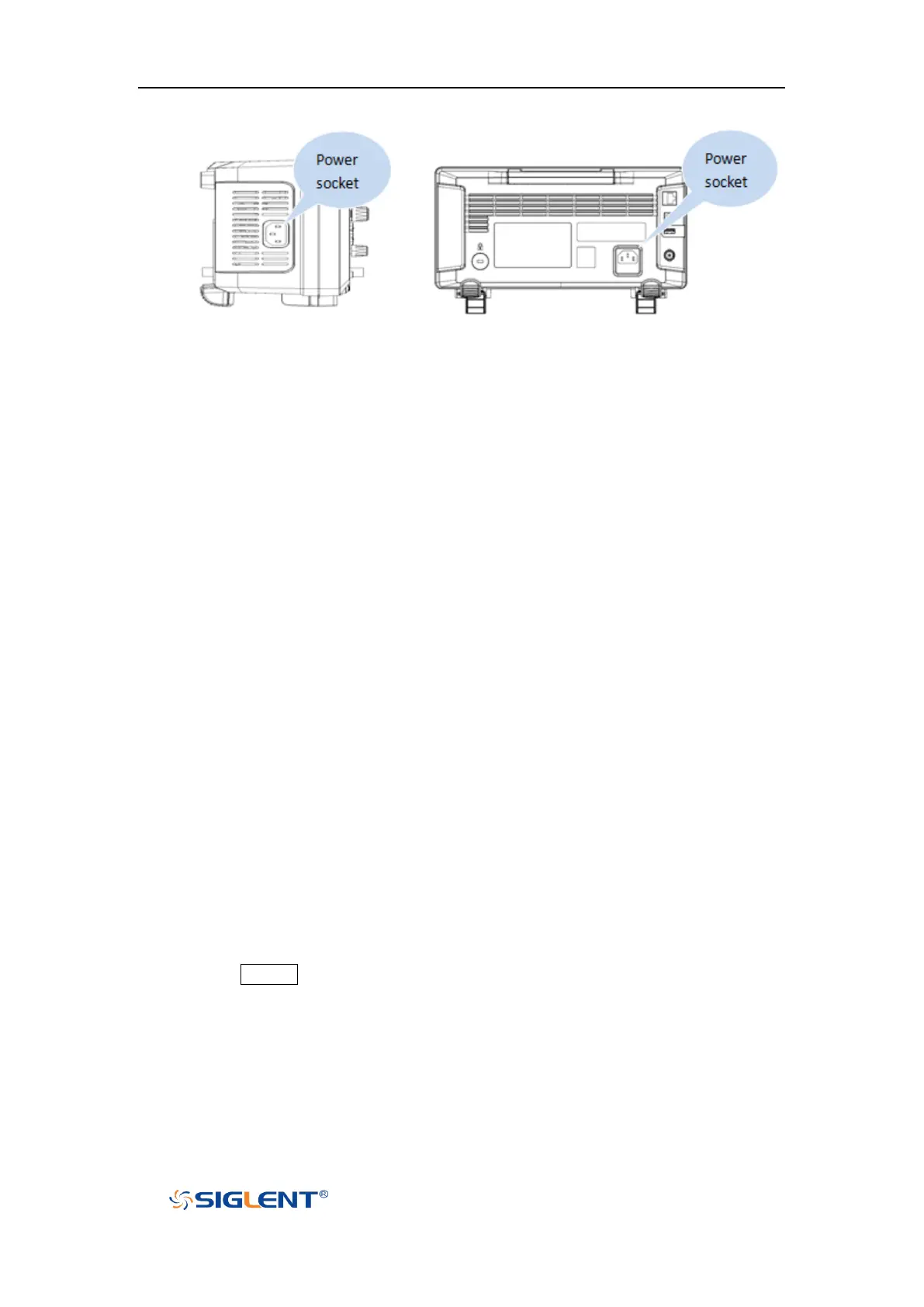
2-channel scope 4-channel scope
Figure 6 To Connect to Power Supply
Power-on Inspection
When the oscilloscope is energized, press the power key at the lower-left corner of the
front panel to start the oscilloscope. During the start-up process, the oscilloscope
performs a series of self-tests and you can hear the sound of relay switching. After the
self-test is finished, the welcome screen is displayed.
Connect the Probe
Connect the Probe:
1. Connect the BNC terminal of the probe to a channel BNC connector of the
oscilloscope at the front panel.
2. Connect the probe tip to the circuit point to be tested and connect the ground alligator
clip of the probe to the circuit ground terminal.
Function Inspection
1. Press the Default button on the front panel to restore the instrument to its default
configuration.
2. Connect the ground alligator clip of the probe to the “Ground Terminal” under the
probe compensation signal output terminal.


 To Next Page