SDS1000X-E User Manual
196
Vari-level Sweep Operation
1. Press Utility button on the front panel to enter the UTILITY function menu, and then
press the Next Page soft key to enter the second page. Press Bode Plot Ⅱ to enter
the BODE PLOT function menu. Press Config to enter Configure menu.
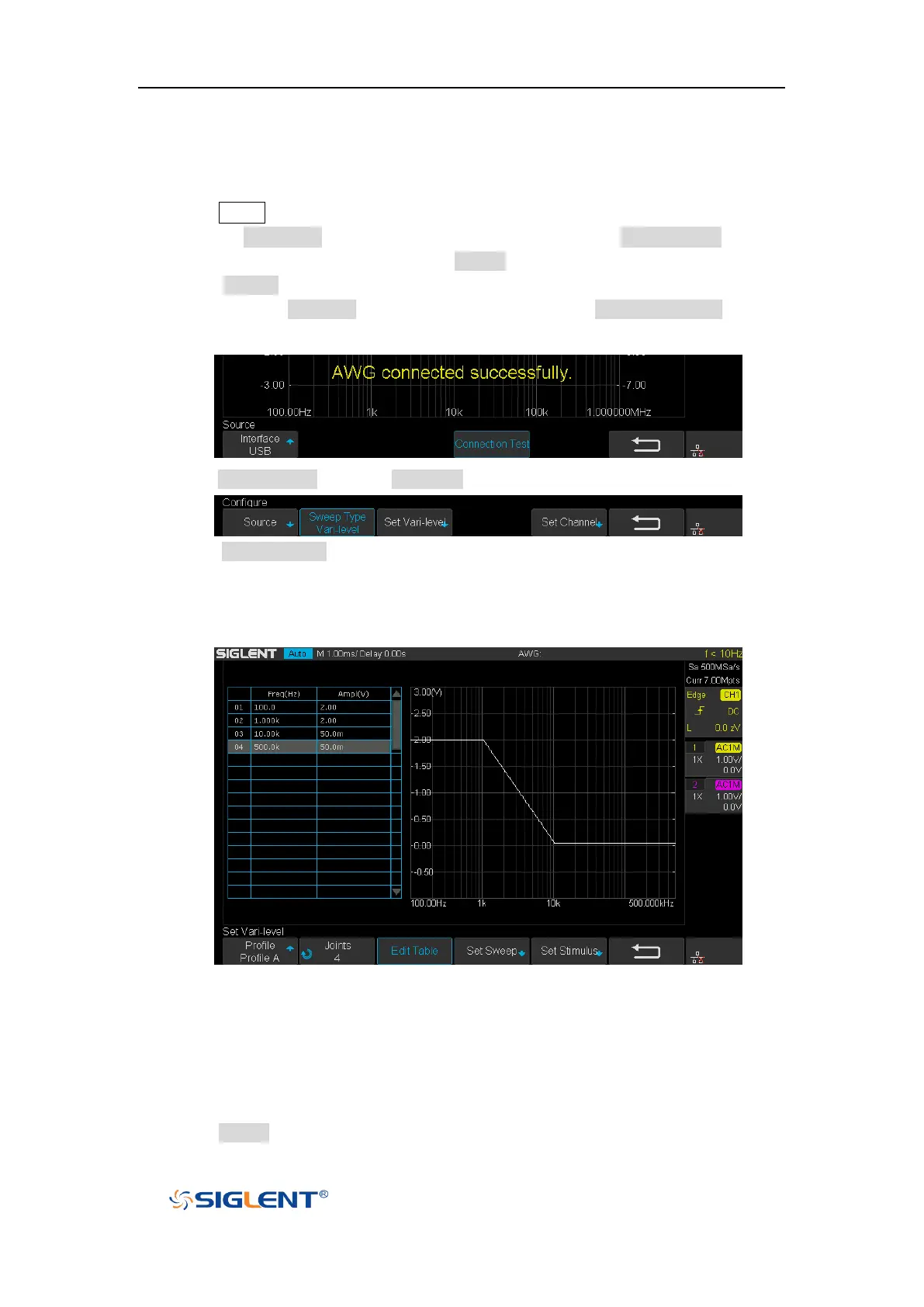
2. Press Source to enter Source menu to select the waveform generator. In this
example, press Interface to select “USB”, and then press Connection Test to verify
setting. Then return to the Configure menu.
3. Press Sweep Mode to select “Vari-level”.
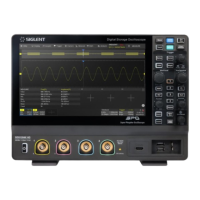
4. Press Set Vari-level to enter Vari-level editor. On the left side of the editor is a
spreadsheet which is used to specify the relationship between frequency and
amplitude. On the right side is an automatically generated stimulus voltage vs.
frequency plot.
5. The operation principle of Vari-level is simple. User specifies a series of joint, which is
defined by a given frequency and corresponding amplitude. In between two adjacent
joints, the frequency points and their corresponding amplitude are calculated
automatically by linear interpolation. The frequency of the joints is sequential, so the
frequency of the posterior joint is always higher than the frequency of the anterior joint.
And always, the first and the last joint defines the start and stop frequency.
6. Press Profile and use the Universal Knob to select “Profile A”. As you can see, up


 To Next Page