9.05.2 Manual Tracing Using the Draw Tool
• Make sure you have read Section 9.04.1 to learn how to comfortably and successfully use the Draw Tool.
• Now, the best method for tracing a symmetrical image is to only trace one half. Then you can make a copy
of it, mirror the copy, and weld the two together to create a perfectly symmetrical shape. This is what will be
done in this case because the dress is symmetrical.
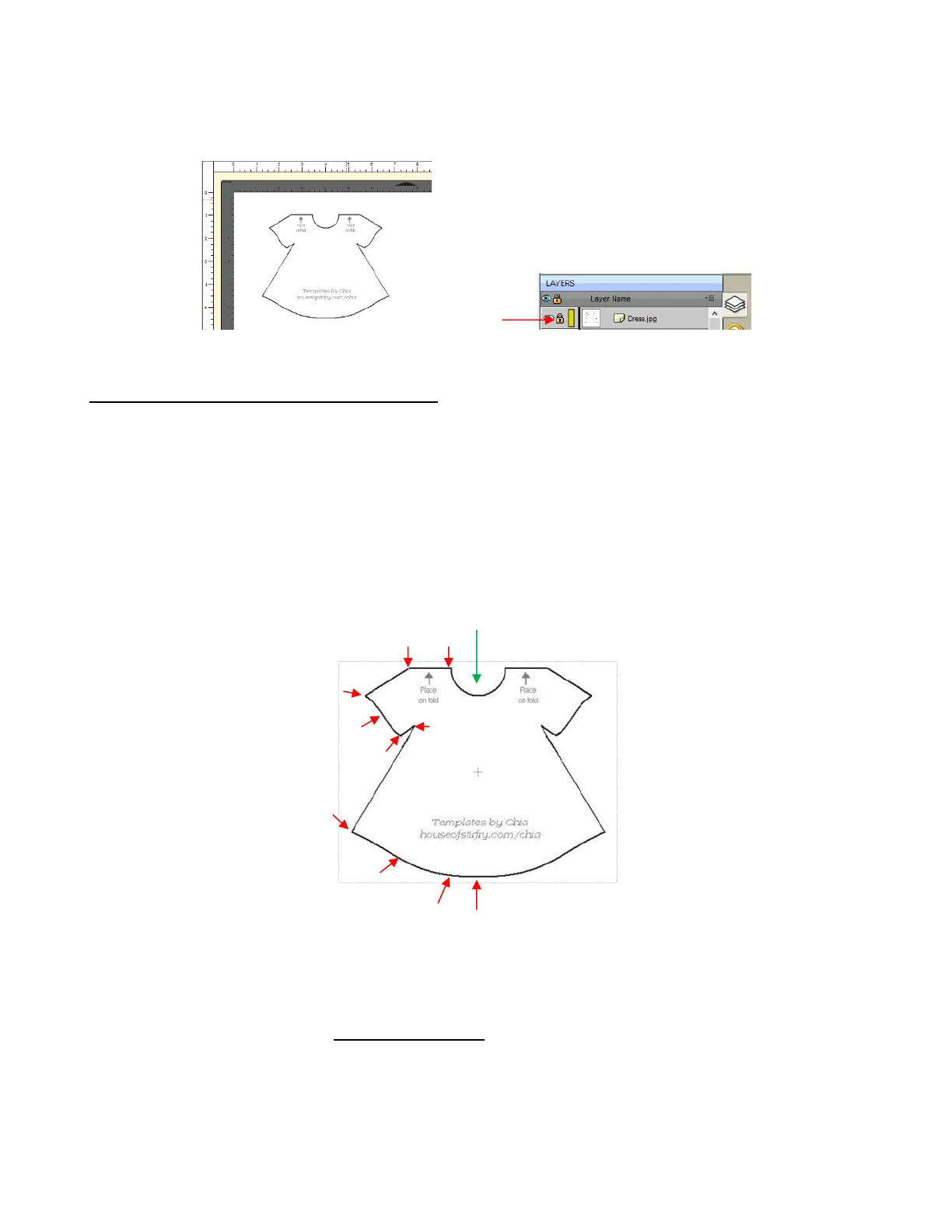
• Before beginning the trace, visually note how many changes in curves and straight lines exist. This will help
you understand where to click as you work around the image. But don’t overthink it. Remember that you can
add nodes, delete nodes and move nodes during the editing process:
• The process is as follows:
Zoom in as close as possible, but make sure the entire image can still be seen. Click on the Draw Tool
icon.
Left-click once in the middle of the neckline (see green arrow below). Then click at each point where the
curve changes. A series of straight line segments will be made, one right after another:
Trace will begin and end at the middle of the neckline,
moving counter- clockwise around the dress.



 To Next Page