• Note: When changing tabs, such as from Colors to Fonts, always take note of the Page number. It will not
automatically update to the page you were just checking. Thus, if you are on Page 2 when on the Colors
tab, you may discover you’re on Page 1 on the Fonts tab. Simply change to the page you need from the
drop-down menu.
11.03 Guidelines
• Guidelines were first introduced in Section 5.06.5. It was noted that they can be added to the Cutting Mat in
two ways:
By dragging your mouse from the horizontal or vertical rulers on the screen
By manually adding in the Guidelines Edit window
• You can toggle guidelines on and off by clicking on the box next to Show Guidelines on the Document
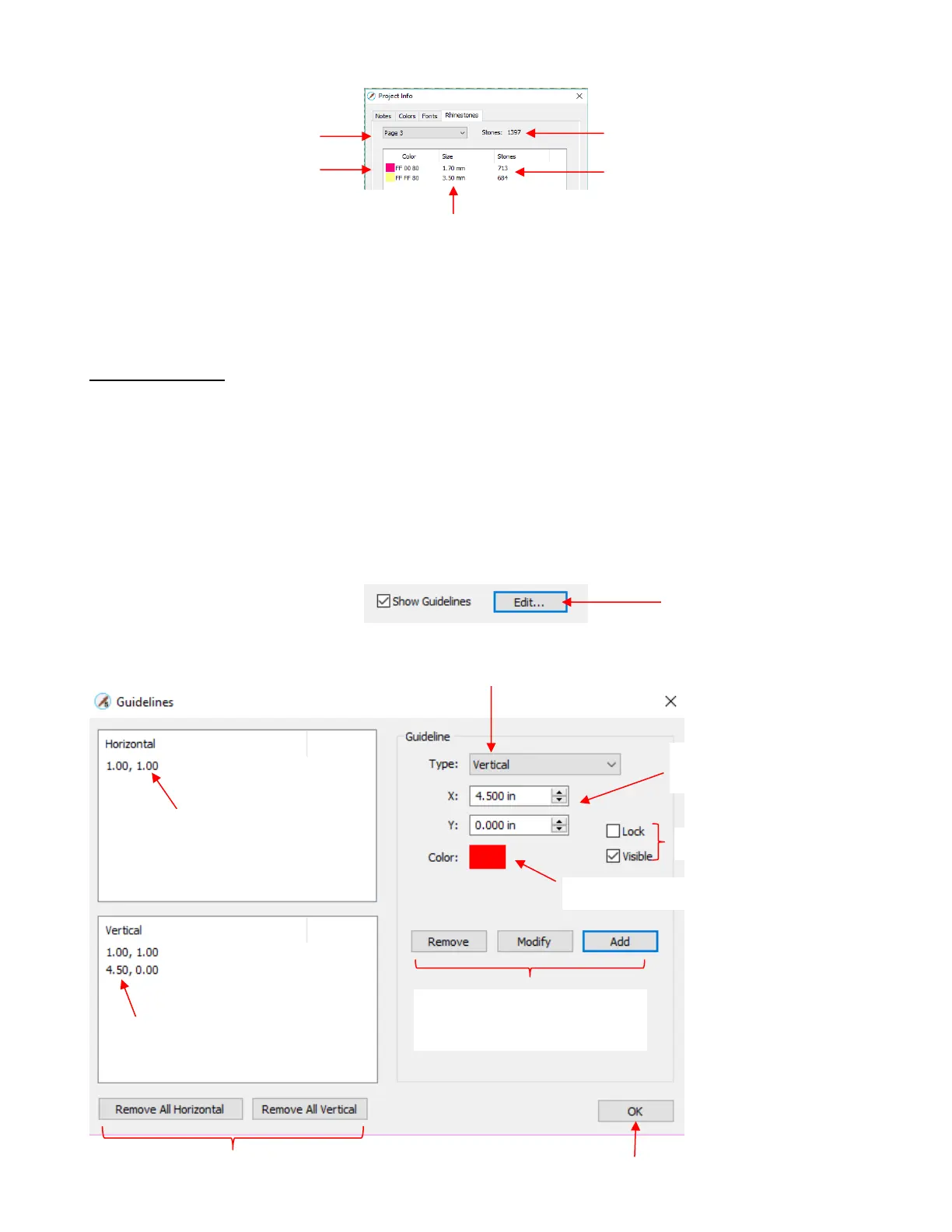
Panel. To open the Guidelines Edit window, either go to View>Guidelines>Edit Guidelines or click on the
Edit button next to Show Guidelines:
• The following window opens:
Options to remove all guidelines,
either horizontal or vertical



 To Next Page