4.03.2 Score and Contour Cut (Print and Cut) Project
• When a project involves both scoring and contour cutting a pre-printed project, the layers need to be
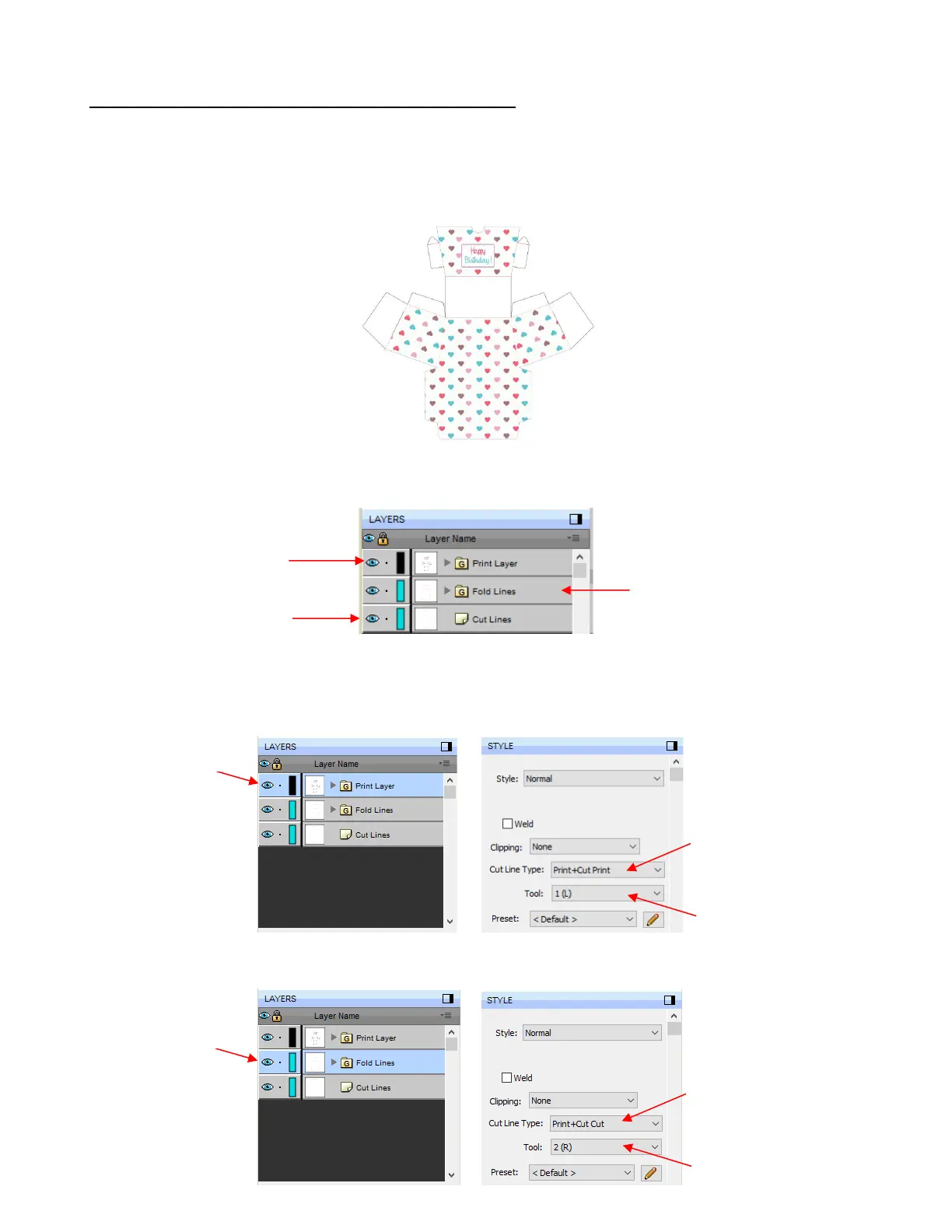
assigned appropriately on the Layers Panel. There should be at least 3 layers: one for printing the project
design, one for scoring fold lines, and a third for the cut lines.
• In this tutorial, a fold up box project will be used as a typical example:
• The shapes which make up this project have been grouped so that there are 3 layers, as previously
mentioned:
• Select one layer at a time and, on the Style Panel, change settings in the following way:
Print Layer
Fold Lines
Set to Print + Cut Print:
layer can only be printed and
won’t be sent to the cutter



 To Next Page