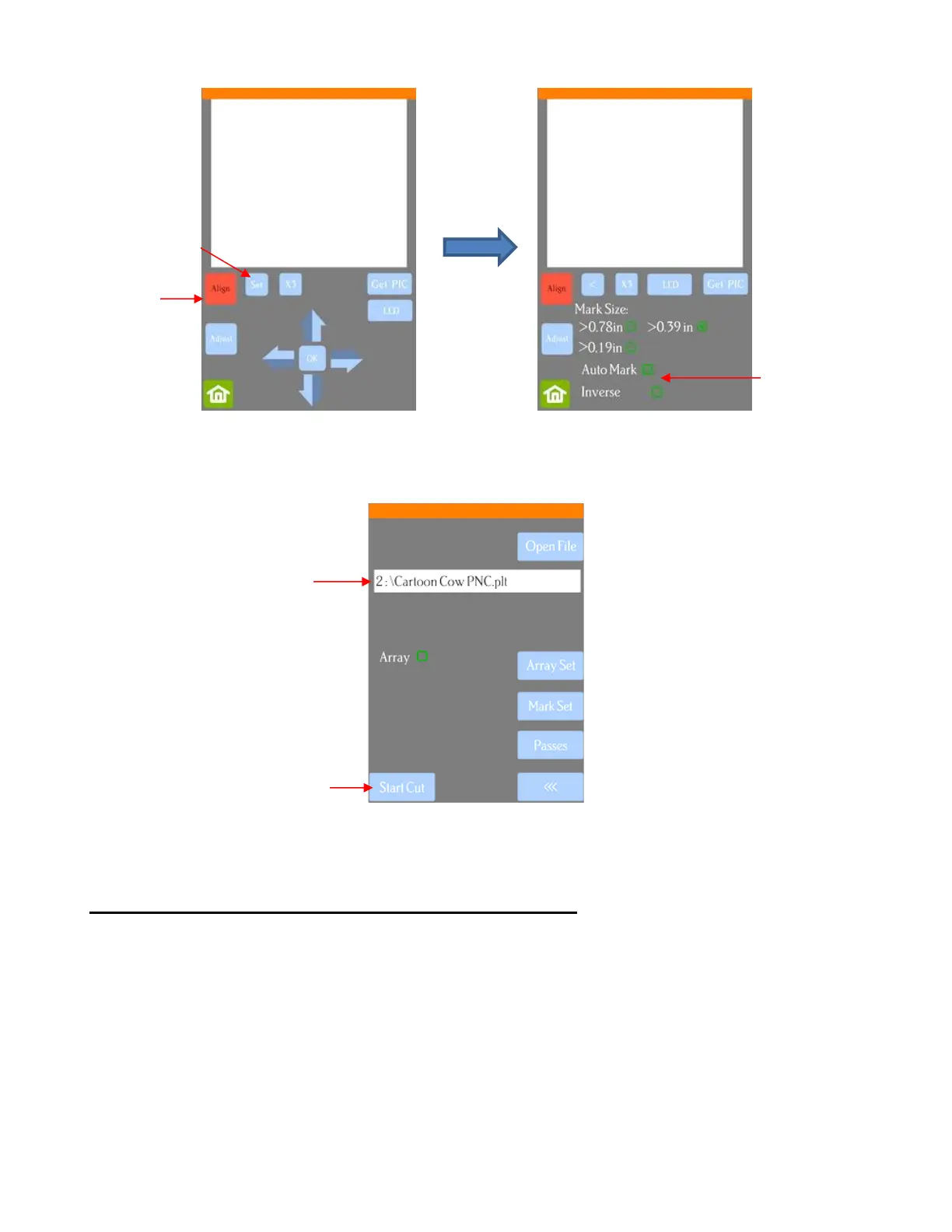
Verify that AutoMark box is checked. Then click on Home.
• Insert the flash drive into the right side of the Skycut and use the instructions in Section 1.12.4 to open the
file into the Skycut:
Assuming the printout is on the cutting mat and the blade holder is over the lower right registration mark,
click on Start Cut and the marks will be scanned by the camera and the shapes cut out.
3.07.2 PNC from Flash Drive – Using Array Mark for Repeats
• The Skycut has the ability to set up an array of repeats for PNC applications. The advantage to using the
Skycut’s control panel for this process is that the Array Mark function permits the scanning of additional
registration marks as repeats are cut. This is far more accurate than only scanning the original four marks
on significantly large projects:



 To Next Page