• For more information on using an engraver, refer to Section 4.03.
12.10 Pierce
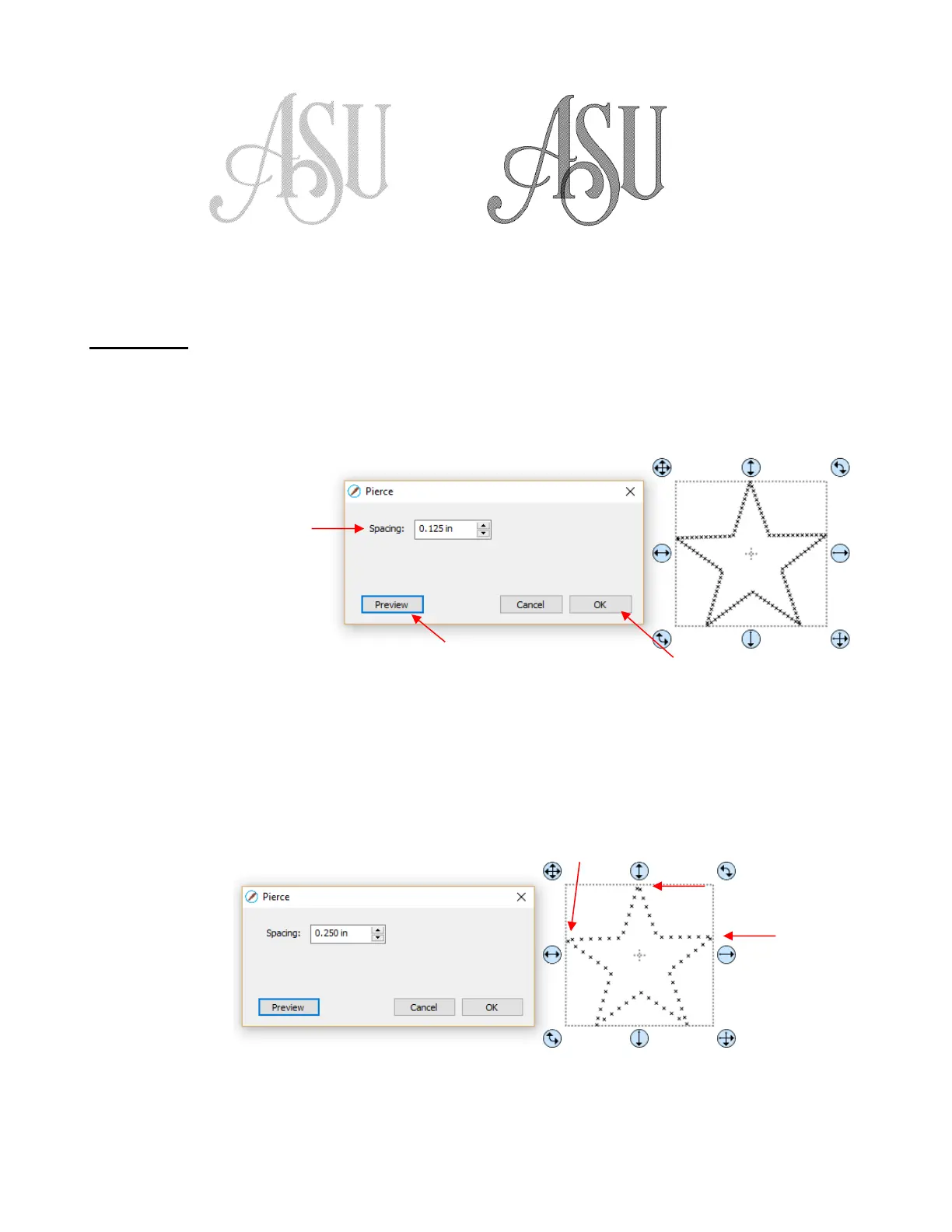
• The Pierce function creates holes for punch tools. This can be used to create Pergamum designs and paper
embroidery patterns.
• To access this function, select a shape and go to Effects>Pierce:
• Note that even though you see “X” shapes on the screen, the cutter head will be making downward punch
movements.
• At this time, there is no editing available for a pattern created using the Pierce function. If you find that your
design has holes that are not evenly spaced, try altering the spacing by tiny increments and clicking on
Preview.
For example, the star shape used above shows uneven spacing when a value of 0.25” is entered. Note
how the star has holes too close to one another at the upper points:
Gradually increasing the Spacing didn’t immediately result in an acceptable pattern until 0.253” was
entered. Then the pattern looked even:



 To Next Page