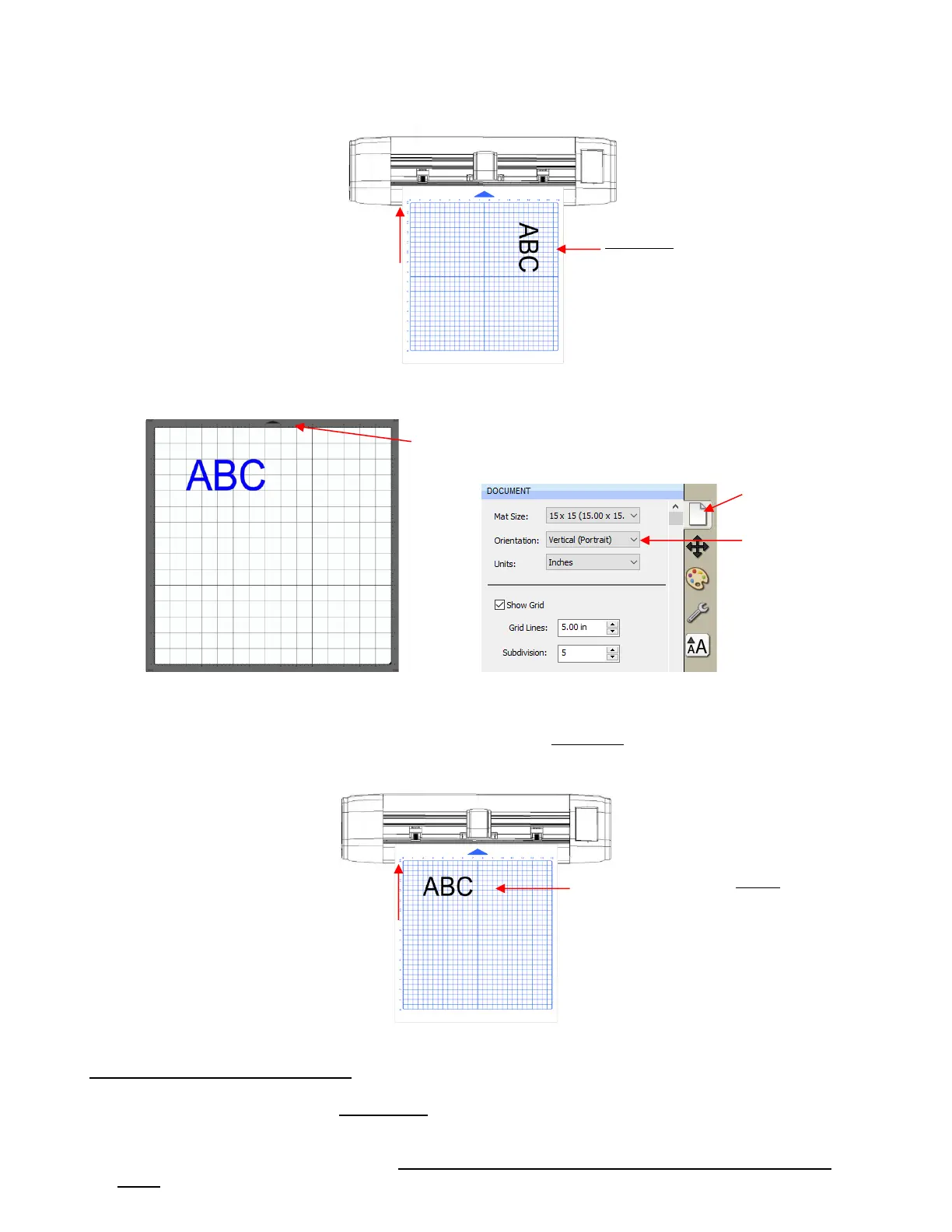
Portrait Mode
• In Portrait mode, the arrow/triangle on the Cutting Mat will point upwards. When you draw or cut out the
“ABC” shown on a Portrait Cutting Mat, it will be drawn or cut left to right as you face the Skycut:
1.13.2 Drawing Your First Shape
• This first test will show you how Origin Point mode works. This is a very useful setting because it is easy to
know where your shapes will cut on your material, plus it economizes the use of your materials. Instead of
cutting shapes where they are located on the Cutting Mat in SCAL (which is how WYSIWYG mode works),
the shapes will be moved and aligned to cut where you set the origin on the material, using the tip of the
blade.
The shape will be drawn
Landscape. The exact location
will depend on other settings,
as described in
The shape will be drawn Portrait.
The exact location will depend on
other settings, as described in
Section 12.07



 To Next Page