10. SCAL: Editing
This chapter covers functions that are used to modify shapes in SCAL as well as prepare shapes for cutting. For
functions used in designing, refer to Chapter 7.
10.01 Simplify
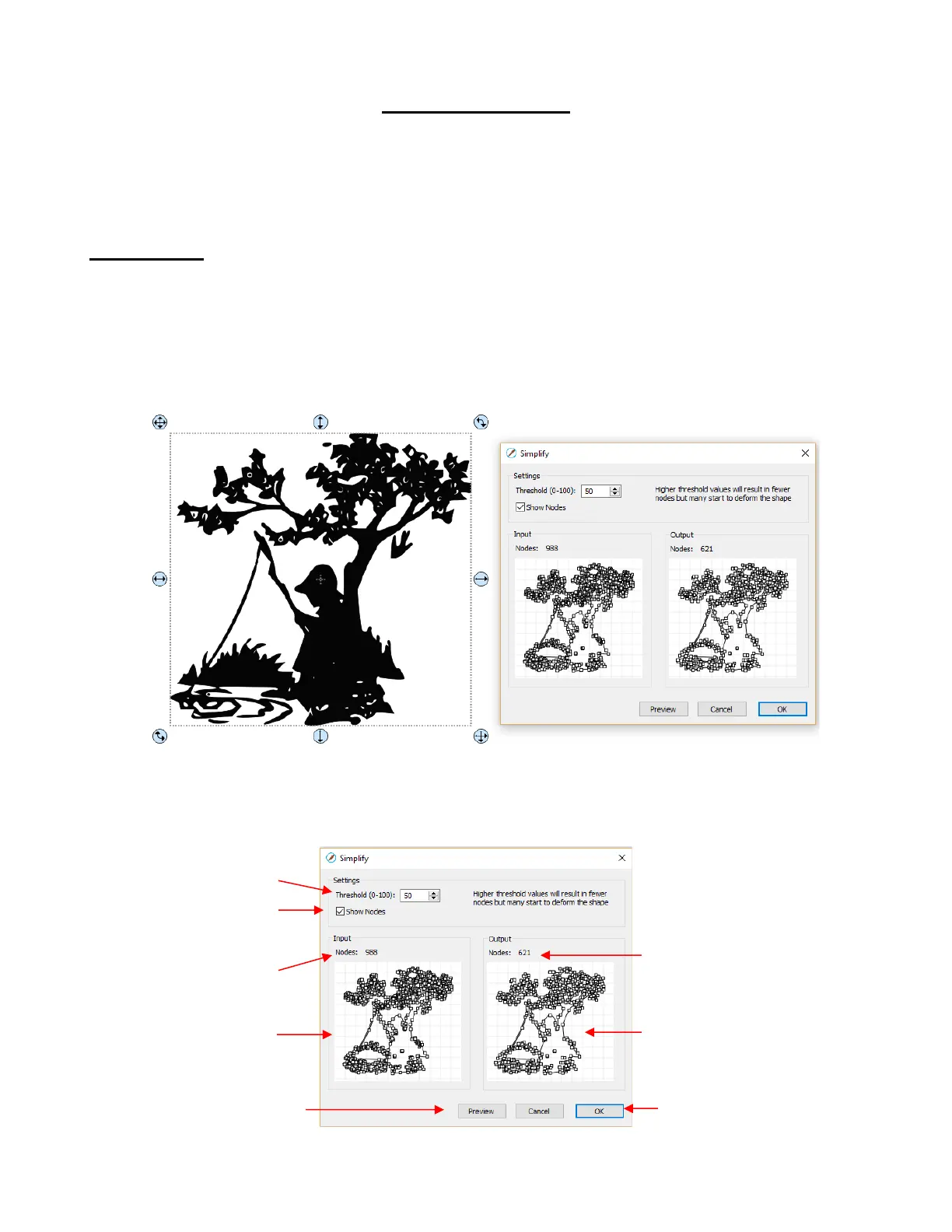
• The purpose of the Simplify function is to reduce the number of nodes. This can be important when cutting
small vector shapes in which clustering of nodes in tight locations can sometimes lead to poor cutting.
• There are two ways to open the Simplify window after selecting a shape:
Right-click and select Path>Simplify
Go to Path>Simplify
• The Simplify window shows the nodes of the selected image in two side-by-side windows: an Input and an
Output, along with the number of Nodes in each one. That count is based on the current Threshold
setting:



 To Next Page