Appendix C SCAL Details
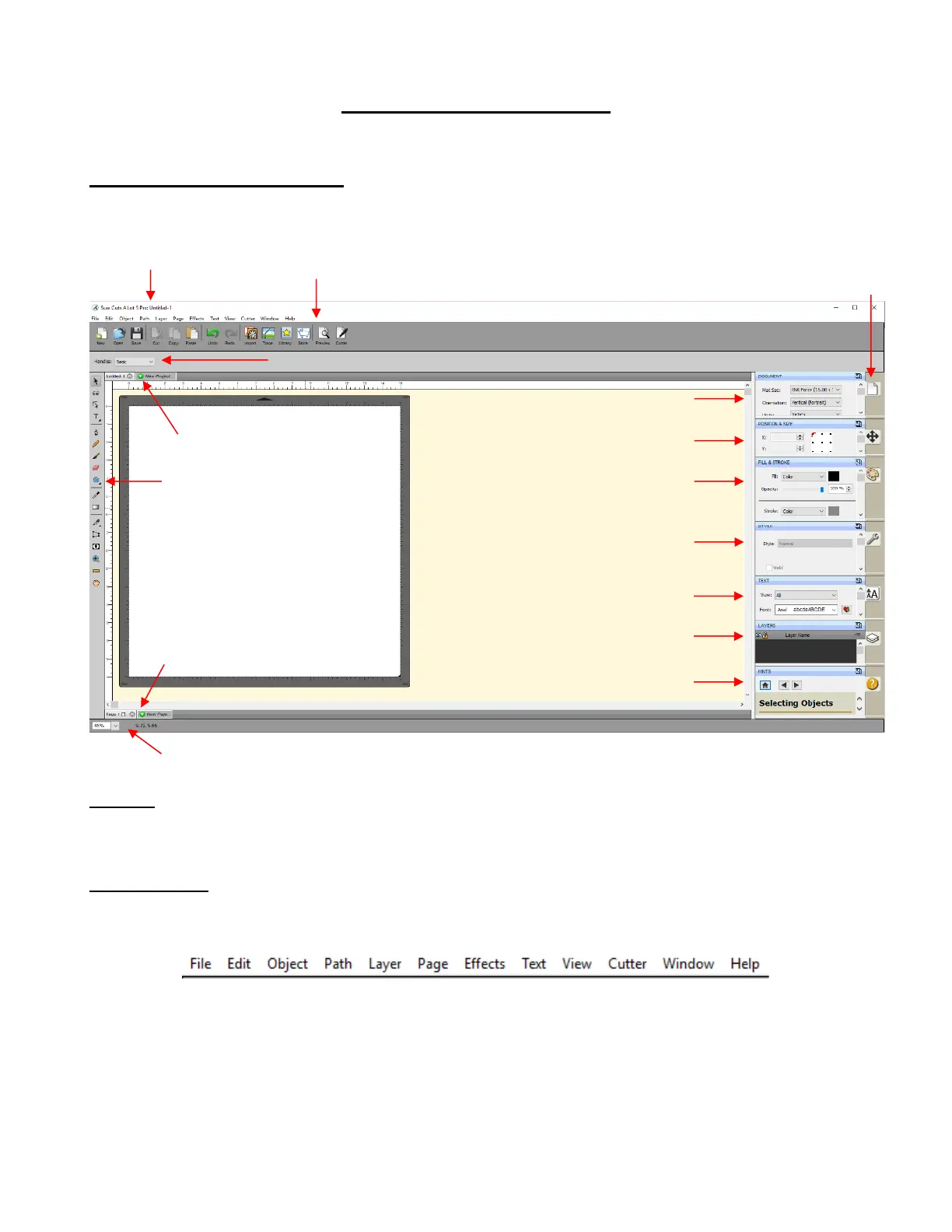
C1 Screenshot of SCAL Screen
Below is a screen shot of the main screen in SCAL identifying ONLY Bars and Panels.
C2 Bars
• The bars in SCAL have components positioned left to right. The following sections present the five bars and
where to find more information for each item on that bar.
C2.1 Menu Bar
• Like most computer applications, the Menu Bar is located at the top of the screen and provides access to
most of the functions in the software.
• Throughout the user manual, a reference such as this: Go to Path>Simplify refers to using the Menu Bar
to access a function. In this case, you would click Path on the Menu Bar and then click on Simplify in the
submenu that appears.
• Because there are dozens of submenu options, each one isn’t listed with a reference. Instead, it is
recommended that you use a search function to locate any given listing within the user manual.



 To Next Page