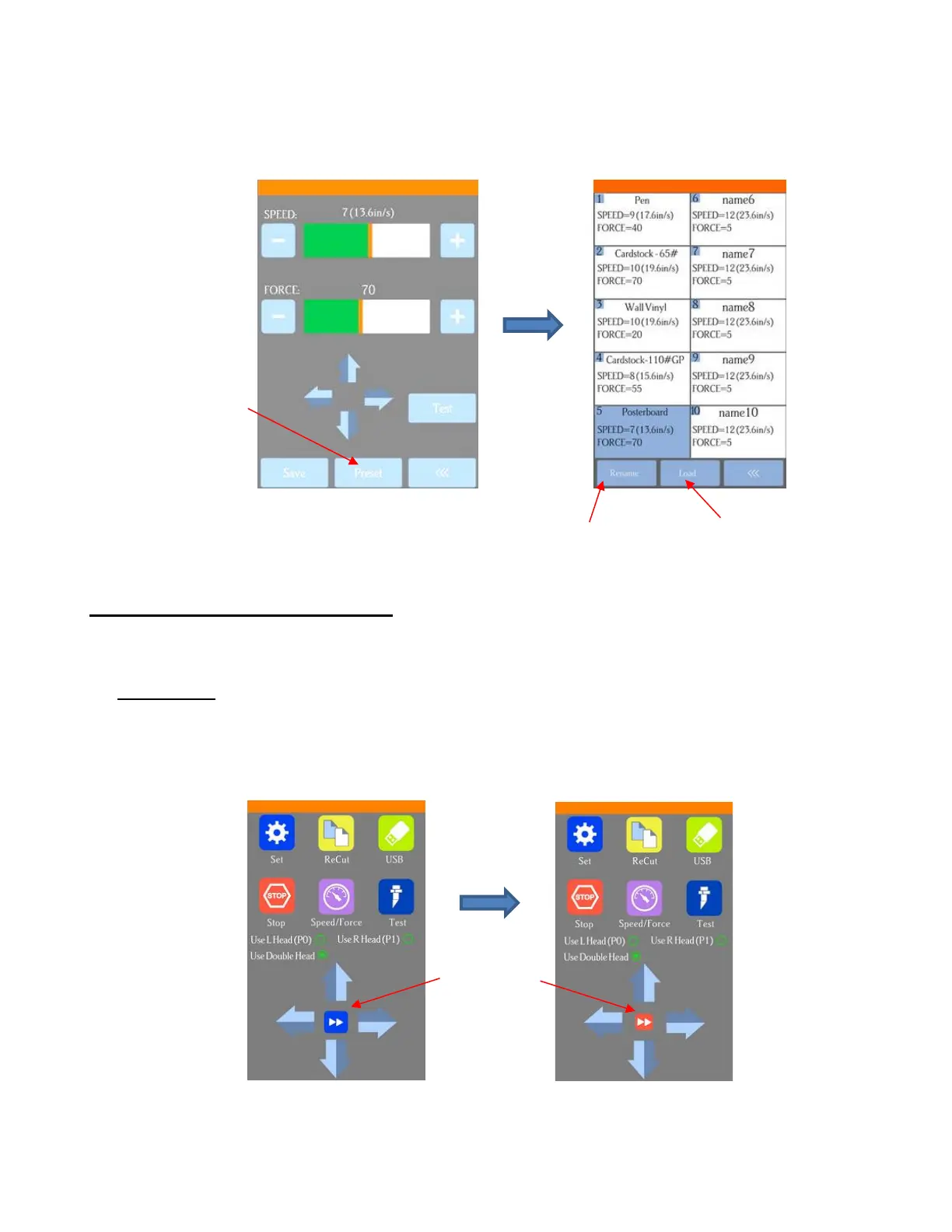
To verify the preset or to select a different preset, press Preset. The Preset window opens where you
can see all of the Presets, along with the settings for those presets. In that window you can also select
a different preset. Then you can select Rename to edit its name or select Load to select that preset’s
Force and Speed into the Force/Speed screen.
2.05 Setting the Origin before Cutting
• Before you cut, you should check to see where the blade tip is located in relation to the material so that the
shapes will cut in the appropriate location.
• IMPORTANT! The D24 Skycut has a maximum cutting width of 24 inches. If you move the head too far to
the left to begin the cut and your project is wide, you may exceed the left side limit and cutting will stop at
that point with no option but to abort.
• To set the origin, press the arrow buttons on the main screen of the control panel. Remember that the
middle button can be toggled between regular speed and a slow speed for more control:
• In general, you set the origin near the lower right corner of the material, as you did during your initial test
drawing in Section 1.13.2. However, when cutting in, say, Center Point mode or for certain other
applications, you will need to set the origin elsewhere.



 To Next Page