11. SCAL: Designing
11.01 Where Do I Start with Learning to Design?
• SCAL offers some excellent easy-to-use designing tools to assist you in creating whatever you can imagine.
The best way to learn these tools is to focus on only one at a time and play with settings. You aren’t going
to break anything in the software by experimenting and you never know what you might discover!
11.02 Project Info
• Before getting started on the fun and amazing design capability of SCAL, it’s worth noting a feature that
allows you to add your name and some other details to your file. This can save you time later when you’re
not remembering some of the original details and also help others with whom you share your files. Using
this feature is, of course, entirely optional.
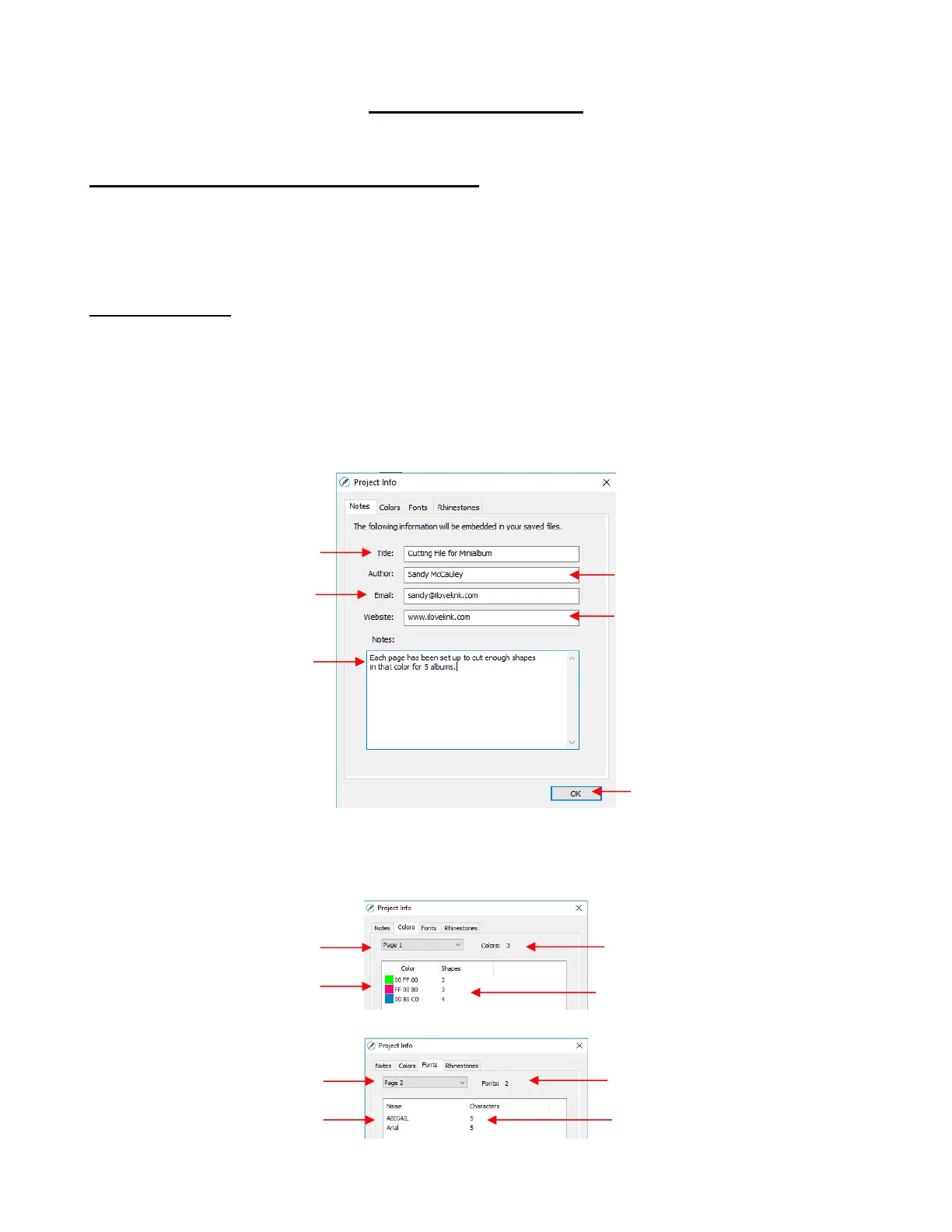
• To open the Project Info window, go to Window>Project Info. The following example shows some of the
optional information you can add in this window that will be saved with your actual project:
• Note the other tabs in this window: Colors, Fonts, and Rhinestones. These do not require your input.
Instead, they automatically track, by Page, those elements that are currently present in the file. For
example:
Enter your web site, if you have
one and would like others to visit it



 To Next Page