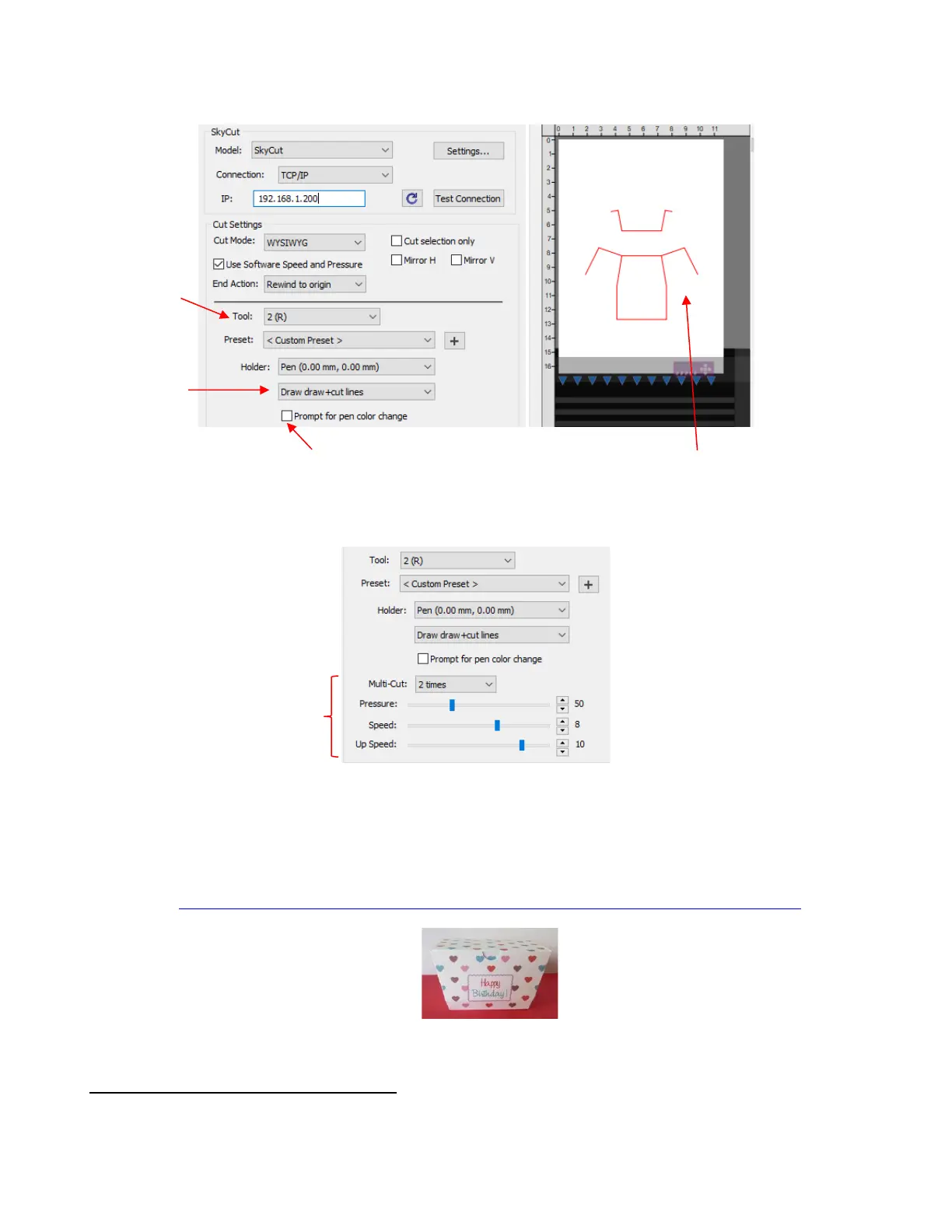
• Enter the other settings needed for scoring the printout:
• Mount the blade holder on the left side and the scoring tool on the right. In SCAL, click on the Print+Cut
button in the lower left of the Cut Settings window and proceed as presented in Chapter 3.
• For your convenience, a checklist for this print-and-score-and-cut process can be download at the following
link:
https://www.iloveknk.com/Support/Tutorials/Skycut/Skycut-D-Print-Score-Cut-Checklist.pdf
4.03.3 Embossing Paper or Cardstock
• When embossing paper or cardstock, it is recommended that you use the Shadow Layer effect to create
several very small outlines at a thickness of, say, 0.01” (0.25 mm). These tiny offset lines will then produce a
slightly thicker overall outline of your shapes. This works better than line-filled embossing which can stress
the cardstock and cause wrinkling. Here are the steps:
After making other changes, verify the
score lines appear in the preview.



 To Next Page