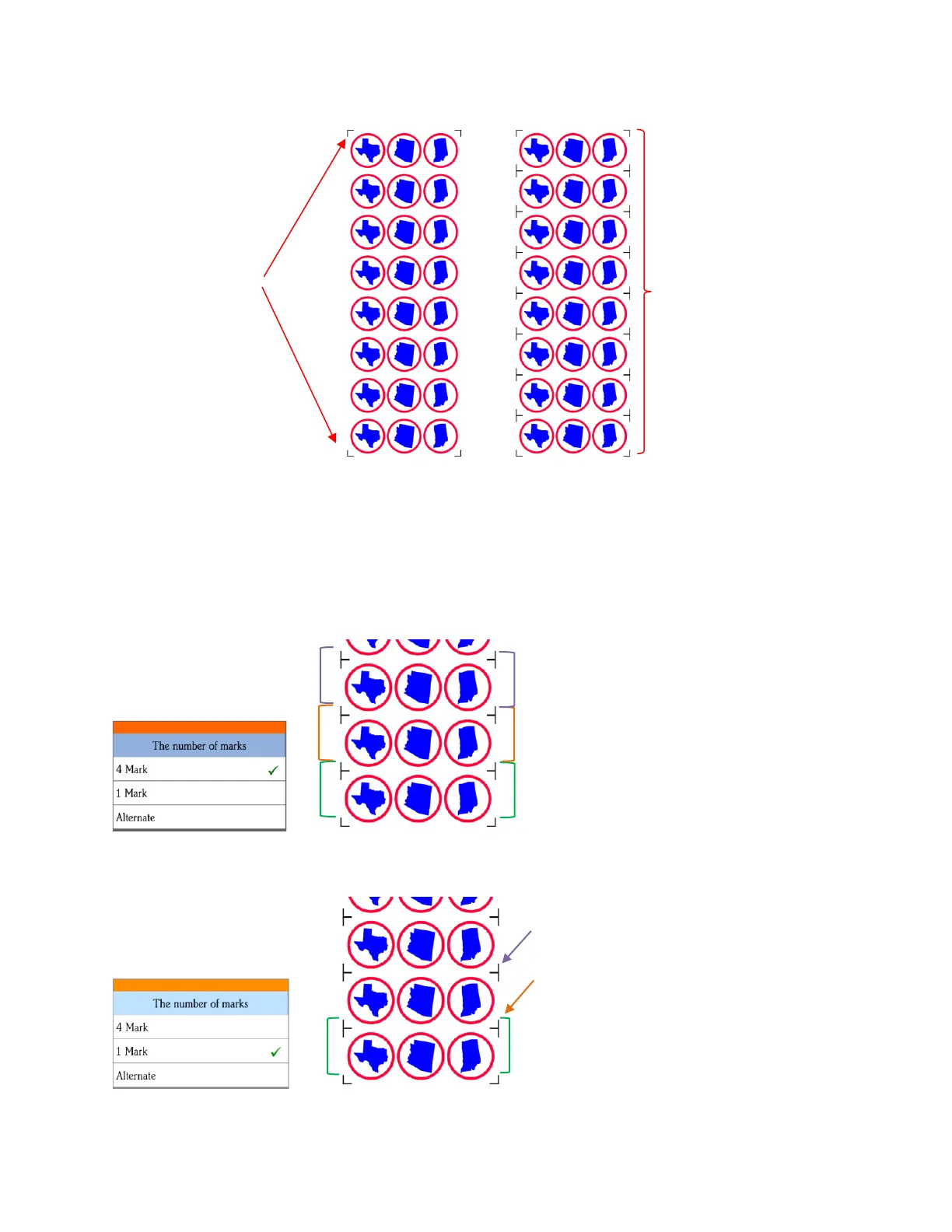
• The Array Mark window on the control panel can be opened in two ways:
Go to Set>Advanced Settings>Array>Array mark
Go to USB>Array Set>Array mark
• In the Array Mark window, you have three options:
4 Mark: Scan all four marks on every repeat
1 Mark: Scan first four marks on first set only. Then scan one mark only on each remaining repeat
Reg marks
printed around
each repeat
One set of reg marks
on a large PNC
project
1. Four marks in green set are scanned first
and first three shapes cut.
2. Four marks in orange set scanned, next three
shapes cut.
3. Four marks in purple set scanned, next three
shapes cut.
etc.
1. Four marks in green set are scanned first and
first three shapes cut.
2. Single mark by orange arrow scanned, next
three shapes cut.
3. Single mark by purple arrow scanned, next
three shapes cut
etc.



 To Next Page