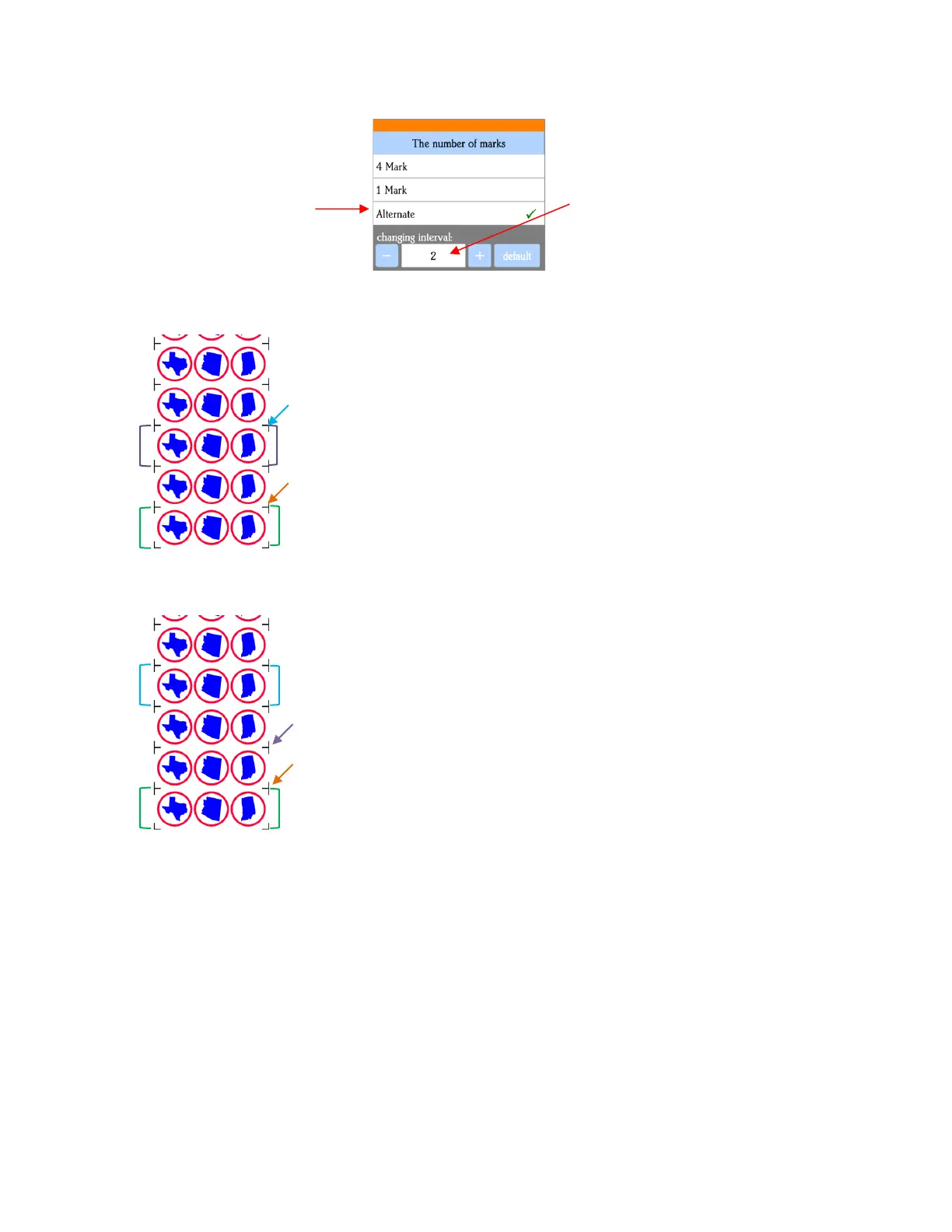
Alternate:
Interval set to 2:
• When choosing an Array Mark option, keep the following in mind:
The purpose of having intermediate scans is to correct for any slippage that occurs due to friction or
excessively fast cutting speed.
Use 4 Mark in situations where the repeats are quite large, thus there’s a larger distance between the
repeats and slippage is more likely to occur. It’s also a good option when cutting thicker materials
because the higher force applied by the blade can cause more drag on the material or cutting mat.
Use 1 Mark in situations where the material is thin, the cuts are simple, and the distance between the
repeats is relatively small. Obviously, this is the most time-efficient choice of the three options since a 4
mark scan is only performed one time.
Use Alternate as a compromise between the other two options. Experience will determine how high of
an Interval can still yield the accuracy you need.
• SCAL does not have the ability to add multiple sets of registration marks on its own. So, note the following
options:
1. 1. Marks in green set scanned and first three shapes cut.
2.
3. 2. Single mark by the orange arrow scanned, next three shapes cut.
4.
5. 3. Marks in purple set scanned, next three shapes cut.
6.
7. 4. Single mark by blue arrow scanned, next three shapes cut.
8.
etc.
1. 1. Marks in green set scanned and first three shapes cut.
2.
3. 2. Single mark by orange arrow scanned, next three shapes cut.
4.
5. 3. Single mark by purple arrow scanned, next three shapes cut.
6.
4. Marks in blue set scanned, next three shapes cut.
etc.



 To Next Page