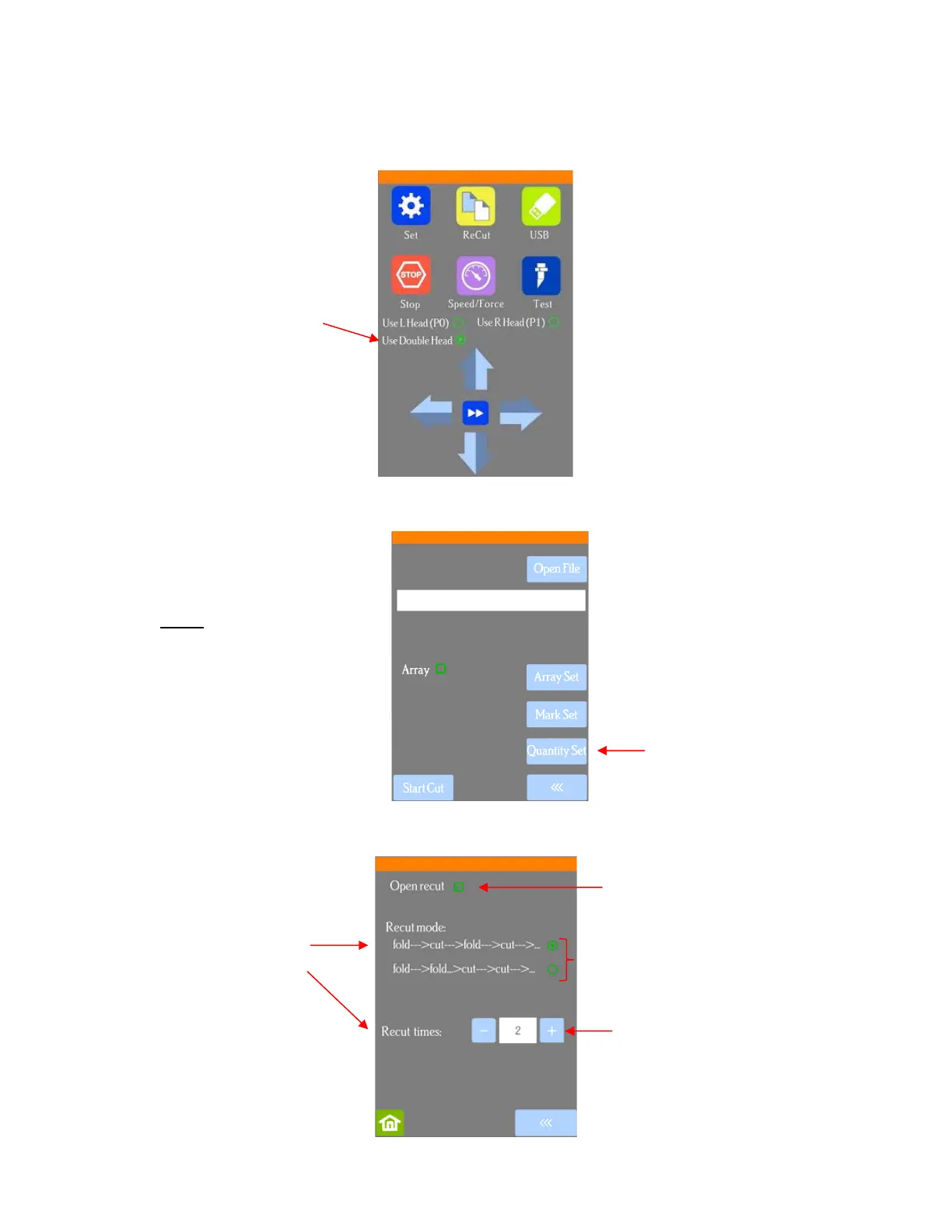
• If you are planning to use both heads, make sure Use Double Head is activated on the control panel’s Main
Screen. If you do not see this option (as shown in the following screenshot), click on Set>Advanced
settings>System mode and select double. Then, back on the Main Screen, the following options should
now appear:
Press the USB button on the Main Screen and you will see a Quantity Set button in the window which
opens:
Press the Quantity Set button to open the following screen:
• Recut mode has two options:
NOTE: If your screen does not
have Quantity Set displayed,
please go to Appendix E for
activation instructions.



 To Next Page