Spectra Precision Focus 6 5" Total Station User Guide 99
Applications 4
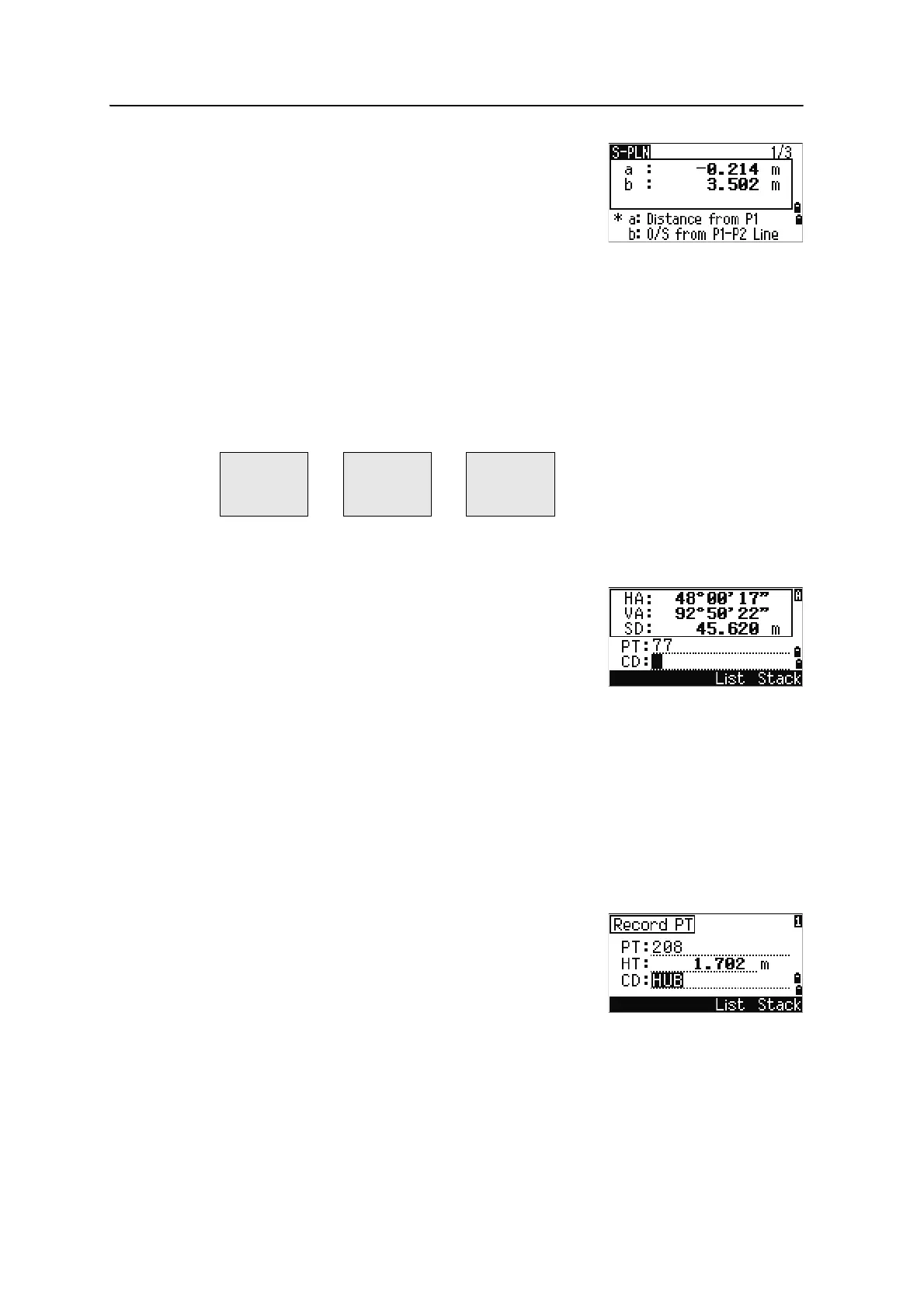
Once the plane is defined, the calculated a and b
values are updated as you move the telescope. No
distance measurement is required.
Using
[DSP] to switch between display screens
Press
[DSP] to switch between the plane display screens. The following screens are
available:
Every time you press
[DSP], the next screen appears. If you press [DSP] in the last screen
(PLN3), the PLN1 screen appears.
To record the point, press
[ENT] on any screen (S-PLN1/3
to S-PLN3/3).
Enter PT and CD. Then press
[ENT].
Sample records
CO,3ptPlane P1:1062 P2:2902 P3:1547
CO,a=31.497 b=14.239
SS,30123-A49,1.6110,0.0000,234.3210,86.0955,16:07:18,
Recording Measurement Data
Recording data from any observation screen
To record points on observation screens, press [ENT].
PT defaults to the last recorded PT + 1.
You can enter the PT name from the point list or the
point stack. For more information, see Entering a point
from the point list, page 61, and Entering a point from
the point stack, page 61.
You can also use the code list or the code stack. For more information, see Entering a
code from the code list, page 62, and Entering a code from the code stack, page 62.
a Distance between P1 and the point that is
perpendicular to the target point along the
P1-P2 line
b Length of the perpendicular line from the
target point to the P1-P2 line
PLN1 PLN2 PLN3
a
b
X
Y
Z
HA
VA



 To Next Page