Spectra Precision Focus 6 5" Total Station User Guide 53
Getting Started 3
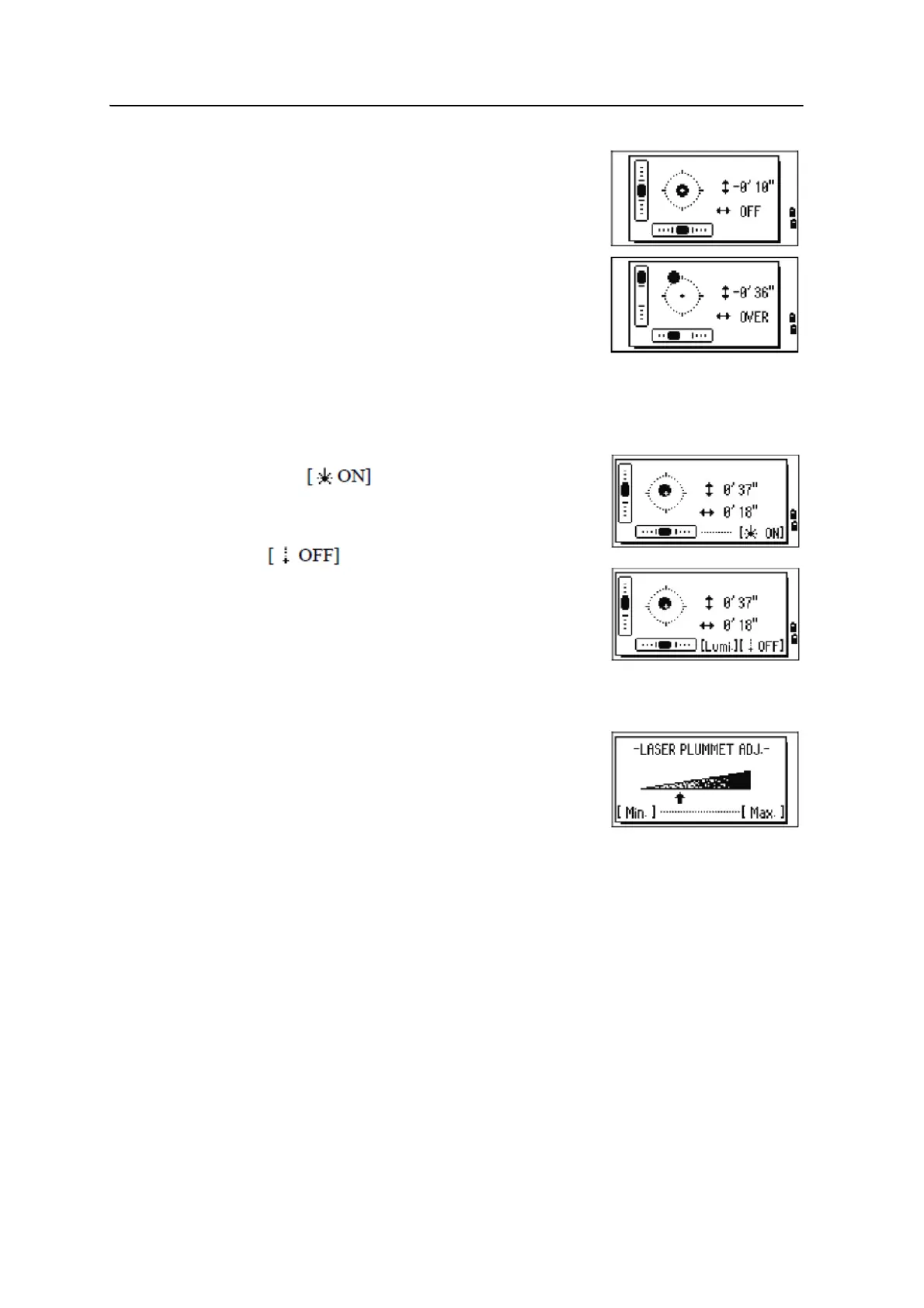
The Focus6 5" total station has a two-axis level
compensation. To turn the leveling compensators on or
off, press
[<] or [>]. When the levelling compensators are
turned off, the text
OFF appears on the screen.
If the instrument is more than ±3'30" out of level, the
text
OVER appears on the screen.
To return to the observation screen, press
[ESC] or [ENT].
Laser plummet (option)
Laser plummet on / off
Do one of the following:
• To turn the laser plummet switch on,
press
.
• To close the bubble indicator window, press [ESC].
• To turn the laser plummet switch off, press
.
• To open the luminance adjustment window,
press
[Lumi.].
• To turn the laser plummet switch off and close
the bubble indicator window, press
[ESC].
Laser luminance adjustment
Laser luminance can be set to 4 levels.
• To set the luminance brighter by one level, press
[Max.] once.
• To set the luminance darker by one level, press
[Min.] once
To return to the bubble indicator window, press
[ESC] or [ENT].
Note – The current setting of leveling compensators is indicated by header characters (:, #,
:, and #) after field labels (such as HA, VA, SD, and HD) in observation screens. For more
information, see Header characters, page 48.
[[USR] buttons
If you use a function frequently in the field, you can assign it to the [USR1] or [USR2] key.
Whenever you press a
[USR] key, the function that is assigned to that key is activated
directly.
The following functions can be assigned to the
[USR] keys:



 To Next Page