Spectra Precision Focus 6 5" Total Station User Guide 47
Getting Started 3
• To adjust the contrast, in the contrast adjustment window, press [>] or [<].
• To close the window, press [ESC].
Switch 1: Adjusting the LCD backlight
Switch 2: Turning on/off the laser pointer
The icon appears while turning on the laser pointer. When the icon is on the screen,
the emitting power is Laser Class 2.
Switch 3: Turning on/off the sound
[DSP]
button
Use the [DSP] button to change the current display screen or to change display settings.
Switching between display screens
When several display screens are available:
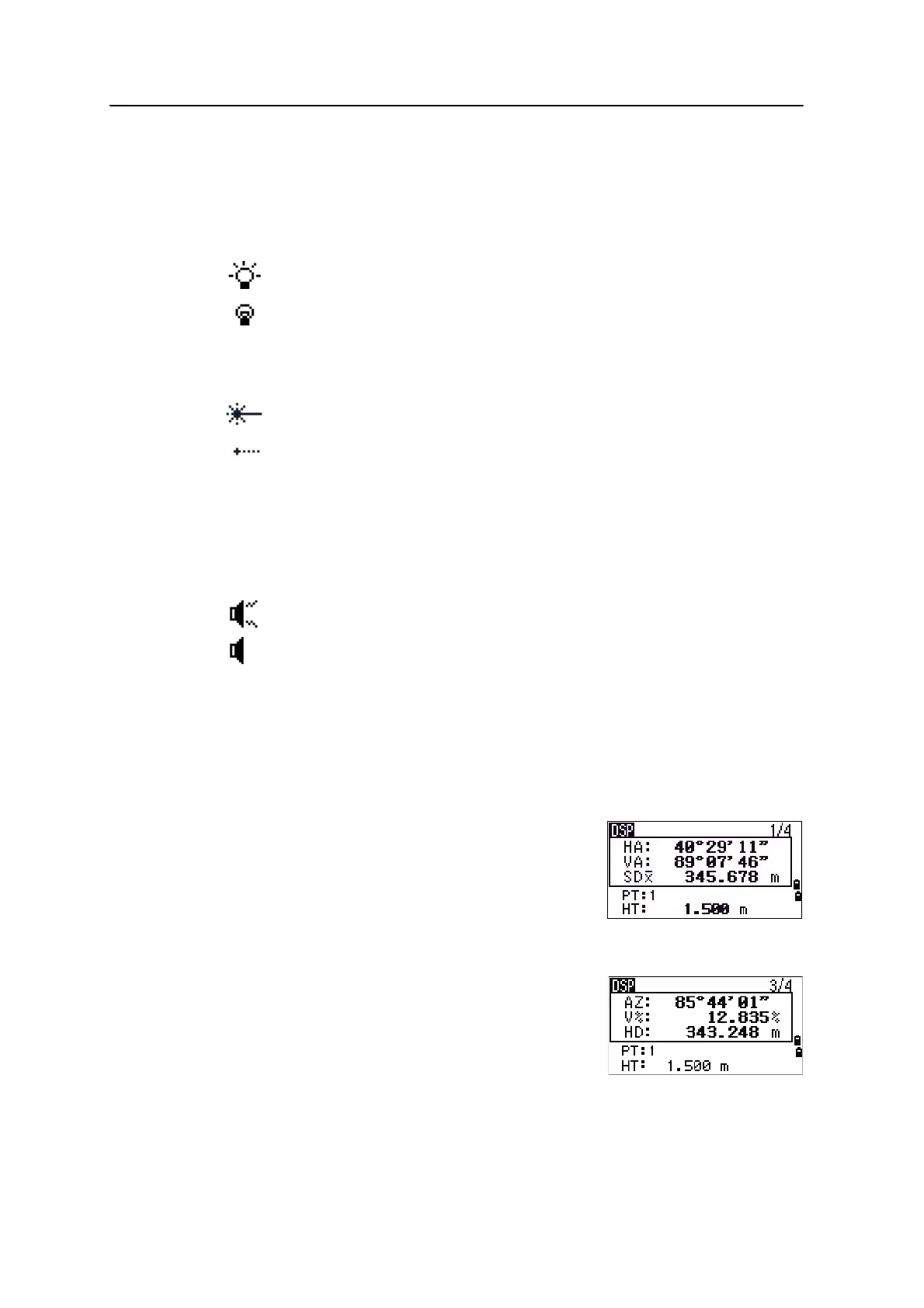
• the DSP indicator appears at the top left of the
screen
• the screen indicator ( for example, 1/4) appears
at the top right
To move to the next available screen, press
[DSP].
For example, if you are currently in the second display
screen, press
[DSP] to move to the third display screen.
The screen indicator changes from
2/4 to 3/4.
LCD backlight is on
LCD backlight is off
Laser pointer is on
Laser pointer is off
Sound is on
Sound is off




 To Next Page