Spectra Precision Focus 6 5" Total Station User Guide 91
Applications 4
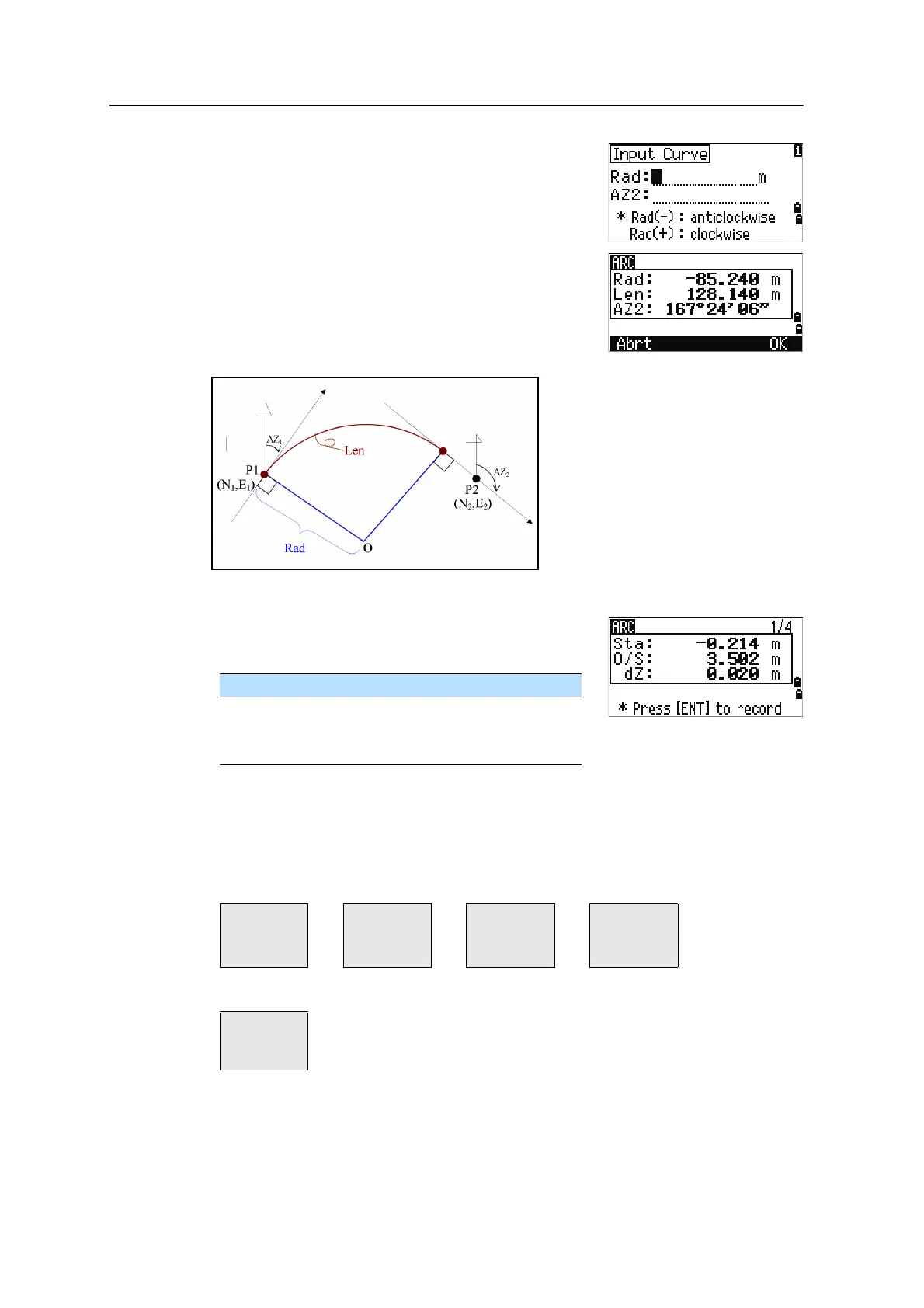
5. In the radius (Rad) field, enter a positive value for a
clockwise curve. Enter a negative value for a
counterclockwise curve.
When all factors have been entered, the instrument calculates the curve.
If the curve length (Len) is too large for a circle of the
given radius, it is shortened.
Using
[DSP] to switch between display screens
Press
[DSP] to switch between the Stakeout display screens. The following screens are
available:
To ... Press ...
switch between display screens [DSP]
change HT [HOT]
record points
[ENT]
ARC1 ARC2 ARC3 ARC4
Sta
O/S
dZ
X
Y
Z
HA
VA
SD
HA
VD
HD
ARC5
HD
VD
SD



 To Next Page