Overview Spectroquant
®
Pharo 300
30
ba75703e07 04/2014
1.2 Keypad
Overview
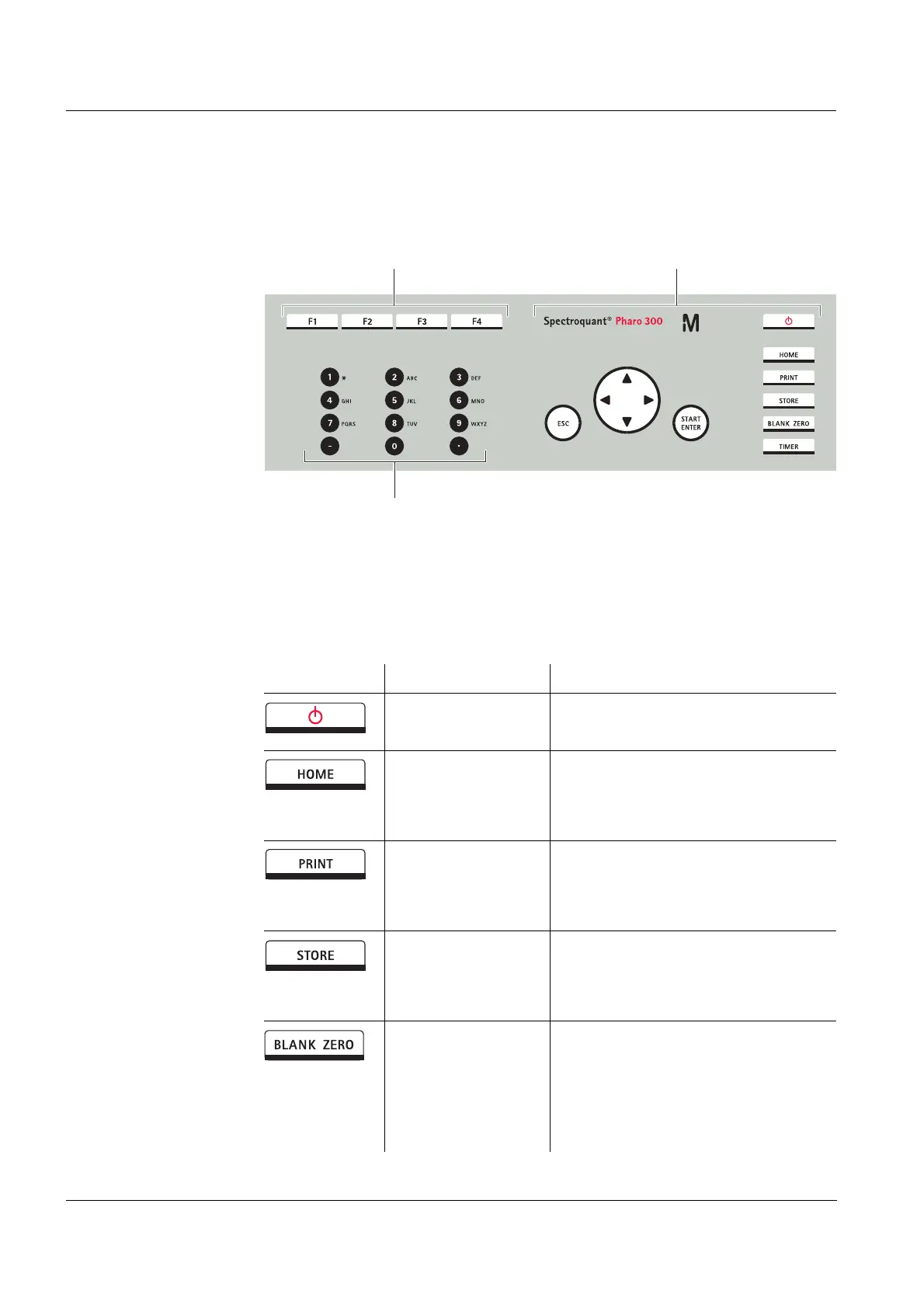
Key functions The keys on the right side of the keypad have the following functions:
1 Function keys F1 to F4 (function menu-depending)
2 Alphanumeric keypad
3 Keys with dedicated function
Fig. 1-3 Keypad
Key Designation Functions
<ON/OFF> – Switches on and off the photome-
ter
<HOME> – Switches to the main menu from
any operating situation. Actions
that are not completed are can-
celed.
<PRINT> – Outputs the displayed measured
value to an interface if the
Printer symbol is displayed in the
status line.
<STORE> – Saves a displayed measured
value or spectrum if the Save
symbol is displayed in the status
line.
<BLANK ZERO> – Starts one of the following mea-
surements, depending on the
operating situation:
- Zero adjustment
- Blank value measurement
- Baseline measurement



 To Next Page