What to do if ... Spectroquant
®
Pharo 300
196
ba75703e07 04/2014
Cleaning the
detector lens
6.2 Error causes and remedies
Instrument does not
react to keystroke
Acoustic signal on
keystroke
Measuring range
undercut or
exceeded
Note
In Concentration mode you can display the current absorbance value as
an additional information ([Setup]/Display absorbance, see also section
4.5.6).
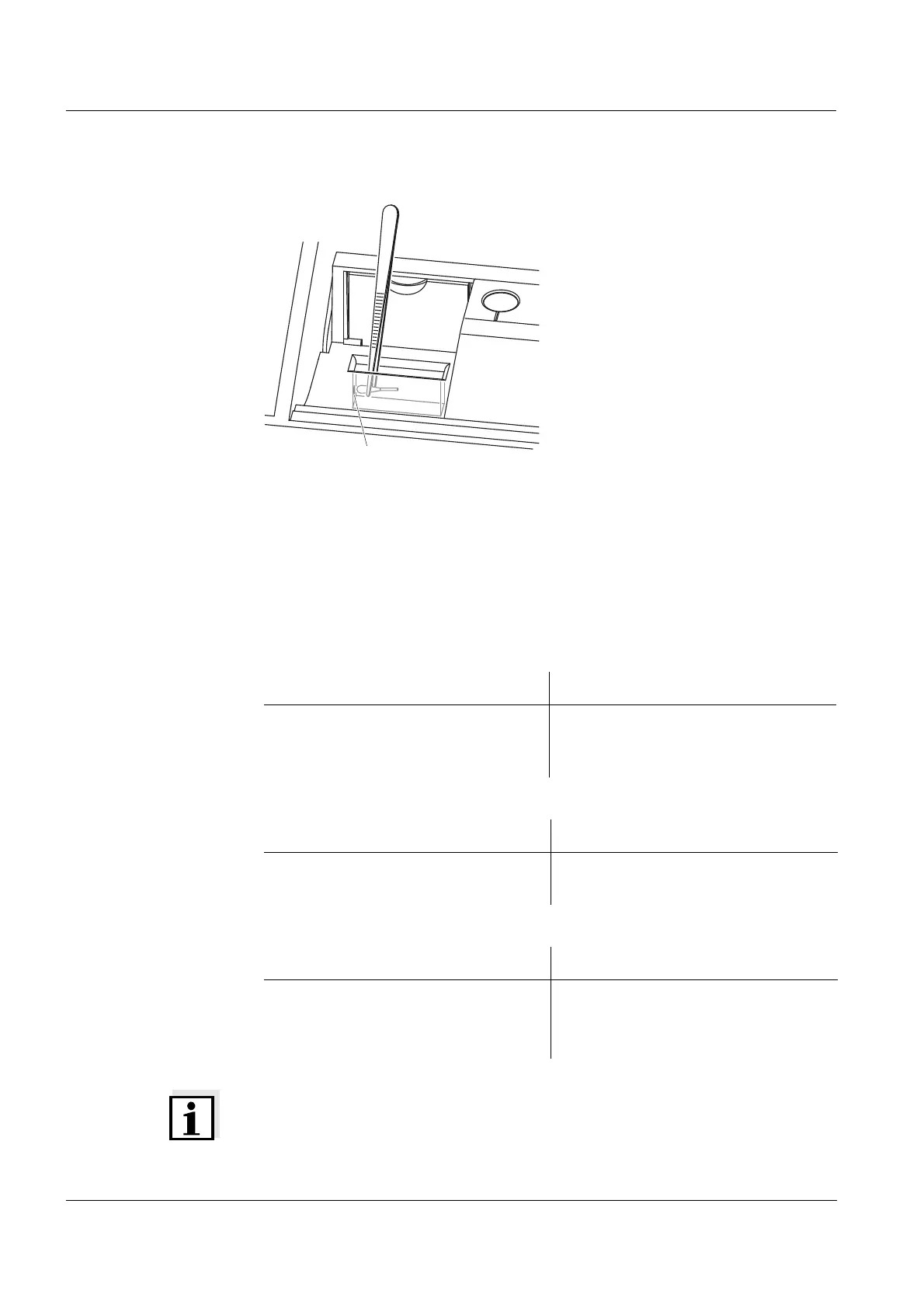
The detector lens is on the front left
side of the rectangular cell shaft
(pos. 1).
1 Switch off the photometer.
2 Cut off the end (approx. 2 cm) of a
Dacron
®
swab,
e.g. HY-LiTE
®
sampling pen,
cat.no. 1.30102.0021.
3 Grasp the cut-off end with the tip
of a pair of tweezers or small pli-
ers. Clean the lens with the dry
head of the swab. To do so, move
the head from the center of the
lens outward in circles. If there are
persistent coatings, moisten the
swab with a little deionized water
or isopropanol.
Cause Remedy
– Operating condition undefined or
EMC load unallowed
– Processor reset:
Press the <ON/OFF> and
<ESC> key simultaneously.
Cause Remedy
– The key does not have any func-
tion in the current operating state
– Press a different key
Cause Remedy
– Method not suitable – Select method with suitable mea-
suring range
– Dilute the sample



 To Next Page