Operation Spectroquant
®
Pharo 300
66
ba75703d07 04/2014
4.5 Measuring in Concentration mode
4.5.1 Measuring cell tests with barcode
Display if the measured value is not within the measuring range (see section
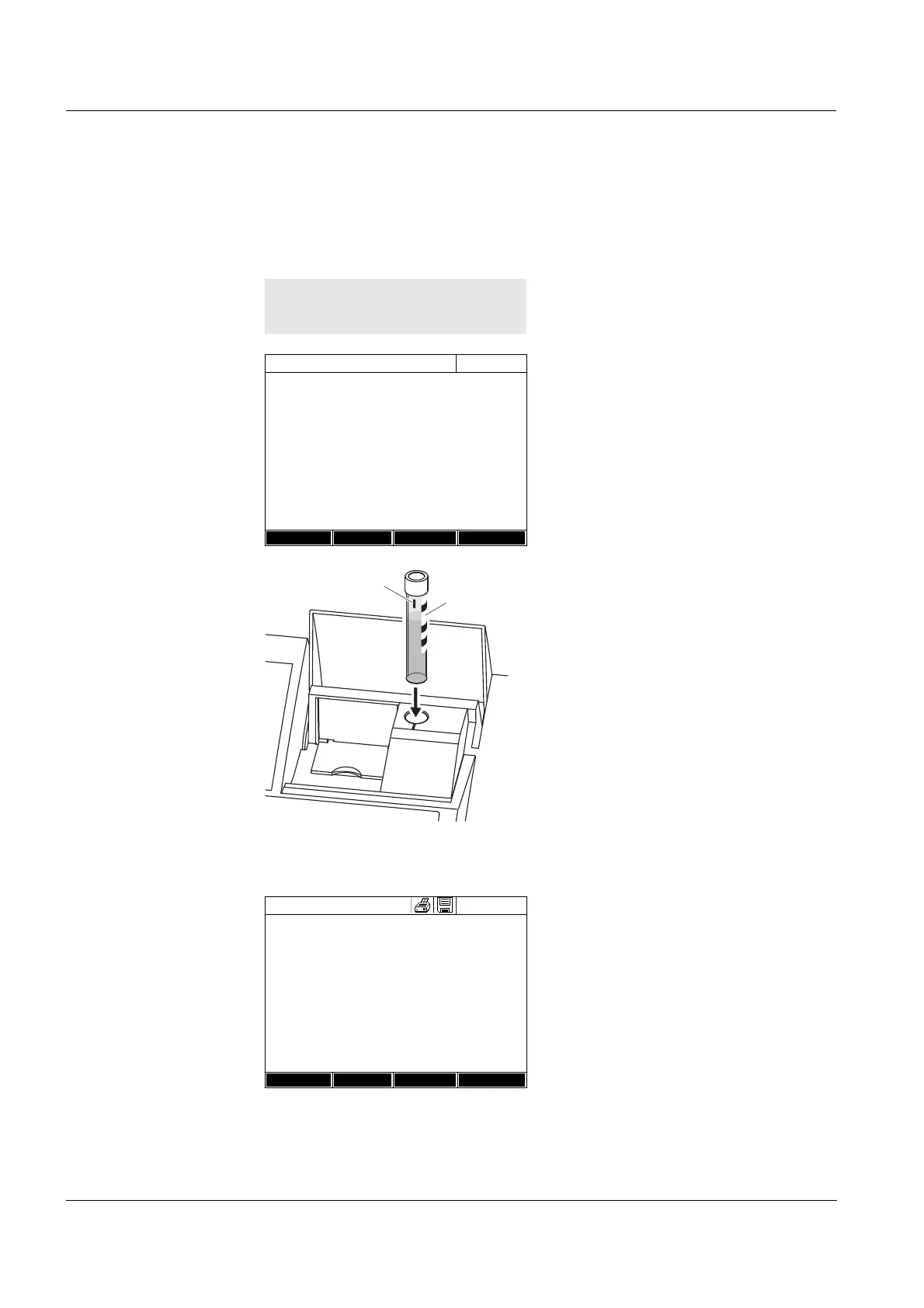
Inserting a cell with barcode starts
a measurement.
1 Open the cell shaft cover.
2 Close the inner turn-up lid.
If the inner turn-up lid is opened
too wide, a message prompts you
to close the inner turn-up lid.
3 Insert the barcoded round cell in
the round cell shaft so it touches
the bottom. When doing so, align
the line mark with the notch at the
front of the round cell shaft.
The photometer selects the
method based on the bar code
and automatically starts measure-
ment.
4 Further options:
– Select a different citation form
with [Citation form],
(e.g. NH
4
<–> NH
4
-N).
– Select a different measuring
unit with [Unit],
(e.g. mg/l <–> mmol/l).
– Make further settings such as
dilution or blank value measure-
ments with [Setup] (see section
4.5.6).
Concentration
16.04.07 9:52
Please select method for measuring or insert
a barcoded cell or insert AutoSelector.
Setup
Method list Last method New Method
Concentration
16.04.07 9:52
49
mg/l
14: 14540
COD
16 mm
10 - 150 mg/l
Setup
Method list
Citation form Unit



 To Next Page