Machine maintenance and care
Assembly
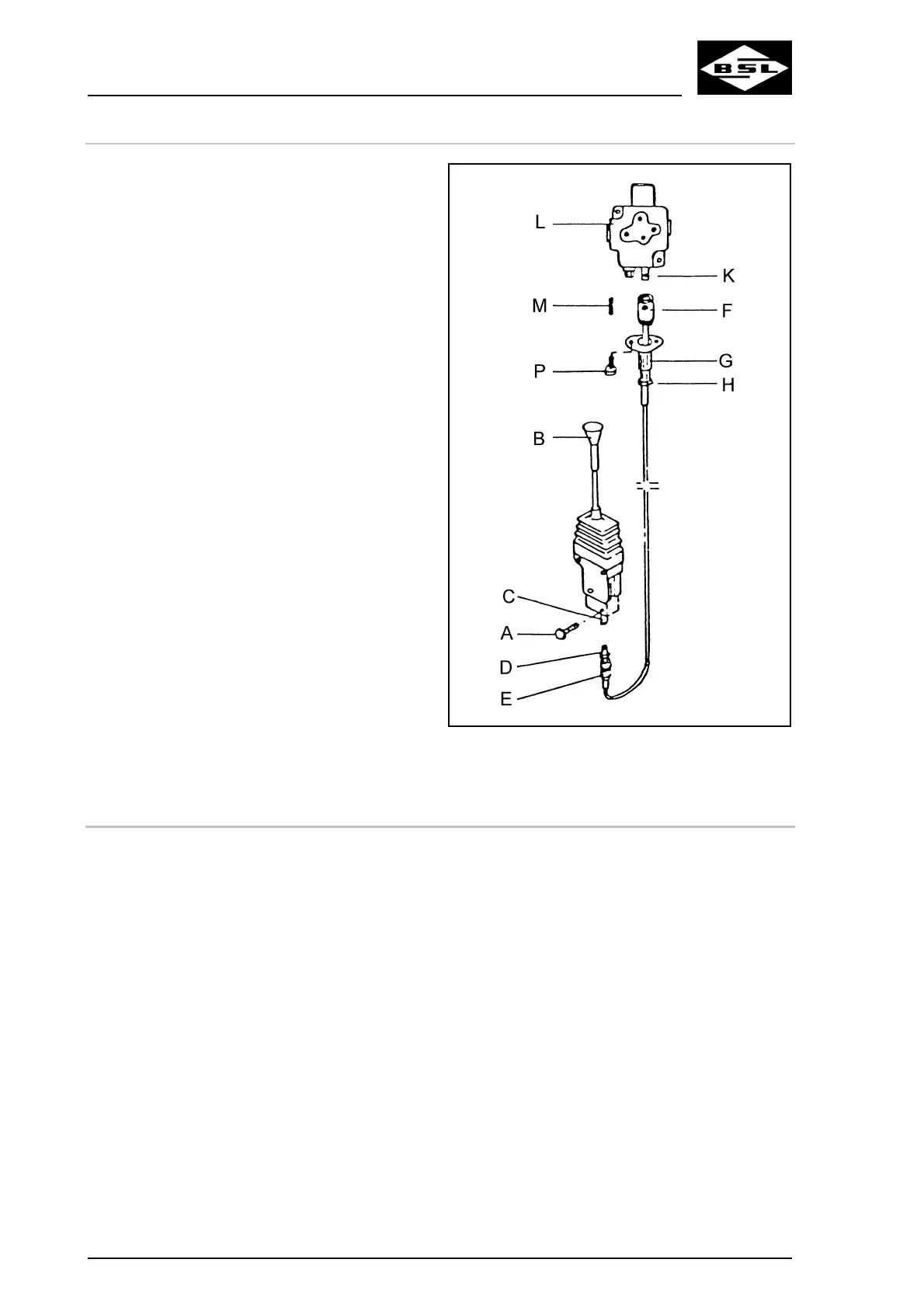
Connection to control device:
Fig. 98
. Tighten the counternut (H).
1
2
3
4
5. Screw on the connecting sleeve (F).
6
7
. Unscrew the counternut of connecting
sleeve (F).
. Unscrew the connecting sleeve (F).
. Replace the adapter (G).
. Install the connector at the control valve of
the control block.
1. Remove the locking screw (A).
2. Operate control device (B) until the
connecting pin (C) is visible.
. Screw threaded sleeve (D) of the remote
control cable into the connecting pin (C)
with operating control device (B) actuated.
Verti Mix Double K Edition 08.08
3
4
5
6
7
8
9
10
11
12
11.10.1 Replacing of remote control cable adapter (G)
. Release operating control device (B).
. Insert sleeve (E) completely into the
housing.
. Mount locking screw (A).
Connection to control valve of control block:
. Operate control device (B) until the
connecting sleeve (F) is jutting out of the
adapter (G).
Possibly loosen counternut (H) and turn
back adapter (G).
. Slip the connecting sleeve (F) onto the
sliding pin (K).
. Connect connecting sleeve (F) and the
sliding pin (K) by means of pin (M).
. Turn the adapter (G) until it fits closely to
the valve box (L).
. Fasten the adapter (G) to the valve box (L)
by means of the two screws (P) M 6 x 16.
. Remove the connector at the control valve
of the control block.
. Tighten the counternut of connecting sleeve
(F).
170



 To Next Page