Black plate (125,1)
一般Model "A2520GE-A" EDITED: 2015/ 10/ 22
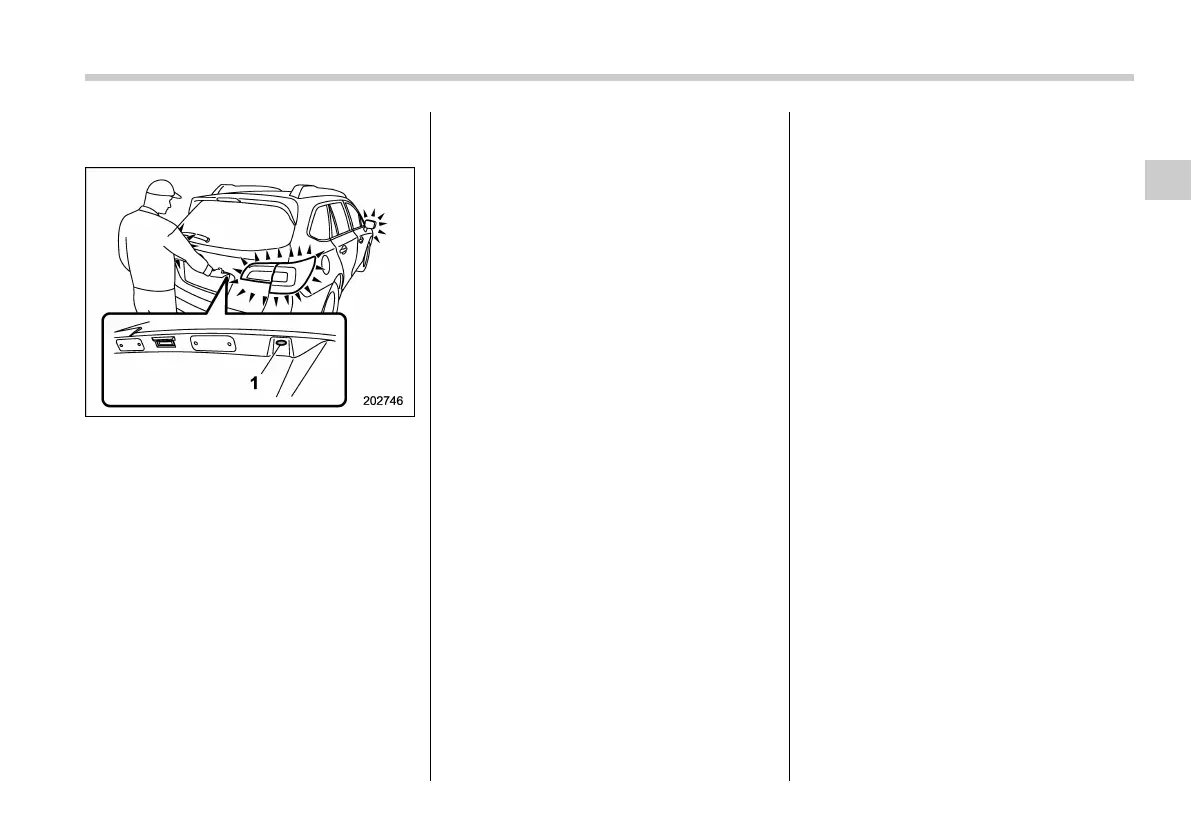
! Locking with the rear lock button
(Outback)
1) Rear lock button
Carry the access key, close all doors
including the rear gate and press the rear
lock button. The rear gate and all doors
will be locked. Also, the hazard warning
flashers will flash once.
! Door unlock selection function
The door unlock selection function makes
it possible to unlock the driver’s door or
the rear gate without unlocking any other
doors. You can change the setting for the
driver’s door and for the rear gate inde-
pendently.
The operational/non-operational setting
for this function can be changed by a
SUBARU dealer.
Operational: Only the driver’s door or the
rear gate will be unlocked.
Non-operational: All doors and the rear
gate will be unlocked.
The factory setting (default setting) is set
as follows:
. models with double locking system:
“operational”
. models without double locking system:
“non-operational”
For further details, we recommend that
you consult a SUBARU dealer.
! Power saving function
The keyless access function will be
disabled in the following cases to protect
the access key battery and the vehicle
battery.
Case 1: When the keyless access func-
tion and the remote keyless entry system
have not been used for 2 weeks or longer
while the push-button ignition switch has
been off
Case 2: When the access key has been
left in the operating range for 10 minutes
or longer while all doors are locked
! Recovery from power saving
mode
When one of the following is operated, the
keyless access function will be recovered.
Case 1:
. Unlock the doors by gripping the
driver’s door handle.
. Lock the doors by the following:
– Touching the door lock sensor on
the driver ’s door handle
– Using the mechanical key (for mod-
els with double locking system)
. Lock or unlock the doors by t he
following:
– Using the remote keyless entry
system
– Operating the power door locking
switch
. Open a door and then close it, or close
a door and then open it.
. Turn the push-button ignition switch to
the “ON” position.
Case 2:
. Unlock the doors by the following:
– Gripping the door handle
– Pressing the rear gate opener
button
. Lock the doors by touching the door
lock sensor.
Keys and doors/Keyless access with push–button start system
2-15
– CONTINUED –
2














 To Next Page