Black plate (267,1)
一般Model "A2520GE-A" EDITED: 2015/ 10/ 22
! Voice command system
The voice command system and its list of
commands can be operated.
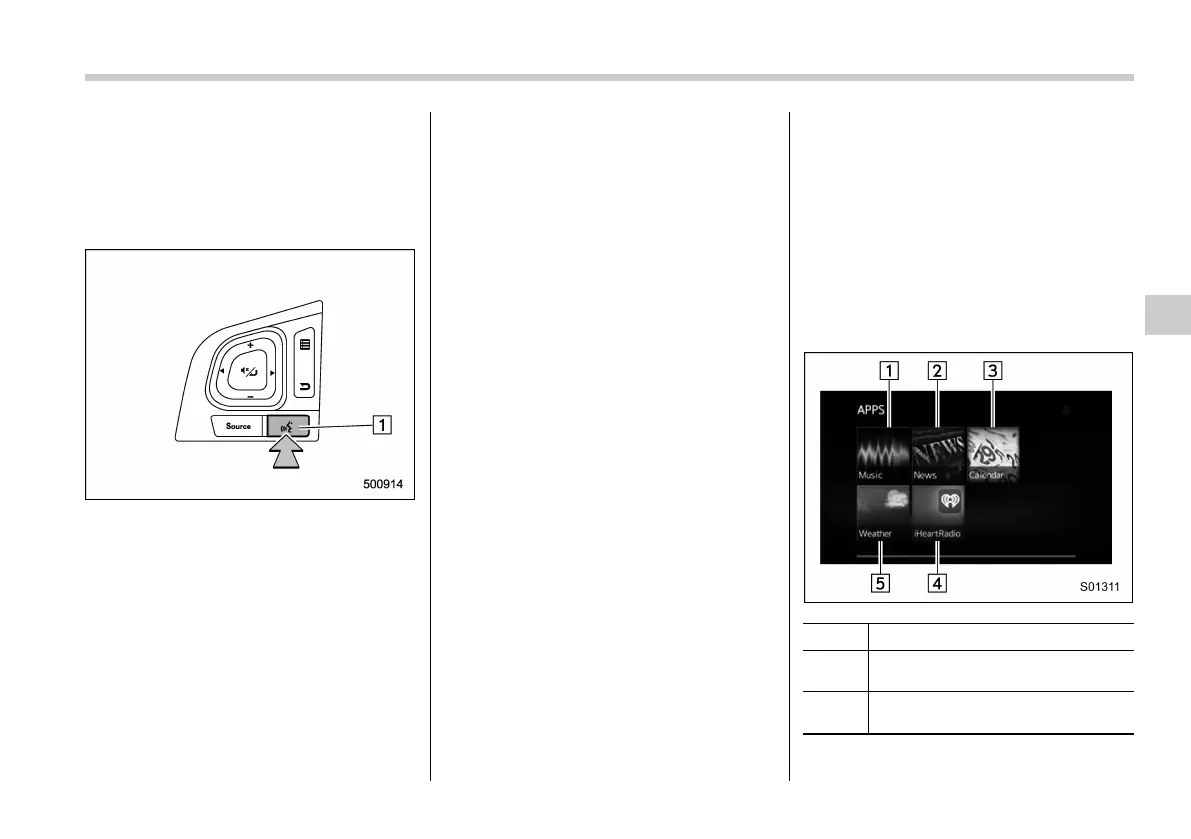
Press the talk switch to operate the voice
command system. Refer to “Voice com-
mand system operation” F5-63.
&
1
Talk switch
& SUBARU STARLINK
(for Europe)
The SUBARU STARLINK function allows
the system to link with a smartphone using
Bluetooth.
! How to use SUBARU STARLINK
1. Connect to the audio system. Use a
USB port for an iPhone or iPod touch and
Bluetooth for Android devices.
. For details about connecting an
iPhone/iPod touch: Refer to “Connect-
ing and disconnecting a USB memory/
portable device” F5-13.
. For details about registering or con-
necting an Android device: Refer to
“Registering/connecting Bluetooth
®
device” F5-43.
2. Press the HOME button, and then
touch the “APPS” key on the home
screen, or press the APPS button. The
APPS screen is displayed.
3. Touch “SUBARU STARLINK” on the
APPS screen. Then the disclaimer screen
or the error screen is displayed.
4. Touch the “Check” key on the disclai-
mer screen and then the APPS main
screen will appear. If you touch the
“Cancel” key, the disclaimer screen dis-
appears and the previous screen will be
displayed again.
NOTE
The SUBARU STARLINK connection
error screen will be displayed due to
one of the following possible reasons.
. Your smartphone and the system
has not been connected via USB (for
iPhone) or Bluetooth (for Android).
. SUBARU STARLINK APPS has not
been activated.
! APPS main screen
No. Function
&
1
Select to go to the Music APPS
screen.
&
2
Select to go to the News APPS
screen.
Audio/Audio set
5-25
– CONTINUED –
5














 To Next Page