Black plate (275,1)
一般Model "A2520GE-A" EDITED: 2015/ 10/ 22
! Connecting a USB device
You can connect a USB device to the
vehicle USB port. Refer to “Connecting
and disconnecting a USB memory/porta-
ble device” F5-13.
! How to change the source
The USB Audio playback screen can be
reached by the following methods:
. Connect a USB memory. Refer to
“Connect ing and disco nnecting a USB
memory/portable device” F5-13.
. Select the “USB/iPod” key on the
source select screen. Refer to “Selecting
an audio source” F5-17.
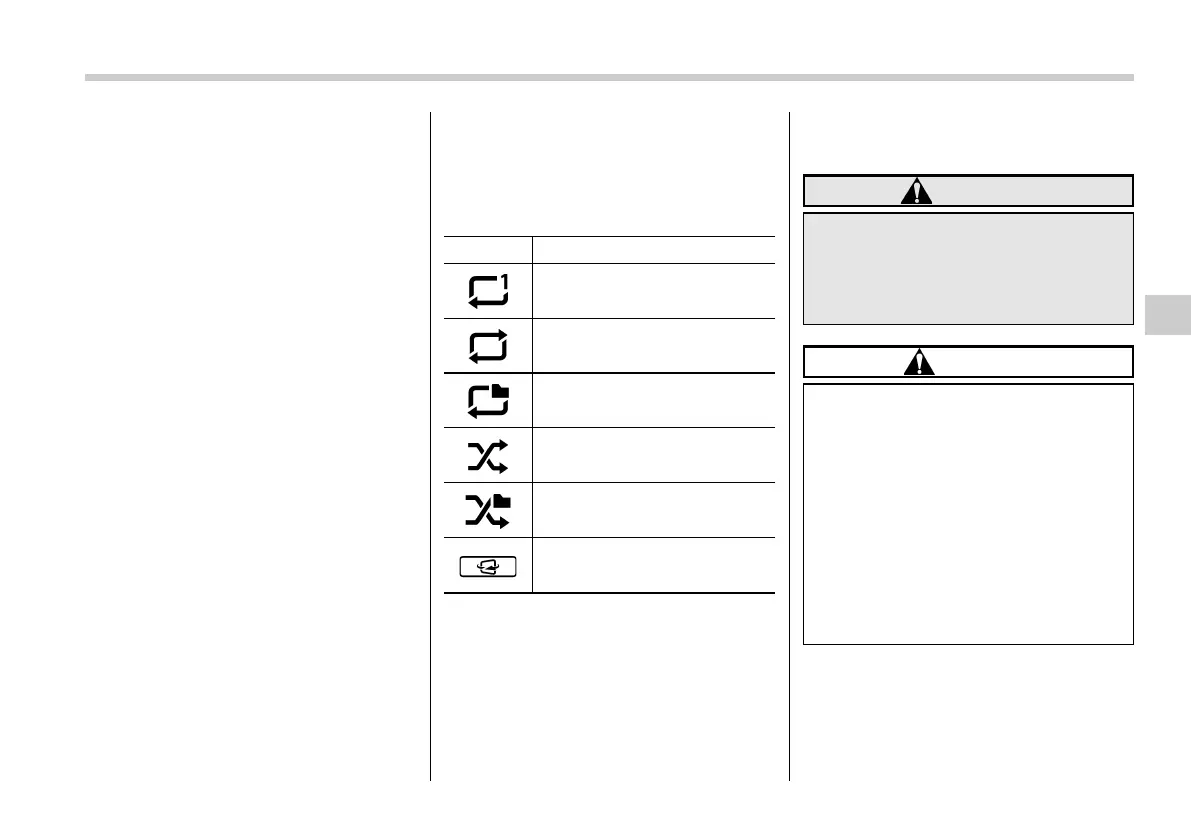
! Select play mode
The play mode settings display will appear
when play mode key is touched. Select
the preferred play mode from the following
items.
Icon Function
Touch to start 1 track repeat.
Touch to start repeat all.
Touch to start folder repeat.
Touch to start shuffle all.
Touch to start shuffle folder.
Return to the control screen.
& iPod
Audio files on the iPod can be played.
WARNING
Do not operate the player’s controls
or connect the iPod while driving.
Doing so may result in losing con-
trol of your vehicle and cause an
accident or serious injury.
CAUTION
. Do not leave your portable player
in the car. In particular, high
temperatures inside the vehicle
may damage the portable player.
. Do not push down on or apply
unnecessary pressure to the por-
table player while it is connected
as this may damage the portable
player or its terminal.
. Do not insert foreign objects into
the port as this may damage the
portable player or its terminal.
Audio/Media operation
5-33
– CONTINUED –
5














 To Next Page