Black plate (298,1)
一般Model "A2520GE-A" EDITED: 2015/ 10/ 22
5-56
Audio/Phone operation (Hands–free system for cellular phones)
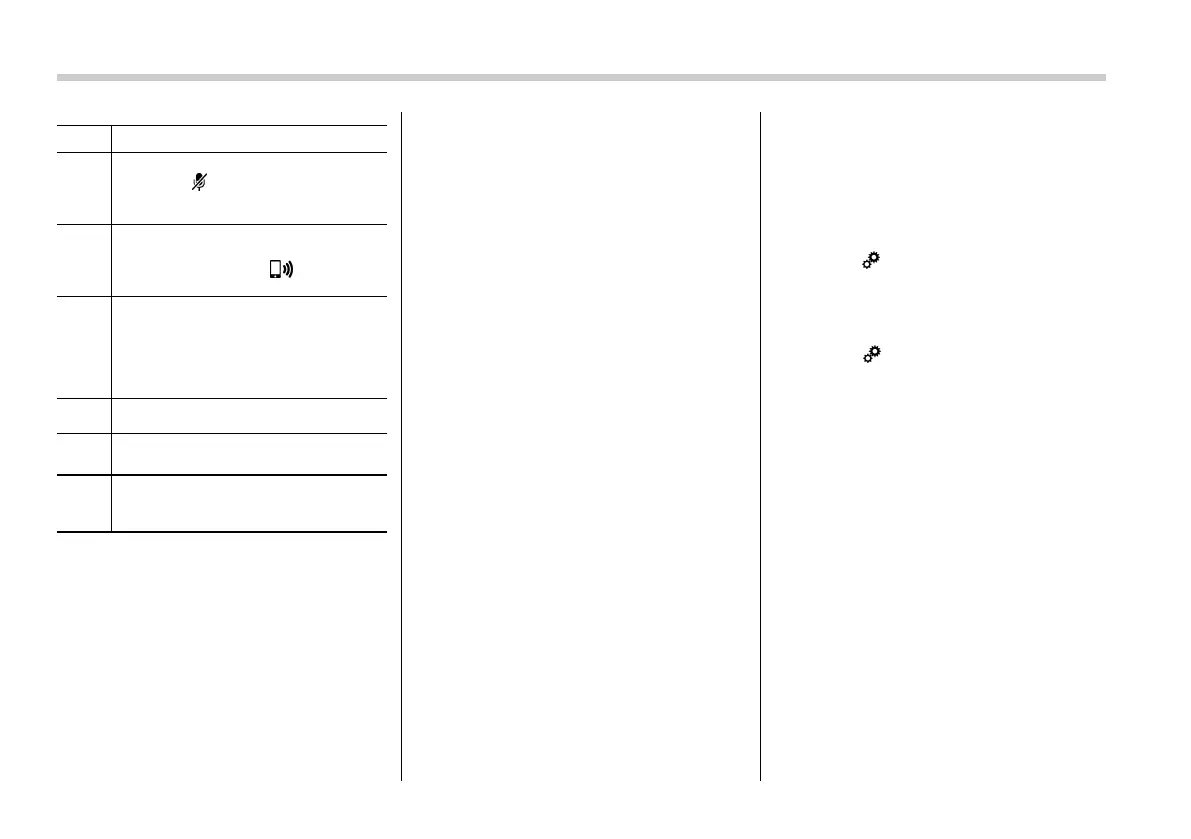
No. Function
&
2
Mute your voice to the other party.
Touch the
key again to deactivate
the Mute mode. This key is disabled in
the private mode.
&
3
Change the mode to private mode.
The other party’s voice emits from the
cell phone. Touch the key again to
deactivate the private mode.
&
4
End the call. You return to the phone
(menu) screen when ending outgoing
calls and the previous screen when
ending incoming calls. This function is
the same as pressing and holding the
on hook switch on the steering wheel.
&
5
Open the call (dialpad) screen.
&
6
Switch the screen to the phone
(menu) screen.
&
7
Allow you to make DTMF (Dual Tone
Multi Frequency) calls. The numbers
you enter are sent as tone signals.
NOTE
. When cellular phone call is changed
to hands-free call, the hands-free
screen will be displayed and its func-
tions can be operated on the screen.
. Changing between cellular phone
call and hands-free call can be per-
formed by operating the cellular phone
directly.
. Tr ans ferri ng me thod s and opera-
tions will be different depending on
the type of cellular phone you have.
. For the operation of the cellular
phone, see the manual that comes with
it.
. The sound quality of the voice heard
from the other party’s speaker may be
negatively impacted.
& Phone settings
You can transfer the phonebook informa-
tion and adjust the volume of your phone
using the Bluetooth phone system.
NOTE
. The ringer volume for outgoing and
incoming calls, as well as the volume
while on hold or during a call are
controlled independently from the vo-
lume of the audio source. The volume
setting in the phone setting is applied.
. When making a call, receiving a call
or while talking on the phone, you can
adjust the volume by using the AUDIO/
TUNE knob on the audio panel or the
volume control switch on the steering
wheel.
! Phone volume settings screen
The call and ringtone volume can be
adjusted. A ringtone can be selected.
1. Display the “PHONE” screen. Refer to
“How to change the Bluetooth hands-free
phone system” F5-50.
2. Touch
key.
3. Select the desired item to be set.
. On the “PHONE” screen, the screen
changes to the “Options” screen when you
select the
key.














 To Next Page