Black plate (260,1)
一般Model "A2520GE-A" EDITED: 2015/ 10/ 22
5-18
Audio/Audio set
! Selecting a function menu
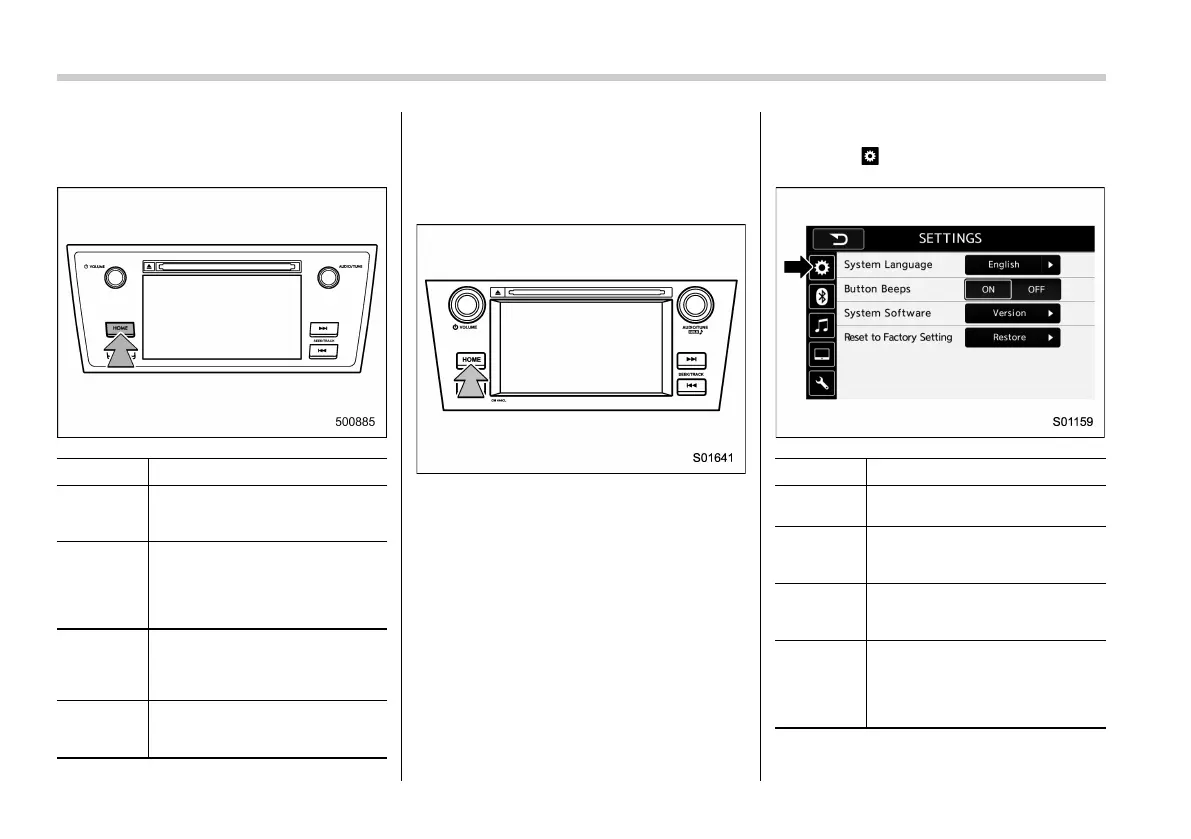
Press the HOME button to display home
screen.
Item Function
AUDIO
Select to display the main
screen of the audio source that
was selected previously.
PHONE
Select to display the hands-free
function using your cell phone.
Refer to “Phone operation
(Hands-free system for cellular
phones)” F5-48.
APPS (if
equipped)
Select to display the functions
linked with a smartphone. Refer
to “SUBARU STARLINK (for
Europe)” F5-25.
SETTINGS
Select to display the functions
for performing various settings.
Refer to “Unit settings” F5-18.
& Unit settings
Sound quality adjustment, screen adjust-
ment, and information of the audio unit are
displayed.
1. Press the HOME button.
2. Touch the “SETTINGS” key.
3. Select the items to be set.
! General settings
Touch the
tab for the audio unit basic
settings.
Item Function
System
Language
Select to change the language.
Button
Beeps/But-
ton sounds
Select to set the sound beeps
on/off.
System
Software
Select to update software ver-
sions. This menu is not used in
usual operation.
Reset to
Factory
Setting
Select to reset the device to
factory settings. This menu is not
used in usual operation.
When reset to factory setting,
turn ignition off and on again.














 To Next Page