Black plate (259,1)
一般Model "A2520GE-A" EDITED: 2015/ 10/ 22
NOTE
Some functions can also be operated
by using the voice command system.
For details, refer to “Voice command
system”.
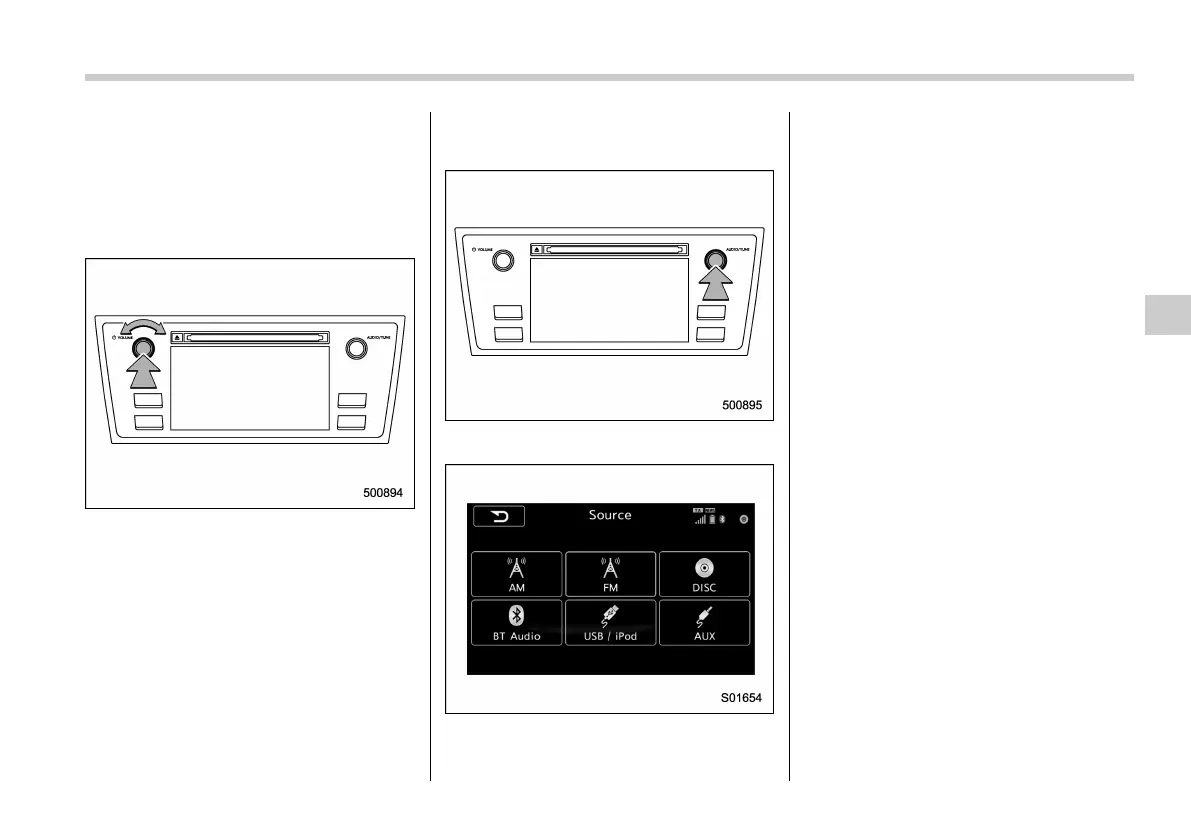
! Turning the system on and off
Press the power/VOLUME knob to turn
the audio/visual system on and off. When
the system turns on, the mode that was in
use the last time the system was turned off
will be displayed. Press and hold the knob
to turn the display to off.
Turn this knob to adjust the volume.
! Selecting an audio source
1. Press the “AUDIO/TUNE” knob.
2. Select the desired source.
NOTE
. If the audio control screen appears,
select the “Source” key on the audio
screen or press the “A UDIO/ TUNE”
knob again.
. When you push the AUDIO/TUNE
knob while any screen other than the
audio control screen is displayed, the
display will return to the audio control
screen.
. When the AUDIO/TUNE knob is
pushed and held, the graphic equalizer
screen will be displayed. Refer to
“Graphic Equalizer”.
Audio/Audio set
5-17
– CONTINUED –
5














 To Next Page