Black plate (256,1)
一般Model "A2520GE-A" EDITED: 2015/ 10/ 22
5-14
Audio/Audio set
! Touch screen gestures
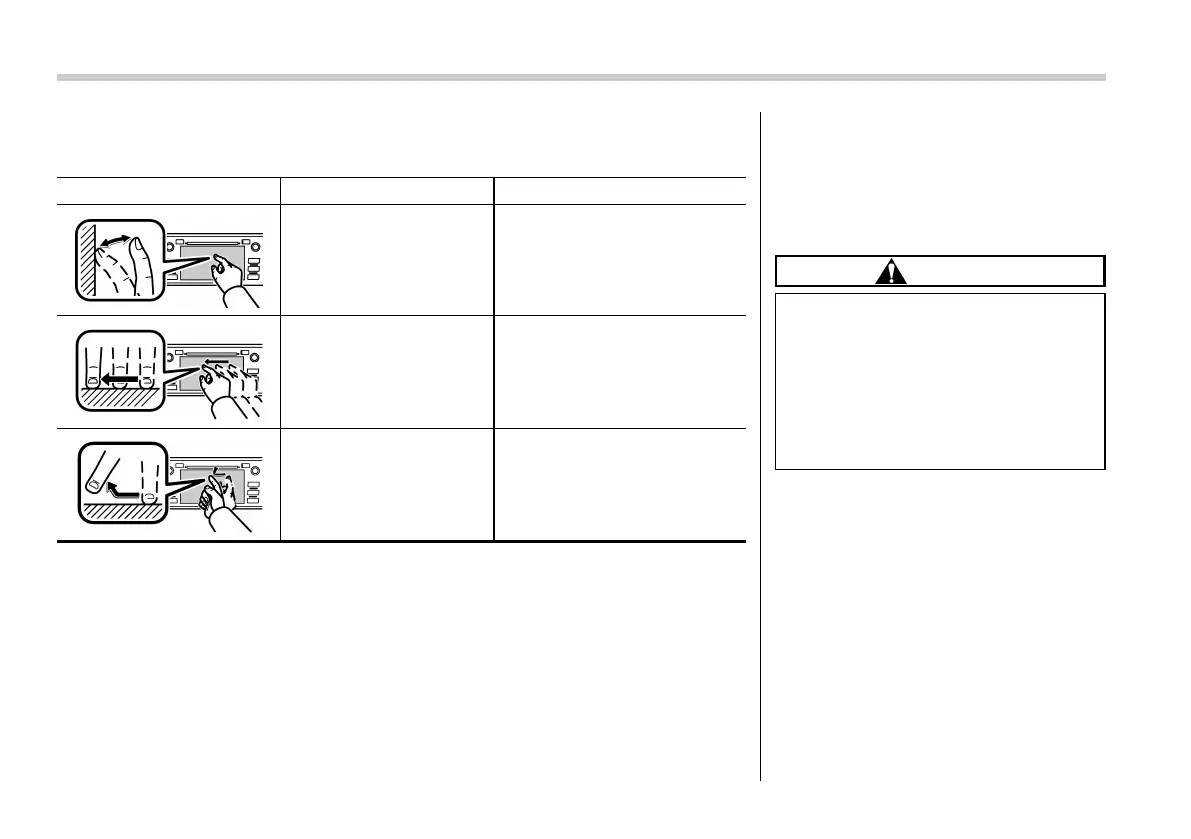
Operations are performed by touching the touch screen directly with your finger.
Operation method Outline Main use
Touch
Quickly touch and release
once.
Changing and selecting various
settings
Drag*
Touch the screen with your
finger, and move the screen
to the desired position.
Scrolling the lists
Flick*
Quickly move the screen by
flicking with your finger.
Scrolling the main screen page
*: The above operations may not be performed on all screens.
NOTE
There may be a delayed response to flick operation that are performed at high
altitudes.
! Touch screen operation
This system is operated mainly by the
keys on the screen.
. When a screen key is touched, a beep
sounds. (You can set the beep sound.)
Refer to “Unit settings” F5-18.
CAUTION
. To prevent damaging the screen,
touch the screen keys with your
finger lightly.
. W ipe off fin gerprints using a
glass cleaning cloth. Do not use
chemical cleaners to clean the
screen, as they may damage the
touch screen.
NOTE
. If the system does not respond to
touching a screen key, move your
finger away from the screen and touch
it again.
. Grayed-out screen keys cannot be
operated.
. The displayed image may become
darker and moving images may be
slightly distorted when the screen is
cold.
. In extremely cold conditions, the
map may not be displayed and the data














 To Next Page