Black plate (265,1)
一般Model "A2520GE-A" EDITED: 2015/ 10/ 22
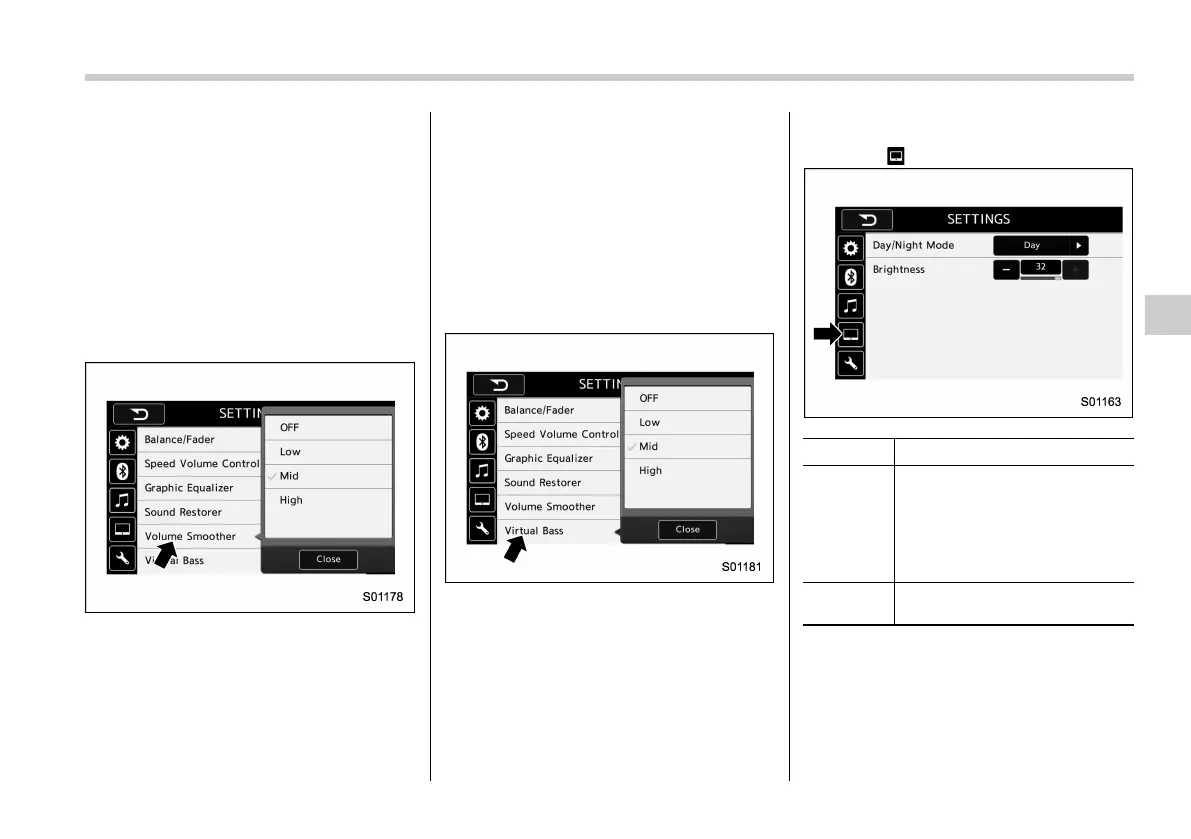
! “Volume Smoother”
This function reduces the difference in
volume among the sound sources to be
played.
1. Touch the right side key of the “Volume
Smoother” key.
2. Se lect the “OFF”, “Low”, “Mid” or
“High” key. The “High” key comes to have
a bigger effect. When the “OFF” key is
selected, the volume smoother function is
cancelled.
! “Virtual Bass”
This function enables you to adjust the
bass tone.
1. Touch the right side key of the “Virtual
Bass” key.
2. Se lect the “OFF”, “Low”, “Mid” or
“High” key. The “High” key comes to have
a bigger effect. When the “OFF” key is
selected, the virtual bass function is
cancelled.
Example
! Display settings
Touch the
tab to set display.
Item Function
Day/Night
Mode
The “Auto”, “Day”,or“Night” key
can be selected on the pop-up
screen.
When the “Auto” key is selected,
the screen changes to day or
night mode depending on the
position of the headlight switch.
Brightness
Touch the “+” or “−” key to adjust
the brightness.
NOTE
. When the screen is viewed through
polarized sunglasses, a rainbow pat-
tern may appear on the screen due to
optical characteristics of the screen. If
this is disruptive, please operate the
Audio/Audio set
5-23
– CONTINUED –
5














 To Next Page