12 Software description
CyFlow
®
Cube 8 | Operating Manual | May 2018 | Revision 032 151
Worklist context menu
Context menus within the Worklist allow for easy access to the most
commonly used functions. The context menus are disabled during
acquisition.
If no specific context menu is defined for the region the cursor is placed, the
general context menu is displayed on right-clicking. In the "Panel",
"Workspace" and "Instrument Settings" columns of the Worklist, only the
relevant submenu is displayed.
The functionality of the New, Open, Save and Save as menu items is the
same as on the File tab of the Ribbon.
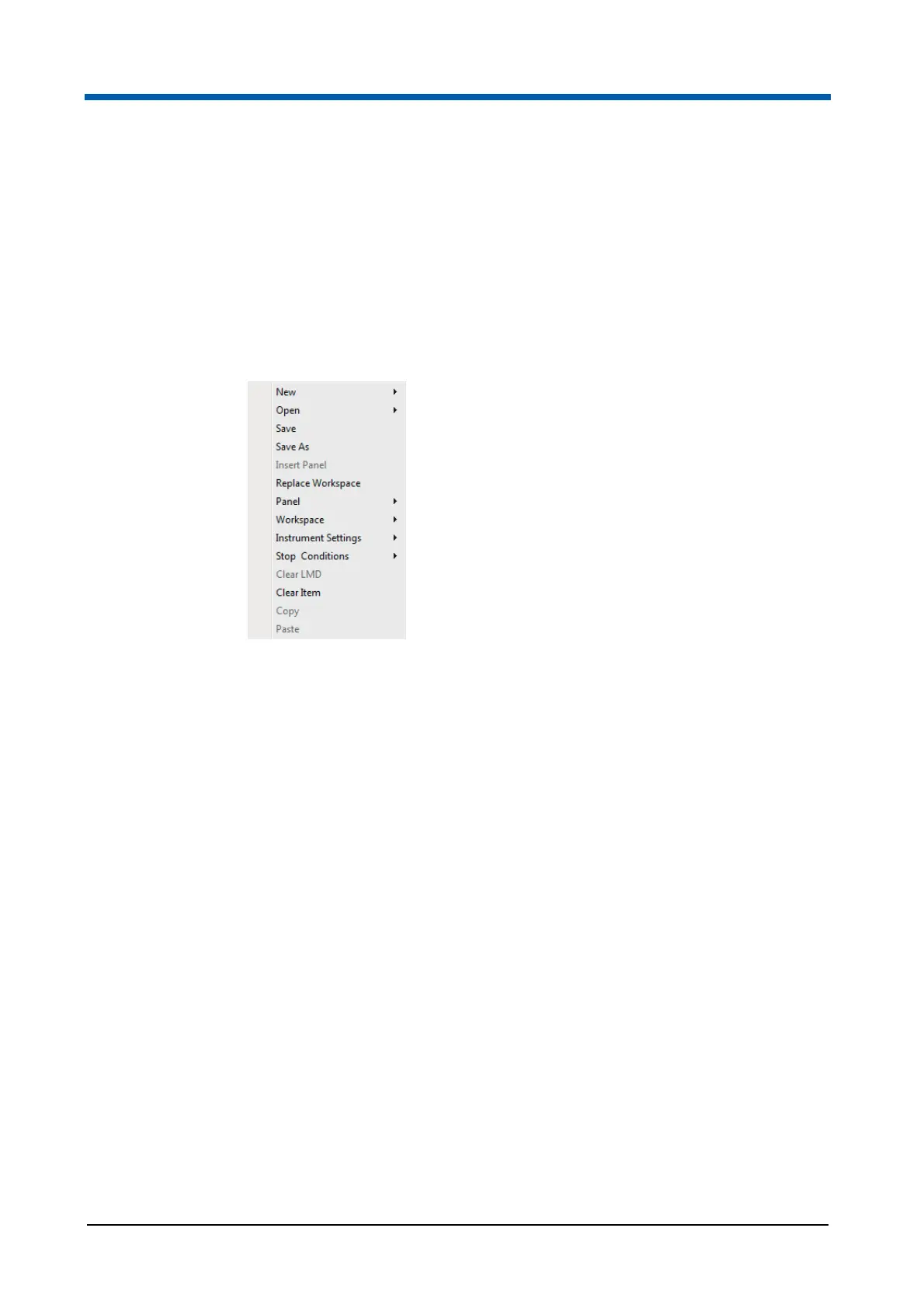
The general Worklist context menu contains the following options:
New: Click the menu item to create a new Worklist or a new Playlist.
Open: Click the menu item to open an existing Worklist or Playlist.
Save: Click the menu item to save the current Worklist with the same
name.
Save As: Click the menu item to save the current Worklist with a new
name.
Insert Panel: To insert a previously saved panel, click the menu item
and select a panel (XMLPA file) from the Windows Open dialogue. The
panel is added to the Worklist starting at the selected row. The option is
only available if the Worklist item is not yet assigned to a panel.
Replace Workspace: To replace the current Workspace file, click the
menu item and select a Workspace file (XMLWS file) from the Windows
Open dialogue. Only a single Workspace file can be opened. If multiple
Worklist items are selected, the Workspace files for all selected items are
replaced with the chosen Workspace file, and are automatically grouped
into a panel. A panel name is created by default
The option is disabled when a compensation setup panel is active.



 To Next Page