12 Software description
70 CyFlow
®
Cube 8 | Operating Manual | May 2018 | Revision 032
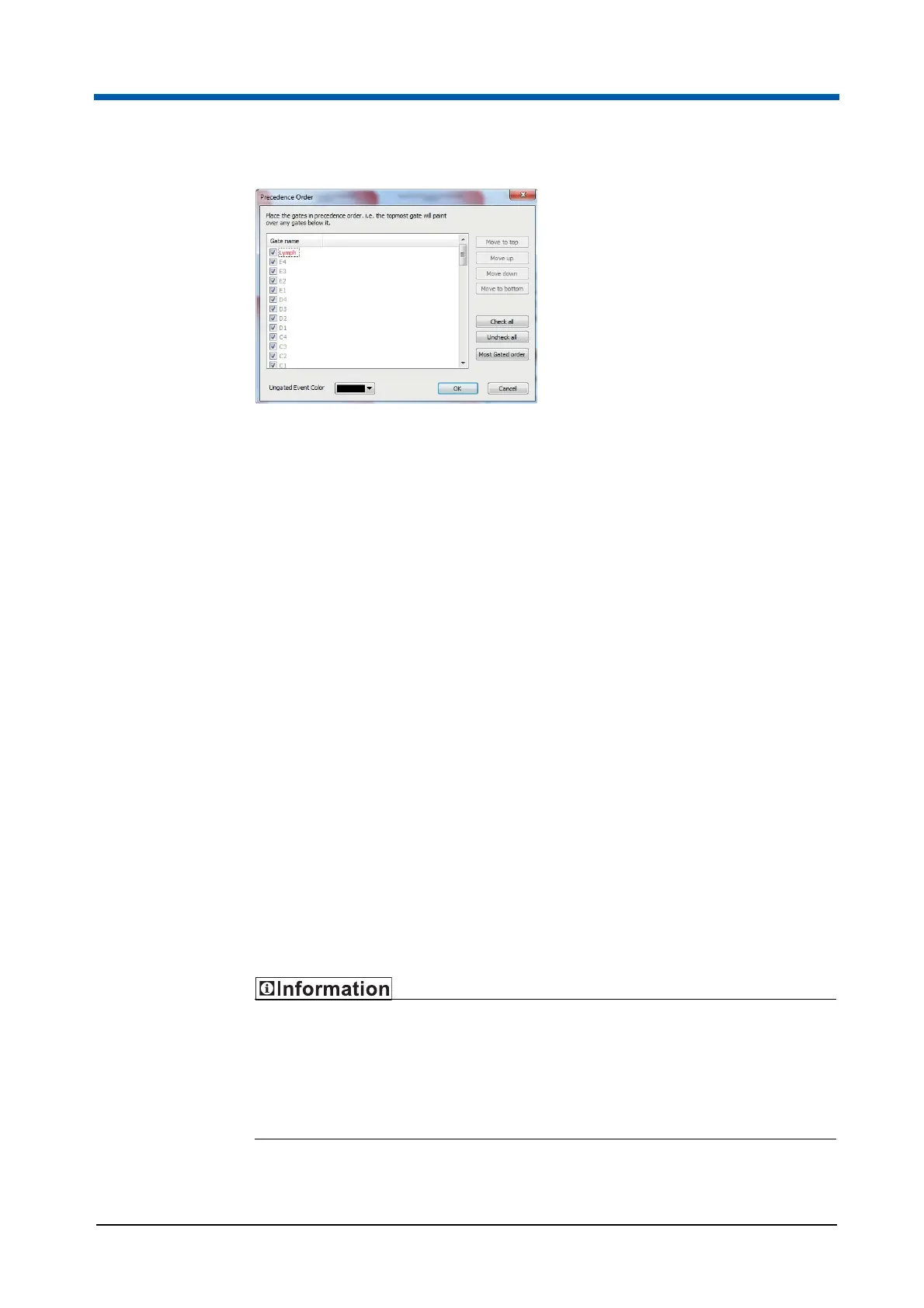
In the Precedence Order dialogue, a gates list displays all gates in the
current Workspace. The text colour corresponds to their gate colour.
Adjacent to each gate name is a check box. Select the check boxes to
include the corresponding gates in the colour precedence.
Gates positioned at the top of the list have higher precedence than the gates
positioned at the bottom of the list. The precedence defines the appearance
of the gates in the plots in the Workspace. The plots will display events in the
top gate of the list on top of all other events in the plot. If a new gate is
created, it will be added to the top of the preference list by default, and
events associated with it will be painted on top of events in any other gates.
To change the precedence, use the Precedence Order dialogue.
The Precedence Order dialogue contains the following options:
Move to top, Move up, Move down, Move to: Select a gate and use
these buttons to move the selected gate to the desired position within the
gates list.
Check all, Uncheck all: Use these buttons to select or unselect all gates
in the list.
Most Gated order: Click the button to place the selected gates in the
precedence order ranked by the number of unique regions in each gate,
using the expanded gate equations.
Ungated Event Color: To change the current colour for ungated events
on precedence plots. Click the arrow to display the colour control and
select the desired new colour.
When the gate order is modified, always check the selected precedence
order works as intended and no populations are masked by a colour of lower
priority.
Always ensure that the colours assigned to the populations in the
precedence system can be clearly distinguished from each other.



 To Next Page